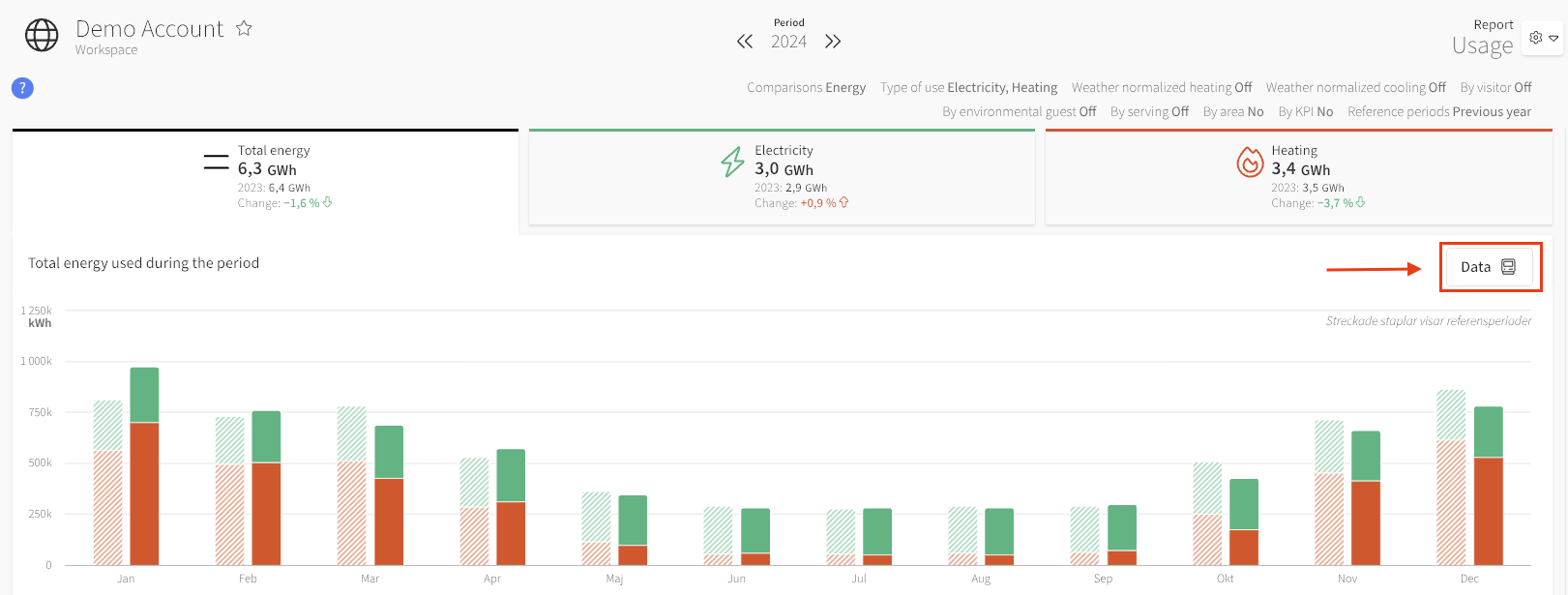
In the Usage Report, there is a button called Data. See the image below.
Through this tool, you get more detailed information about the data included in the report. For example, you can see what percentage of the measurements were collected automatically versus manually.
This Data Source modal contains two tabs:
Data
Gap Filling
This tab provides a clear overview of monthly data coverage for the selected year in a simple bar chart. The modal shows all the data that the report is based on, including all settings and filters.
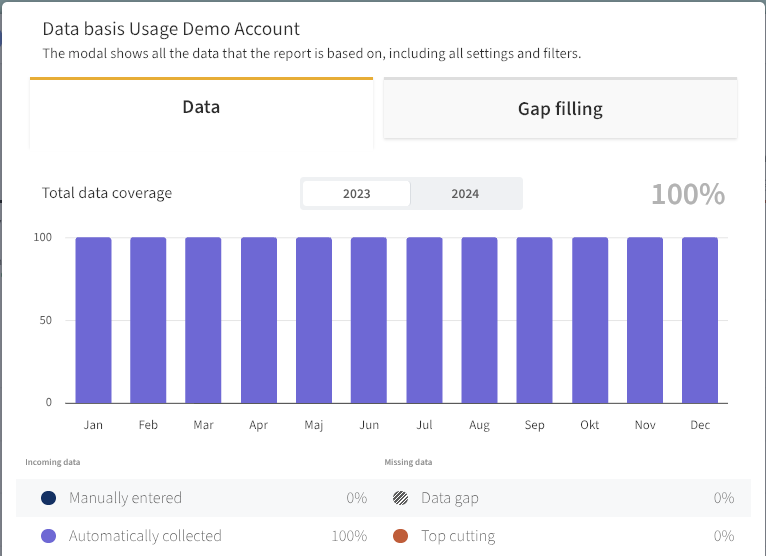
By hovering over a month, you get detailed information about shares of:
This gives you a quick understanding of how complete the underlying data is for each month in the reporting period.
This tab introduces our imputation tool in a separate view, so you can explore how missing data is filled in—without affecting the main report.
The imputation tool fills in data gaps, i.e., missing measurements in the data series. Mestro continuously fills in missing values for heating, cooling, and electricity meters by combining meter history with external variables such as outdoor temperature, time of day, and season. We continuously update our calculation method so that the imputed values reflect actual usage as accurately as possible when data points are missing. If we cannot find a strong enough correlation between usage and external variables, we do not fill in the values because we are not confident in the accuracy of the estimates.
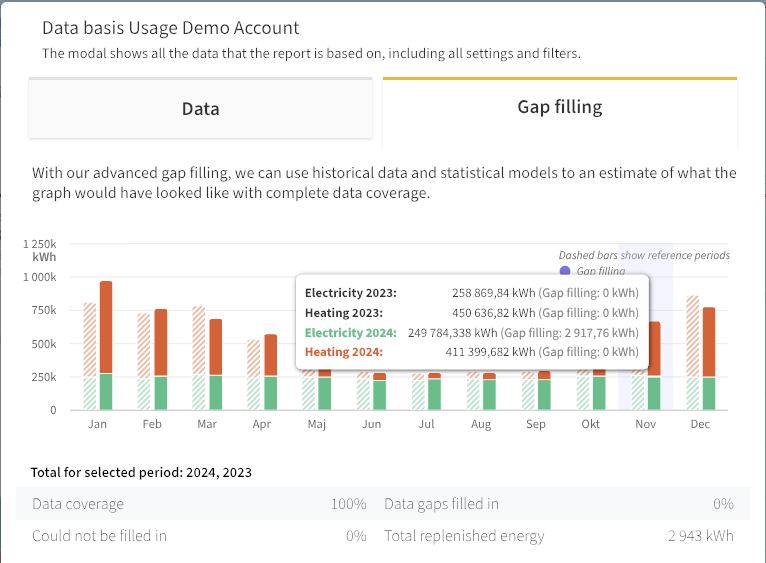
The chart in this tab mirrors the report’s graph but with imputed values highlighted in purple.
By hovering over a monthly bar in the chart, you get detailed information about:
Below the chart, you’ll find a summary for the entire period, with explanations when you hover over the table values:
Note: As you can see in the image above, there is imputed energy in this report (2,943 kWh), while it also shows 0% gaps filled. This is because the percentage of gaps filled is so small that it rounds down to 0. In this case, the data gap is 0.00023%.
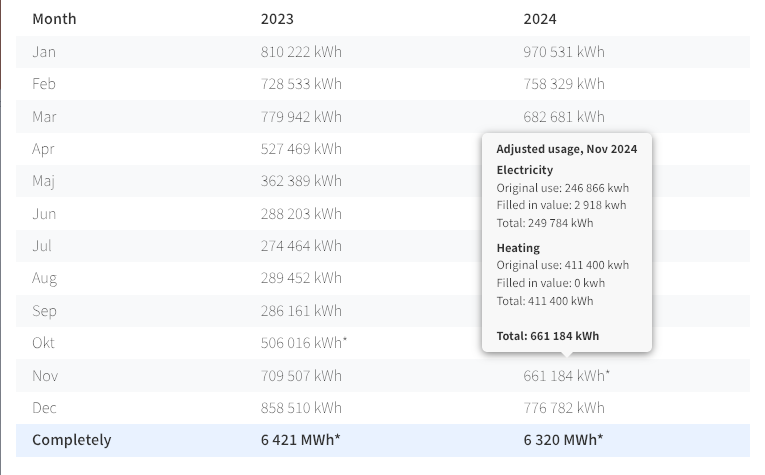
Scrolling down in this tab, you’ll find a detailed monthly table where months with imputed data are marked with an asterisk (*). Hovering over a month’s value will display a tooltip with: