
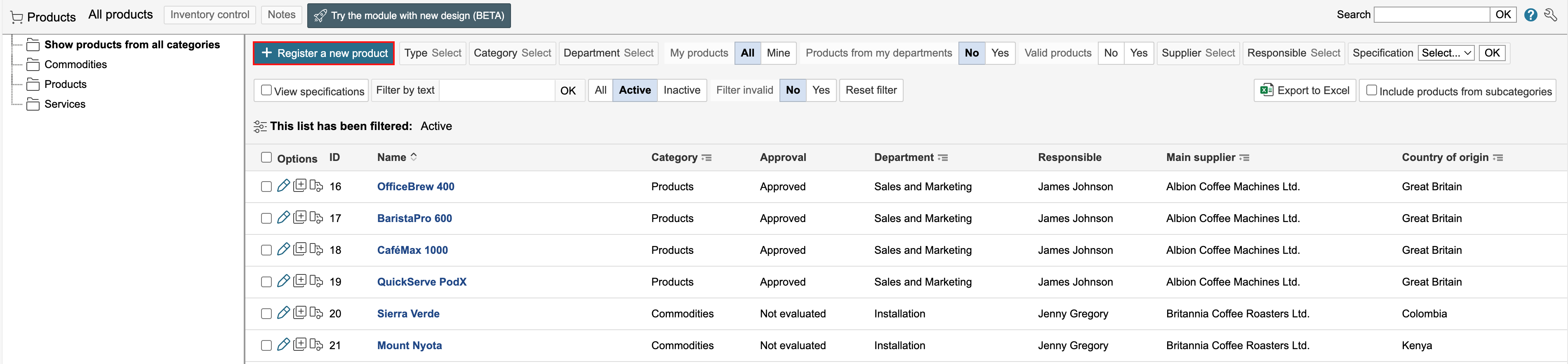
1. To create a new product, go to the product module and click Register a new product.
2. Enter the product information and click Save or Save and close form.
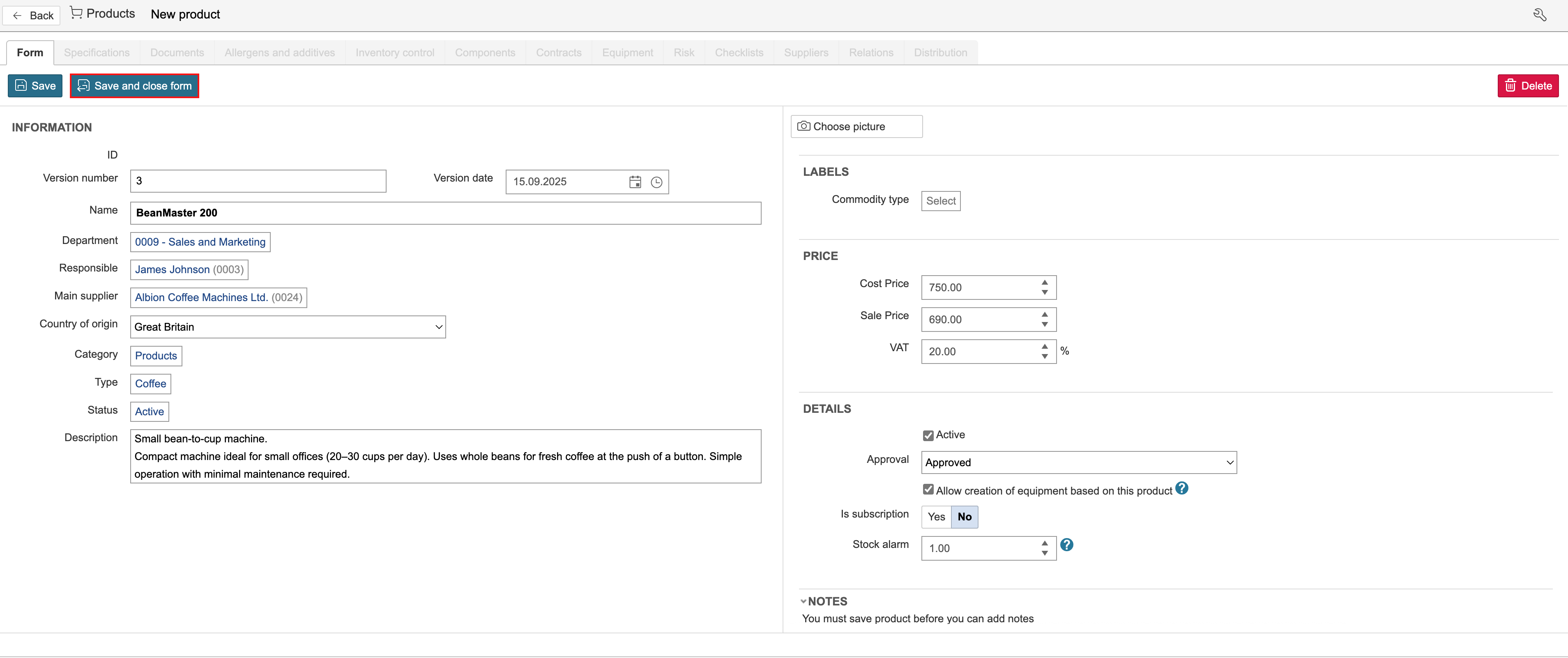
Types, categories and statuses are basic data that are set up in the control panel.
“Responsible” retrieves names from the employee module, “Main supplier” retrieves entries from the supplier module, and “Department” from the department list.
Cost price is the amount paid by the company to purchase the product. Sale price is the amount for which the product is sold, excluding VAT.
Active and Approval can be used to define the product’s validity.
The option Allow creation of equipment based on this product determines whether equipment can be created from the product. Creating equipment from the product reduces the stock level.
Is subscription indicates that the product is sold or purchased on a subscription basis.
Stock alarm defines the threshold at which the stock level is displayed in red under the "Inventory control" tab on the product.
