Time range filtering around when the message was sent
Or search using a custom filter.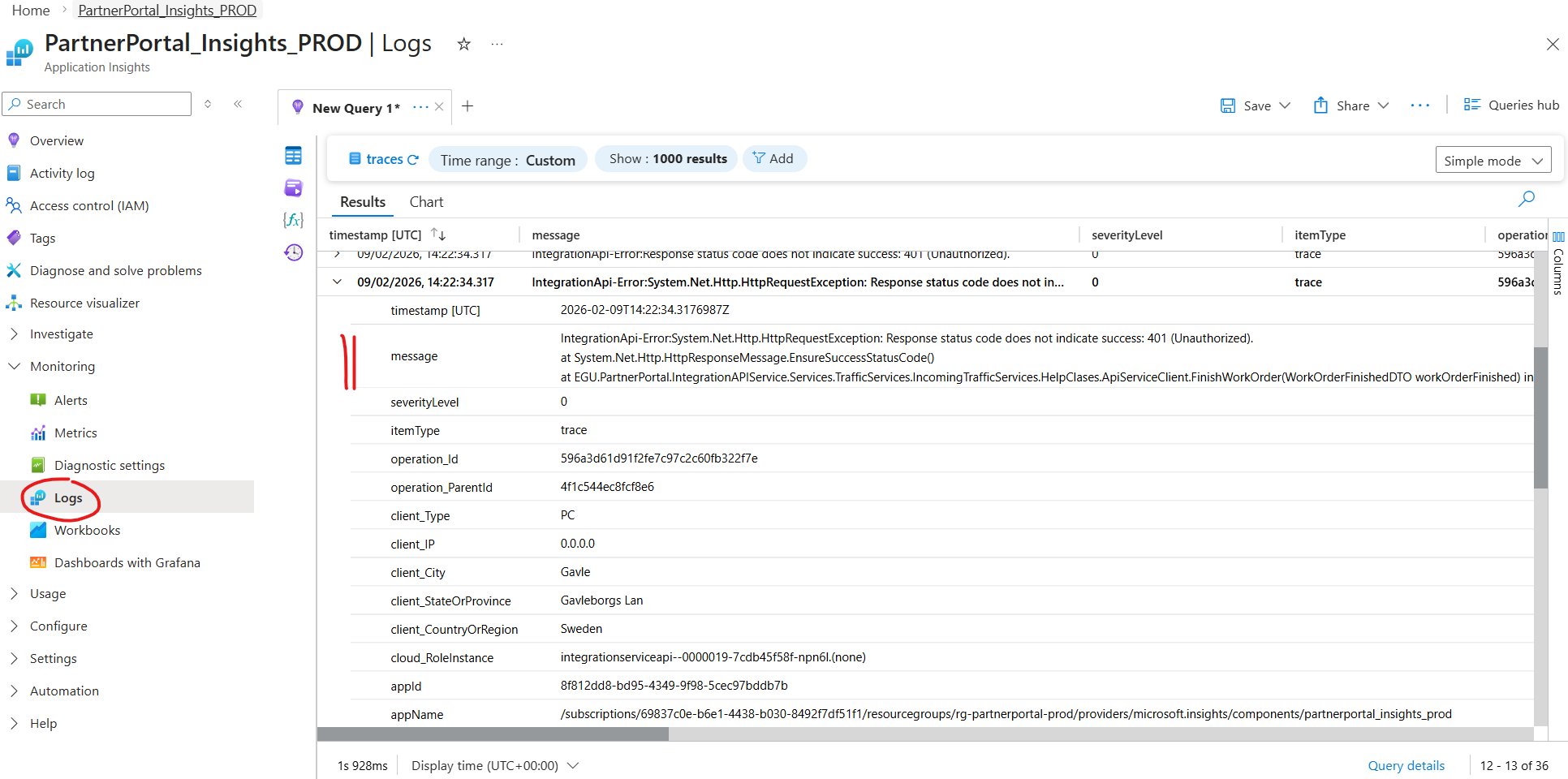
This guide helps diagnose why messages received by the WCF Service are not appearing in the Partner Portal (i.e., the flow between IntegrationApiService and ApiService fails).
Follow the guide: Troubleshooting Client -> PartnerPortal
Confirm:
The WCF service is running
Incoming XML messages are logged (type FacilityTaskExchangeApi.Log)
The correct environment (Test/Prod) is used
If messages ARE logged but do not appear in Partner Portal → continue to Step 2.
Open Azure Portal
Navigate to Application Insights → PartnerPortalInsights_XXX
Open Logs
Query Traces
Use either:
Time range filtering around when the message was sent
Or search using a custom filter.
Look for errors originating from:
| Symptom in logs | Likely cause |
|---|---|
401 / 403 | Authentication / Managed Identity / API permissions |
404 | Wrong endpoint or route mismatch |
400 | Contract mismatch / invalid payload |
5xx | ApiService failure or unhandled exception |
| Timeout / TaskCanceledException | Network / firewall / service unavailable |
| Serialization errors | DTO mismatch between services |
| No trace at all | IntegrationApiService never called ApiService |
Configuration issue (Azure)
Environment mismatch
ClientID / ClientSecret / Scope misconfiguration
Code issue
Mapping failure
Unhandled exception in ApiService
After identifying the error in Application Insights:
Fix configuration issues in Azure when authentication or routing fails
Fix code when payload handling or processing fails