Document status:
Date:
Version Requirements are found in Chain Web Release Notes.
Line and receipt note in InStore App
(TFS: 173318)
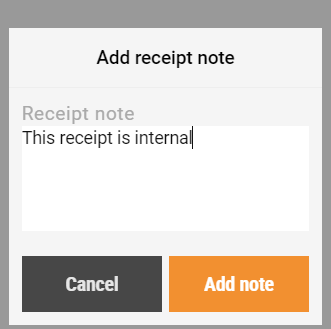
In the function Sales order you can add a receipt note to the receipt or line notes to each items. To change the text afterwards, click on the receipt note and it will open the "Edit receipt note" popup again, or click on the line note in details and it will open the "Edit line note" popup.
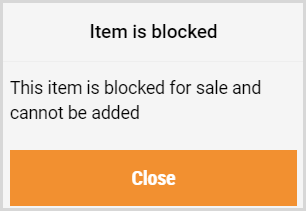
Error message when an item is blocked
(TFS: 175411)
This message is displayed when you try to sell an item with stop code in Sales order in InStore App:
Improvements
Modules | Description |
|---|---|
Internal use | Bugs in Expiration date (TFS: 176289) It is possible to use 20-codes in Internal use when “best before” or “use by” date is filled in. Additionally, an issue with the date transmission in POSLog has been corrected. Moreover, adding open price item triggered date modal twice. This is corrected and only occures one time. Requirement: POSWCF 3.0.0.11602. |
Stocktaking | Show imported items in InStore App (TFS: 174630) Count lists that are imported from Excel are shown in InStore App > Stocktaking > Count group. Sort items in count group by item hierarchy (TFS: 176510) Items in a count group is sorted based on the item hierarchy Department > Area > ItemGroup > SubGroup. Show full item text in Item list (TFS: 176616) In stocktaking, counting items from list, the full text is shown instead of the short item text. |