Create New Threshold Alarm
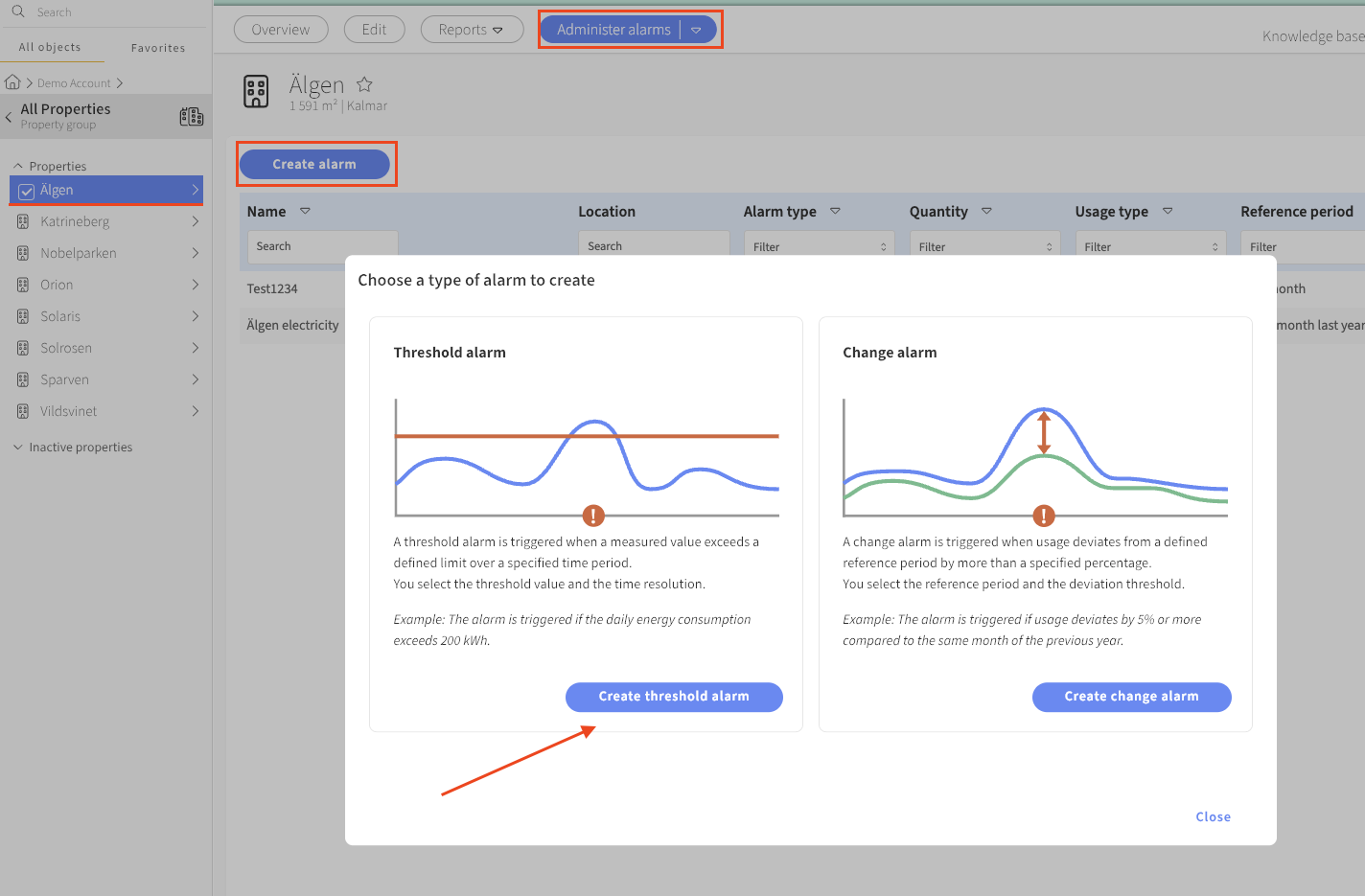
A threshold alarm is an alarm that triggers if usage exceeds or falls below a defined threshold for a given reference period. You create new alarms and manage your threshold alarms via the Manage Alarms tool.
A threshold alarm can be created for a property, a building, or a meter. If created for a property or building, the same aggregation rules apply as in the reports — that is, energy series for main meters are used, and if no main meter exists for the energy type, sub-meter series are used instead.
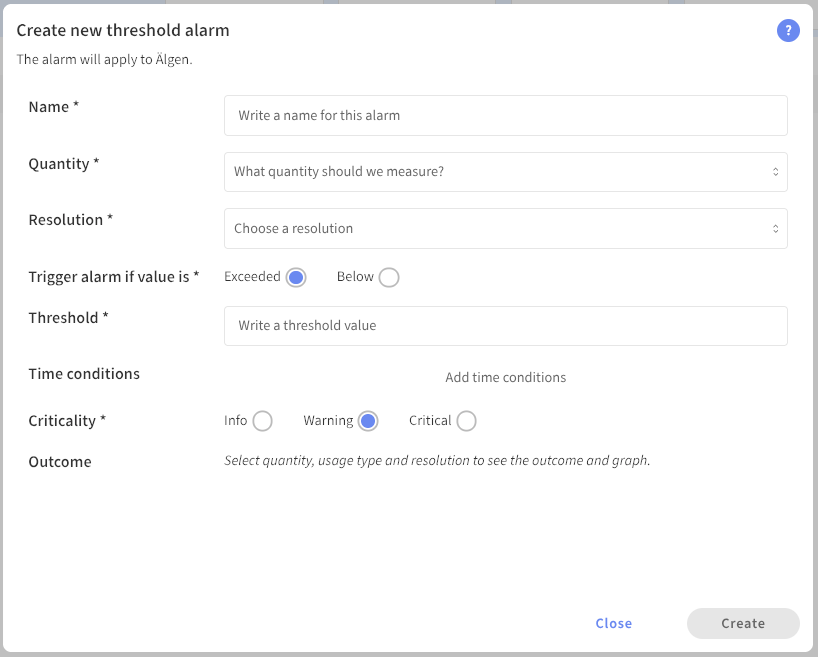
To create a new alarm, the following information needs to be filled in.
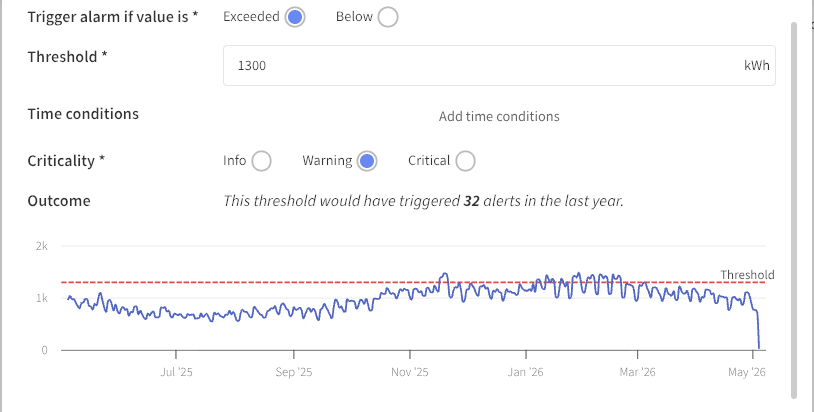
When you enter your threshold value, a visualization appears showing you where your threshold sits relative to incoming data over the past year. You will also be told how many times this threshold would have triggered the alarm over the last 12 months. Neat, right?
Time Interval for Threshold Alarms
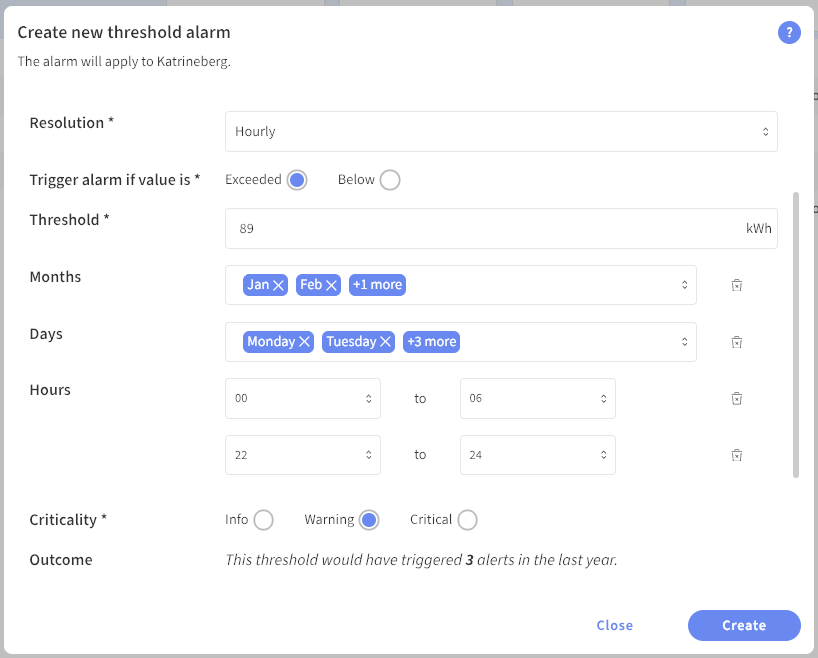
It is possible to define a time interval for a threshold alarm. This means you can have an alarm that is only active during certain months of the year, certain days of the week, or certain times of the day. The time interval is configured when you create the alarm.
Below is an example of an alarm that is only active during winter, on weekdays, and between 22:00 and 06:00. Note that if your time interval crosses midnight, two intervals need to be set — one from 00 and another to 24.