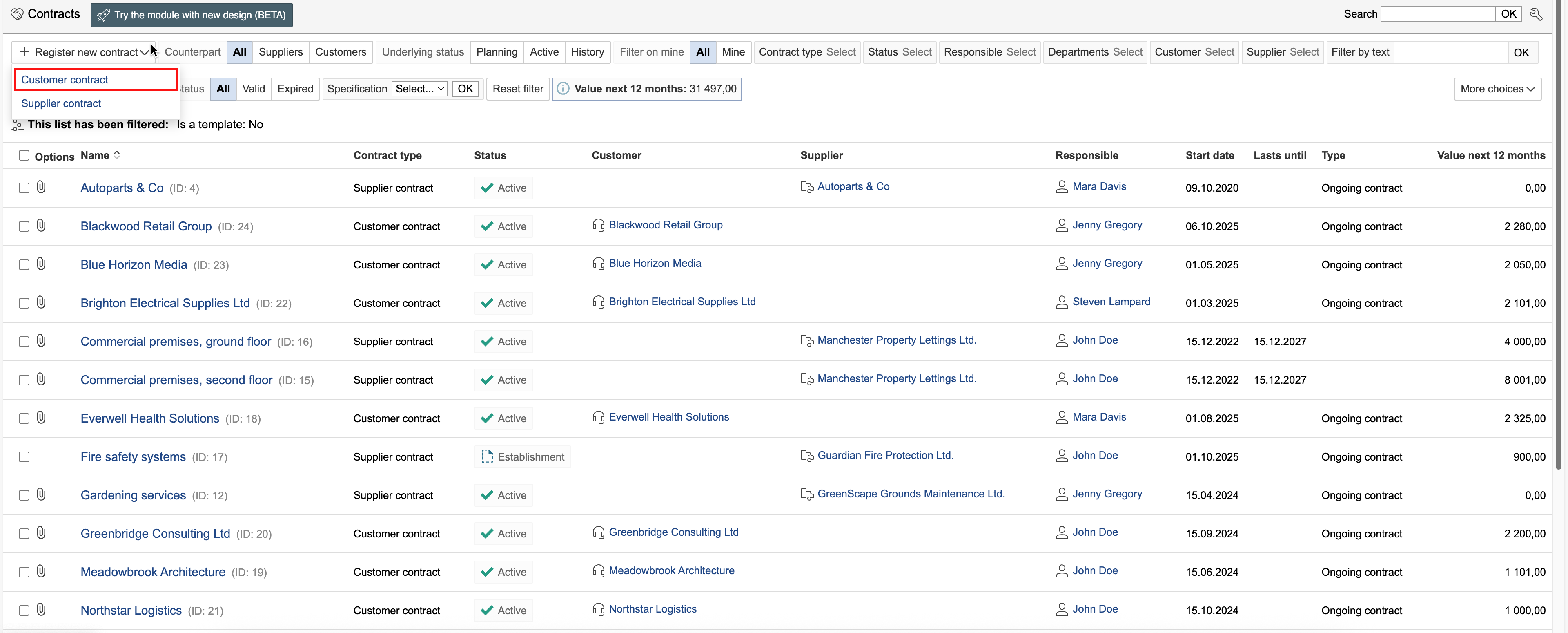
1. Go to the Contracts module, hover the mouse pointer over "Register new contract", and select the contract type.
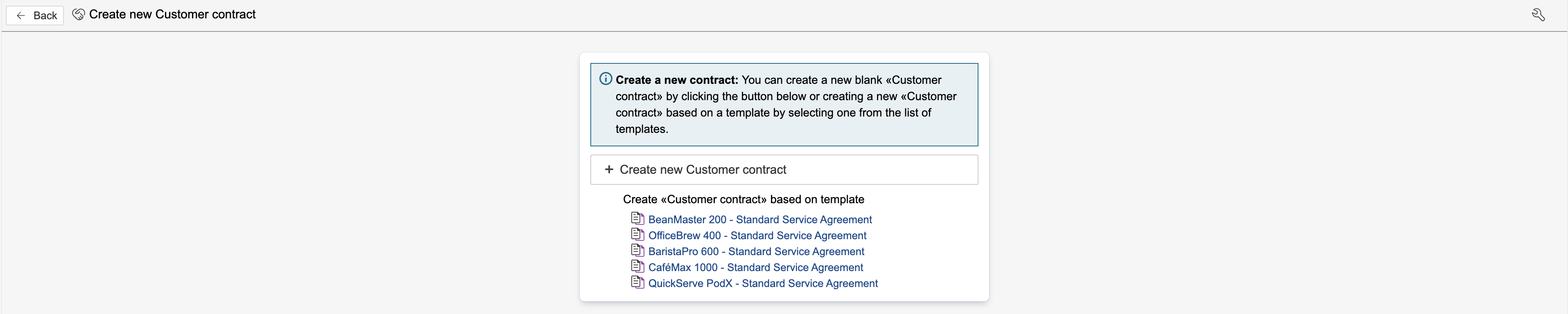
2. If templates exist for the selected contract type, you can either select a template or create a new contract without using one. Click on a template to select it, or click Create new [type name] to create a new empty contract.
3. Enter the contract information and click Save and close form.
Enter any additional contract information that is not included in the template, and click Save and close form.
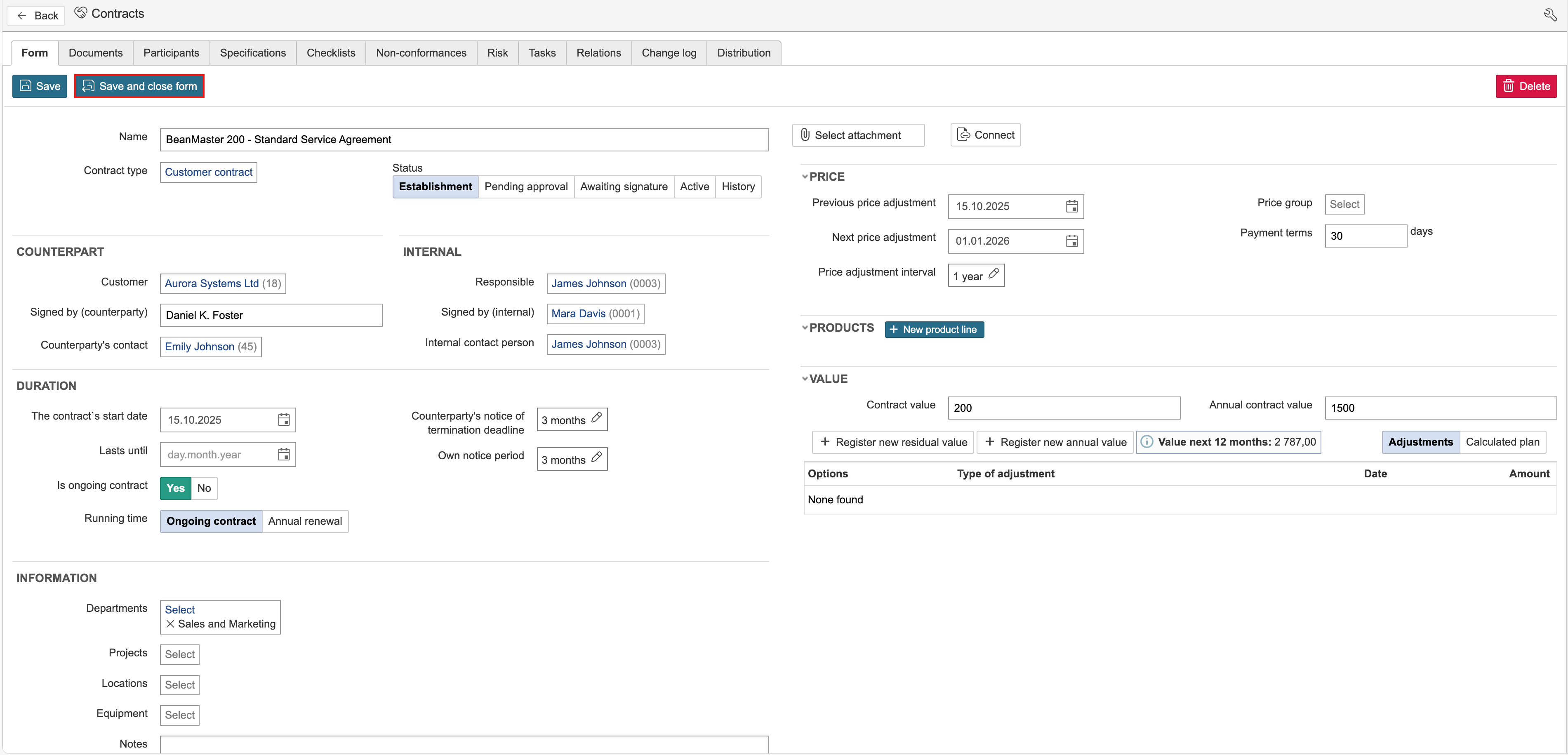
Counterpart refers to the party with whom the agreement is made – the other party to the contract. "Internal" refers to information intended for internal use within the company.
Tip: Click the headings to view an explanation of the fields in the form. |
|
The responsible person is the one in charge of following up on the agreement’s validity, price adjustments, and content. The internal contact person is the person who maintains direct communication with the counterpart. Signed by refers to the person who has the authority to sign on behalf of the company. In some cases, the same person may hold more than one of these roles in an agreement. |
|
A contract can be linked to departments, locations, projects and equipment. If the contract includes options, enter an option code, a description and a deadline for exercising the options in their respective fields. |
| This section contains fields for entering information about the previous and next price adjustment, the price adjustment interval, and the terms for the payment deadline. |
Contract value is used for fixed-term contracts or for ongoing contracts that include a one-off cost. For fixed-term agreements, the contract value represents the contract amount. In the calculated plan, the contract value is distributed monthly over the duration of the contract. If the contract does not have a Lasts until date, the contract value is distributed over the next 12 months. Annual contract value applies to ongoing contracts and represents the annual cost of the contract. In the calculation plan, the amount is distributed monthly for the next two years, unless otherwise specified on the contract type. For ongoing contracts that include a one-off cost, the one-off cost can be added to Contract value, and the annual cost of the contract is specified in Annual contract value. |
If prices change during the contract period, a new annual value can be registered for ongoing contracts, or a residual value can be added for fixed-term contracts. To register a residual value, click Register new residual value. To add a new annual value, click Register new annual value. The calculated plan calculates the monthly amount based on new values and the date from which the new values apply.