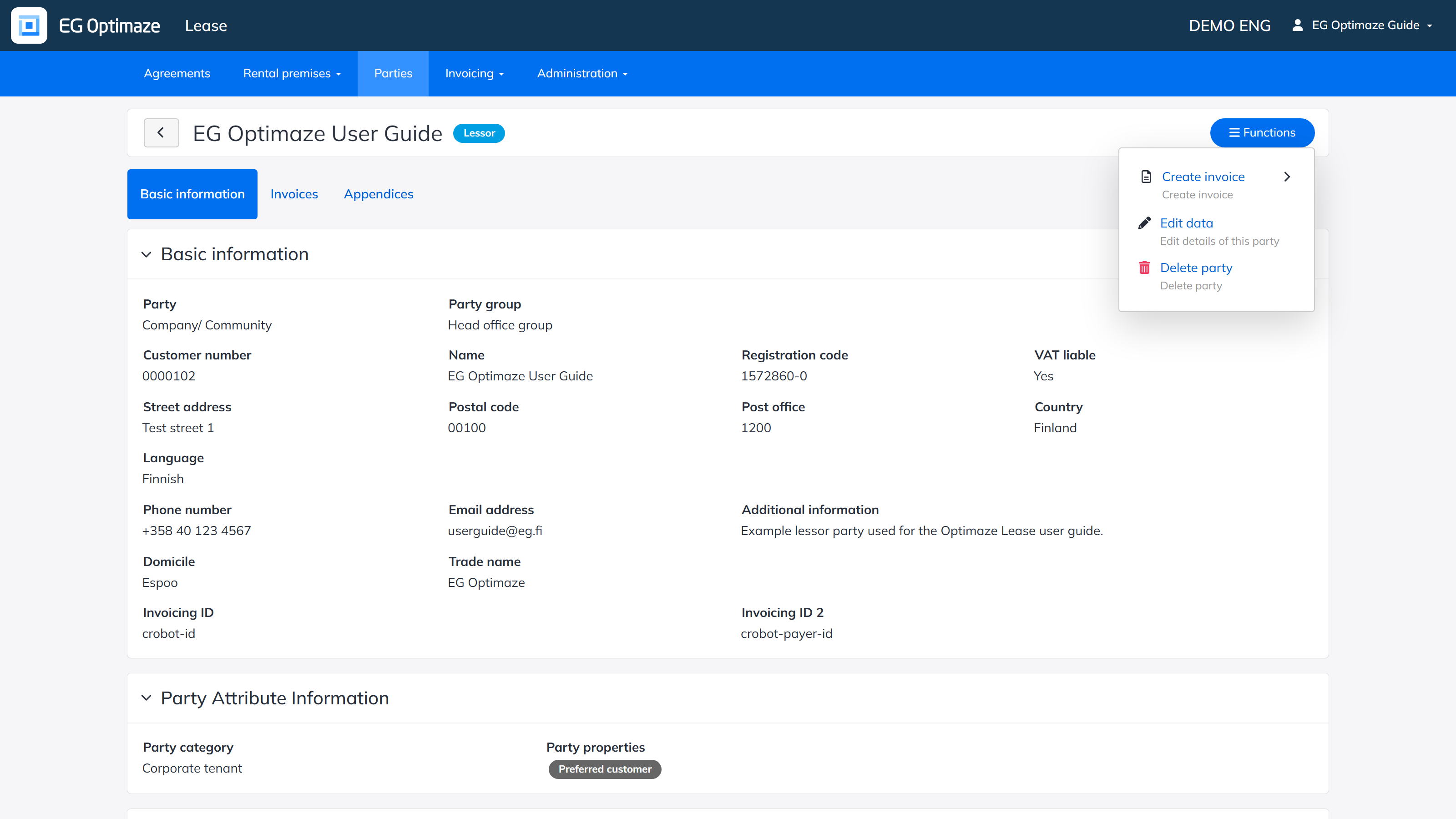
The edit mode is opened from the party’s Functions menu with Edit data. The same menu can also be used to create invoices for the party and to delete the party.
The edit view
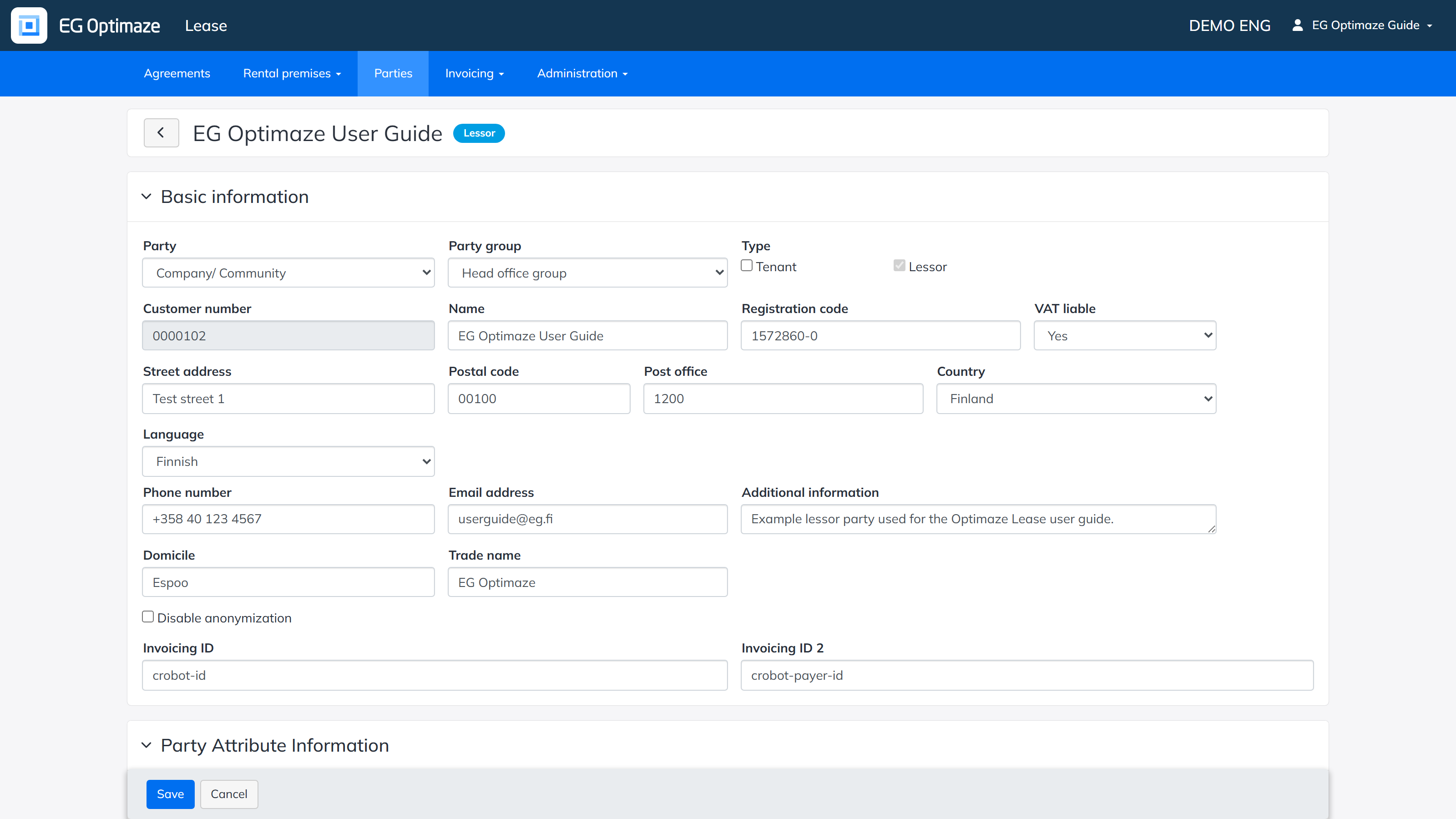
The edit view is divided into the following panels:
- Basic information — the party’s core details. Party selects whether it is a Company/Community or a Person; Type selects whether it is a Tenant, a Lessor, or both. Name and Registration code are the party’s legal name and business ID; Customer number is assigned automatically. The address, Language, Phone number, Email address, Domicile, Trade name and Additional information can all be edited here, as can the e-invoicing Invoicing ID / Invoicing ID 2. Disable anonymization excludes the party from automatic data anonymization.
- Party Attribute Information — the company-specific Party category and Party properties defined in the Administration section can be set here.
- Default e-invoicing address — the e-invoicing ID and operator ID needed by the e-invoicing integrations.
- Default invoicing details — the invoicing terms relevant for the invoice recipient, for example the due date, payment term and invoice sending method.
- Default invoicing address — address details for invoicing that differ from the basic information.
- Contact information — the details of a contact person representing the party. The information is available when creating an agreement, based on what has been saved for the party. Add contact person adds another one; Delete removes one.
- Invoicing contact information — the details of an invoicing contact person representing the party, also available when creating an agreement, plus a BIC and IBAN for refunds. Note! The invoicing contact person details must be entered for lessor parties whose agreements are used for rent invoicing.
- Agreements’ invoicing data — lists the agreements the party is connected to. The invoicing details entered in the panels above can also be overridden per agreement here.
- Invoicing groups — groups of agreements can be created here, which makes it possible to invoice several agreements with one invoice. The payment rows of the agreements selected into the group are combined into a single invoice.
- Signed parties — the signatory details of the party can be saved in advance (Name, Title, Company, Email address, Social security number, Registration code), so that they can be conveniently added to an agreement for the signature details. Add signing party adds another one.
Save the changes with Save.
Example: setting up a new lessor party for rent invoicing
A typical end-to-end setup for a lessor party whose agreements will be used for rent invoicing:
- Fill in Basic information (Name, Registration code, address, VAT liable) and set Type to Lessor.
- Set the Party category and any Party properties that apply, so the party can later be found and reported on through the parties list’s filters.
- Fill in Invoicing contact information — required for a lessor whose agreements are used for rent invoicing — and, if e-invoicing is used, the Default e-invoicing address.
- Set Default invoicing details (due date, payment term, invoice sending method) so new agreements for this party start with sensible defaults, which can still be adjusted per agreement.
- Optionally save Signed parties details in advance, so they do not need to be retyped every time an agreement is created for this party.