The single invoice view collects all the details of the invoice and the rental premises it relates to. The invoice is opened by clicking its invoice number, for example on an invoicing period or on an agreement’s Invoices tab.
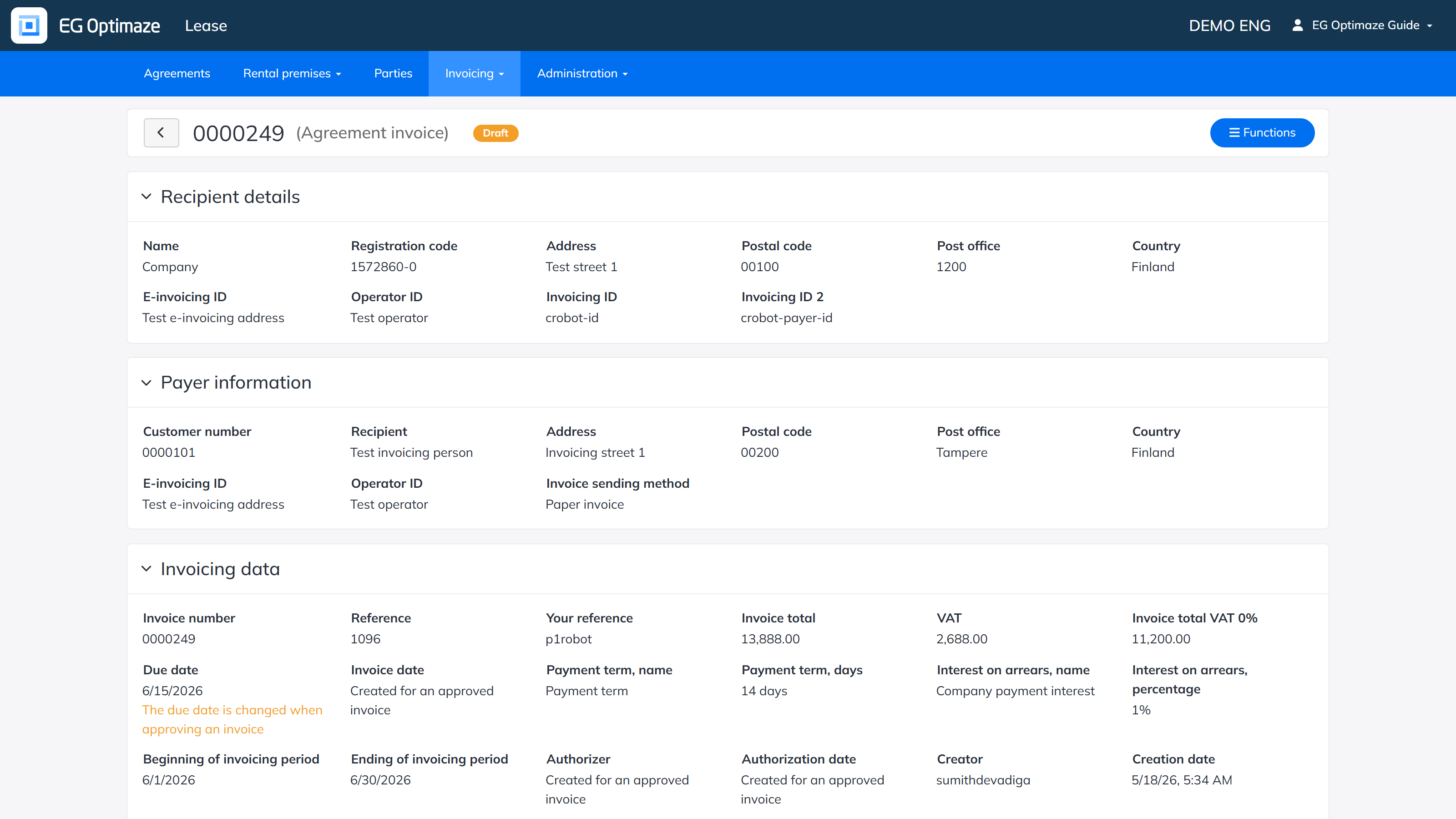
The view is divided into panels:
- Recipient details — the invoice recipient’s (the lessor’s) Name, Registration code, address, and its e-invoicing / Invoicing ID details.
- Payer information — the payer’s (the tenant’s) Customer number, Recipient name, address, e-invoicing details and Invoice sending method.
- Invoicing data — the invoice’s own details: Invoice number, Reference and Your reference, Invoice total and VAT, Due date, Invoice date, Payment term and Interest on arrears, the invoicing period’s Beginning/Ending dates, who Authorized/Created it and when, Origin (for example Agreement invoice or Custom invoice), Invoice category and Invoice type, a Credit invoice number if one exists, Additional information, whether it has been Received by accounts ledger, Open total, Latest payment date, Payment status and Cost center. Note! The due date shown here can still change when the invoice is approved — a note on the invoice itself flags this until it is approved.
- Agreements — the agreement(s) the invoice is based on, with the Lessor, Tenant and invoiced Amount per agreement.
- Contact information and Invoicing contact information — the contact and invoicing contact person saved for each party on the invoice, mirroring what is saved on the party itself (see Viewing a party).
- Tenants — the tenant party or parties, with their address details.
- Invoice row — the invoiced rental premises, payment type, unit price, quantity and price per row.
Processing the invoice
The actions available in the invoice’s Functions menu depend on the status of the invoice:
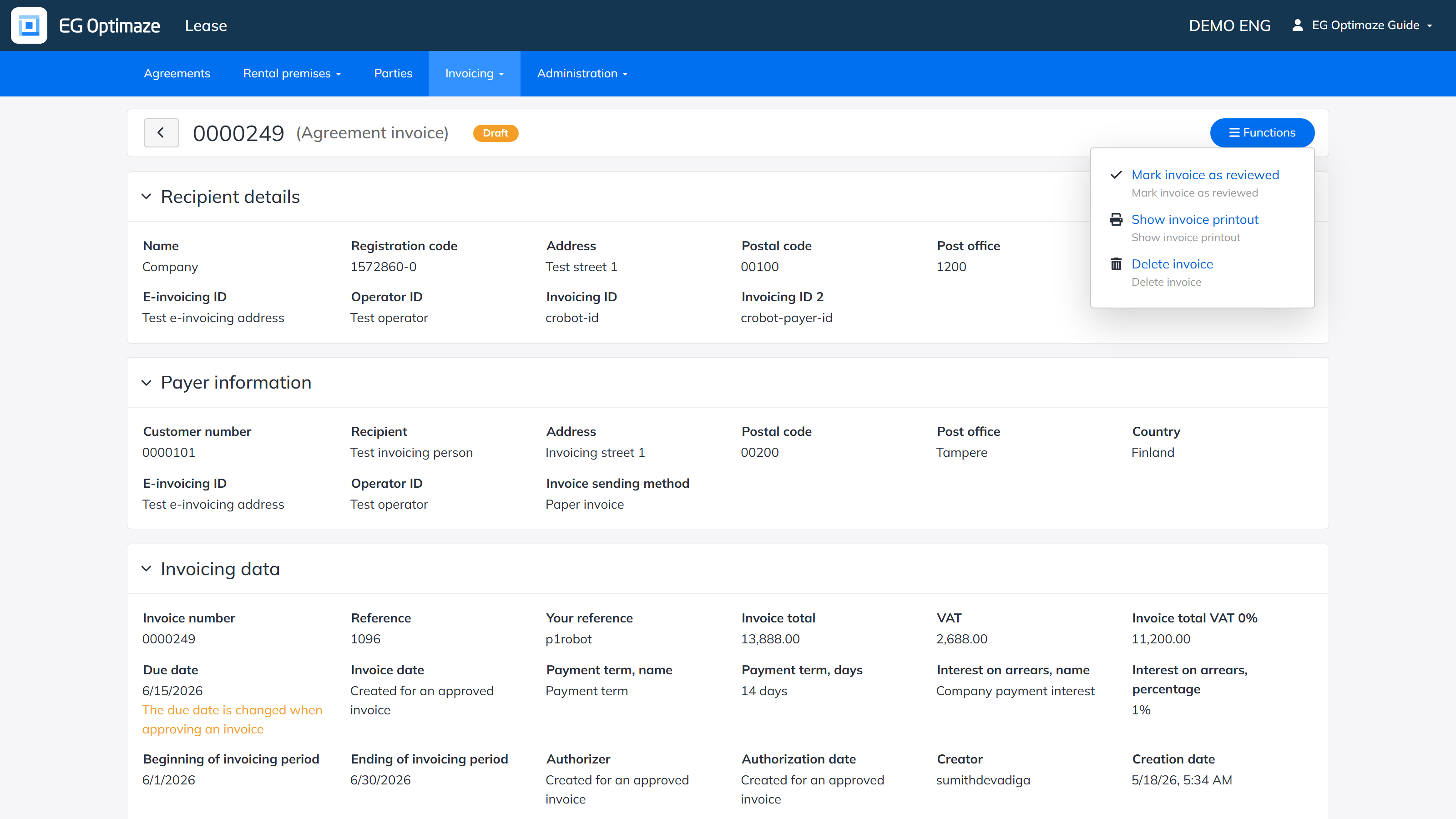
- A draft invoice can be marked as reviewed, shown as a printout or deleted.
- An incorrect invoice can be viewed, shown as a printout or deleted entirely. An incorrect invoice cannot be approved and no credit invoice can be created from it.
- For an approved invoice you can create a credit invoice, discard the invoice or create a PDF printout of the summary page. If errors are found in an approved invoice, its status can be changed to discarded. A discarded invoice can no longer be changed back to a draft and it cannot be approved.
Creating a credit invoice
A credit invoice is created from an approved invoice via the Functions menu. A form opens where the details of the credit invoice are entered; most of the fields are filled in automatically with the details of the invoice and its parties.
Note! Like a custom invoice created directly from an agreement or a party, a credit invoice does not become part of any invoicing period — both are created and processed independently of the periods listed under Rent invoicing.
The invoice printout
A printout can be created from a single invoice; the printout collects all the details of the invoice. When creating the printout you can choose the language of the template (EN, FI, SV). The printout can be created as a PDF file or printed directly from the screen on paper.