The Optimaze Space floor plan browser integrates with Lease rental management: rental premises can be created and edited and connected to the spaces of floor plans, agreements can be created directly from the floor plan, and the rental situation can be viewed as colorings.
The Lease functions are found in the floor plan browser’s Edit menu: Space data…, Edit rental premises… and Create agreement(Lease)… The items shown depend on your user rights in Lease.
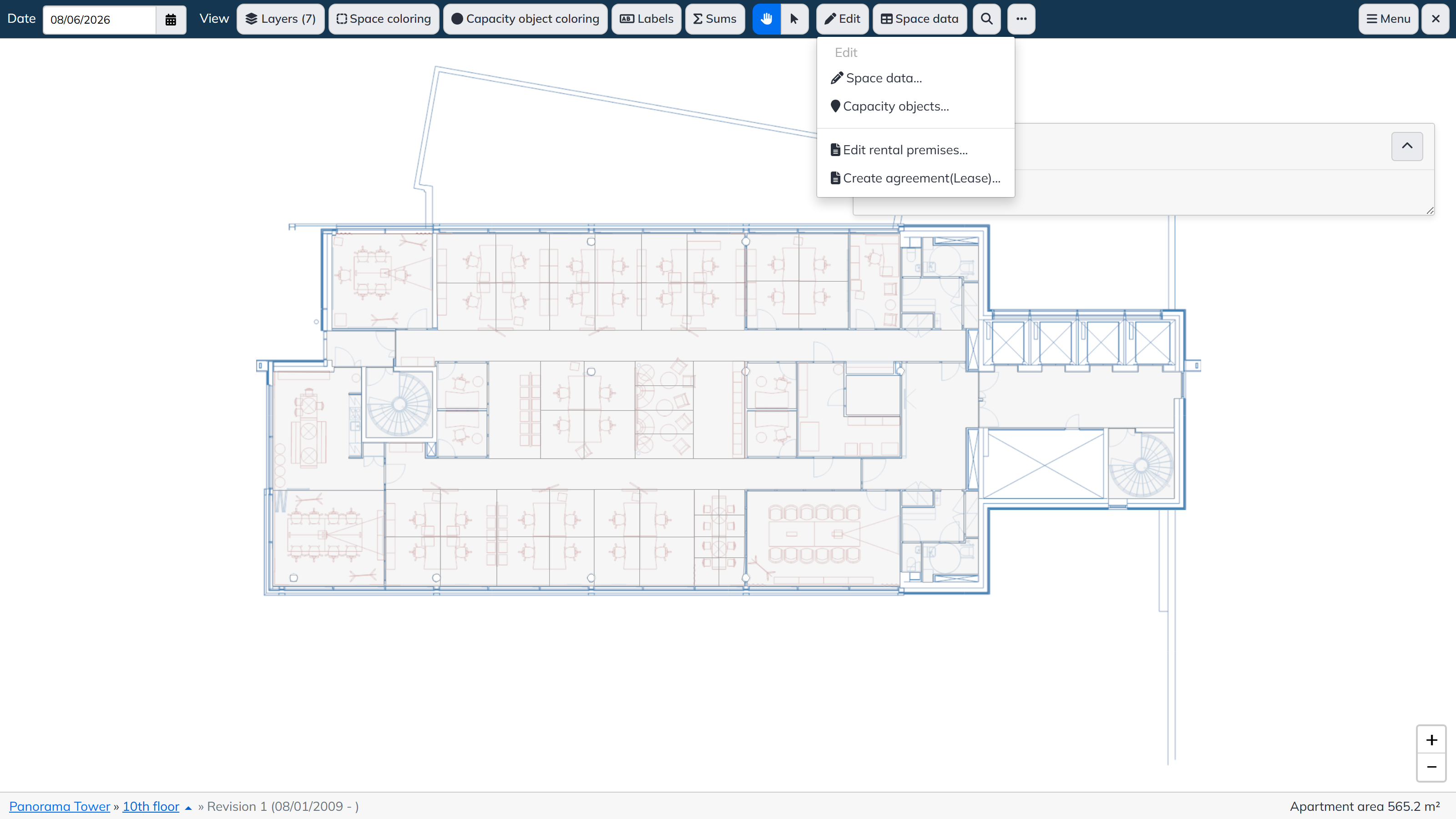
Select Edit → Create agreement(Lease)… The Create agreement panel lists the rental and parking areas in the selected floor.
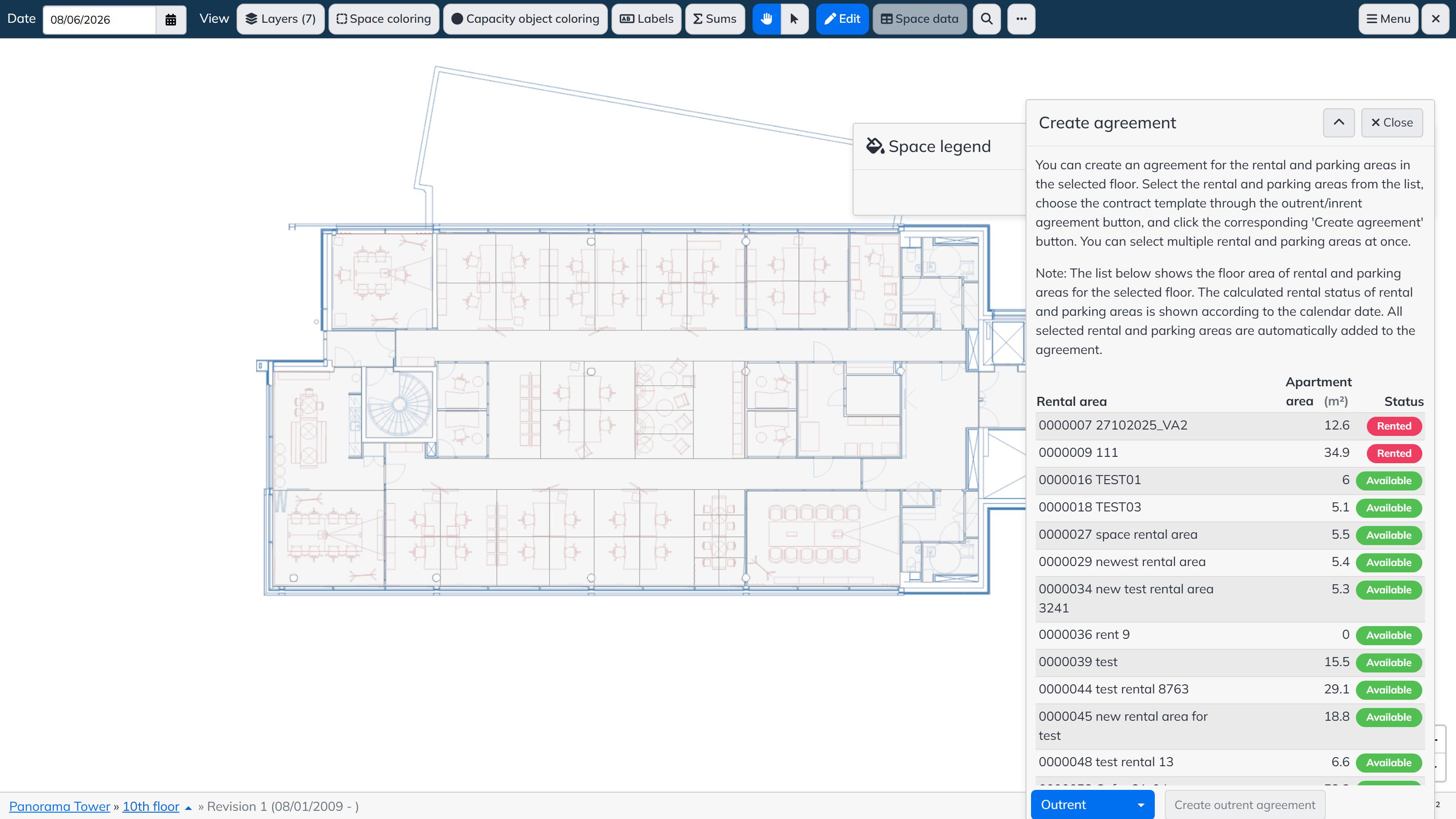
The list shows the floor area of the rental and parking areas for the selected floor, and their calculated rental status according to the calendar date; the rental status is determined with the same logic as on the Lease side. Note that a rental area may have spaces in several floors: all spaces linked to the selected rental and parking areas are automatically added to the agreement.
To create the agreement:
Select Edit → Edit rental premises… The panel has two tabs: New rental premise and Edit rental premise.
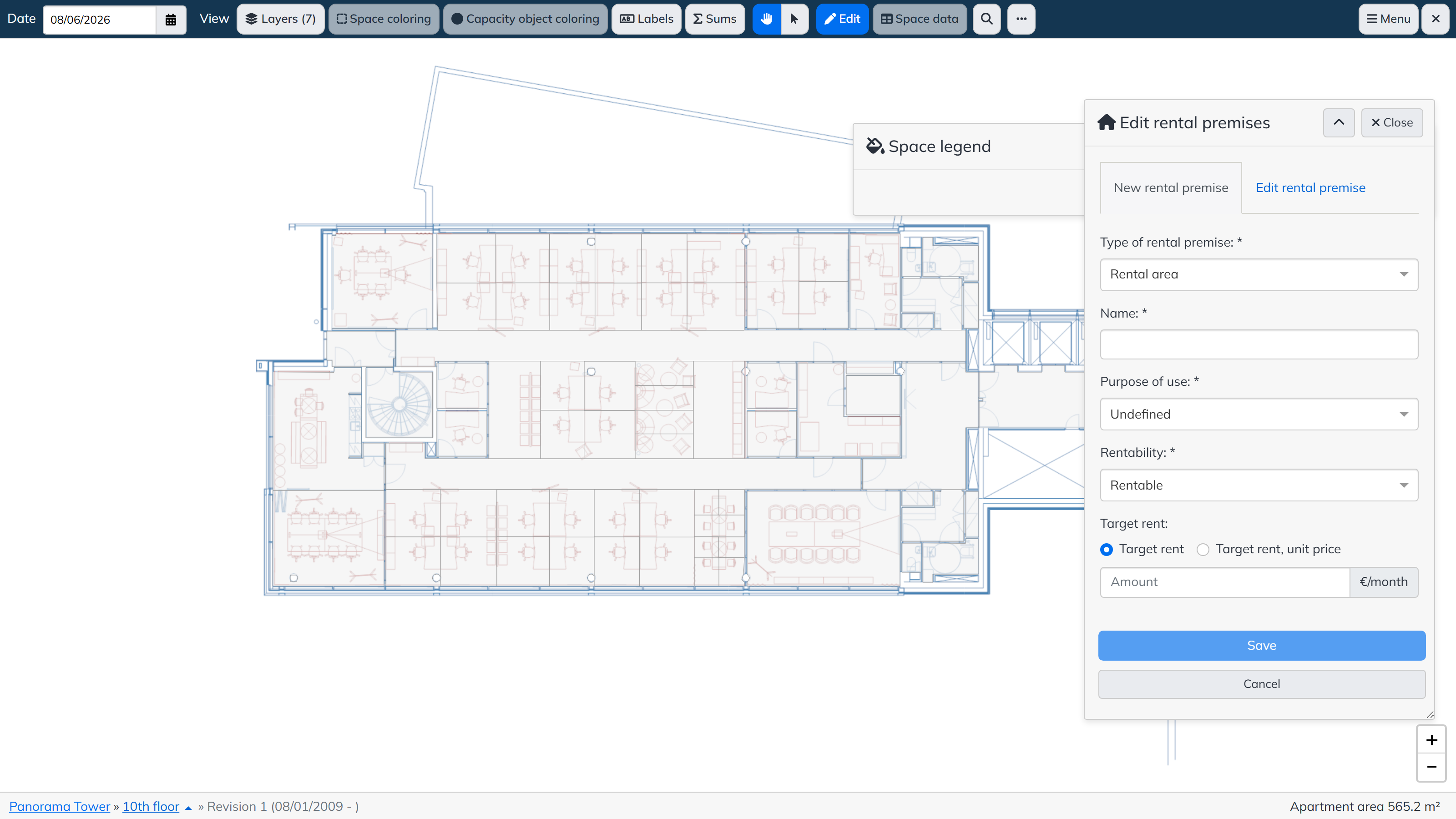
A new rental premise is created by entering the Type of rental premise (for example rental area), Name, Purpose of use, Rentability and optionally a Target rent (as a total amount or a unit price), and saving. On the Edit rental premise tab the same details of an existing premise can be changed.
Rental areas and parking areas are connected to spaces the same way, with Edit → Space data… by selecting Rental area or Parking area as the type to edit.
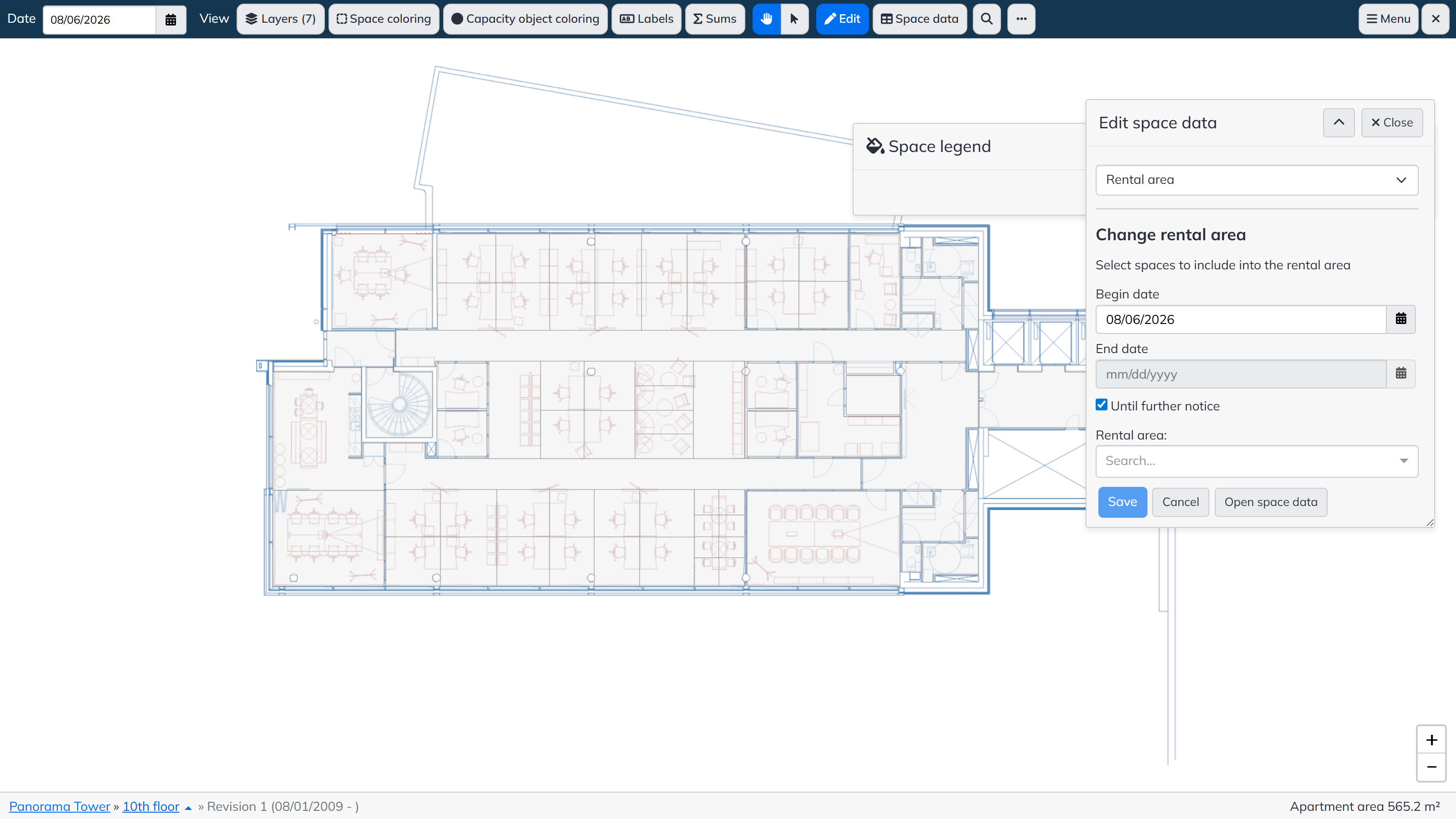
The space link can be edited in the same way: select the rental or parking area to be edited and the new date range, then select the new spaces. After saving, the program applies the changes to the validity and selected spaces for the defined date range. Note! If the start date of the change is set before the end date of the previous definition, the earlier end date is overwritten, and the end date and selected spaces are stored according to the latest definition.
On the Lease side, rental and parking areas show the surface area summed through the space link according to the current day.
The floor plan browser’s Space coloring menu contains the Lease colorings, for example:
More colorings can be created per customer; they are always agreed with the customer separately.