A rental area is a concept of Optimaze lease management. A rental area can be connected to spaces with the Space floor plan browser, which brings the surface area of the spaces to the rental agreement.
Opening the view
Open Rental premises → Rental areas. The view shows all rental areas, or the ones selected with filters.
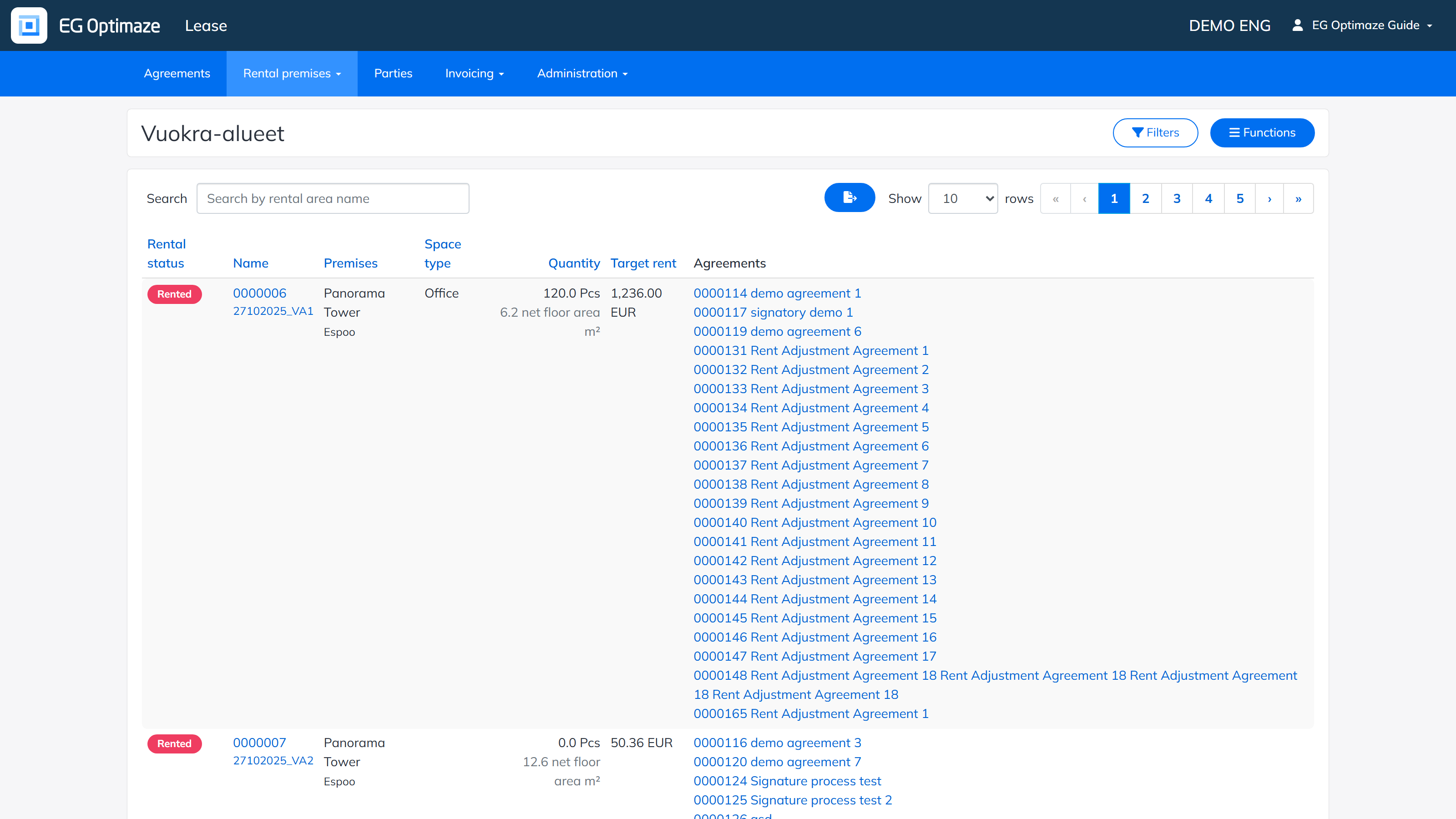
The columns of the list
- Rental status — whether the rental area is available, not rentable, in own use or rented.
- Name — the name given to the rental area. Clicking the name opens the single rental area for closer viewing.
- Premises — the building where the area is located.
- Space type — what kind of space it is, for example an office. Space types are maintained in the Administration section.
- Quantity — the quantity and unit entered for the rental area. The column also shows the surface area of the space link defined with the floor plan browser, if the rental area has been connected to spaces.
- Target rent — an optional target rent set for the rental area.
- Agreements — the rental agreements connected to the premise.
Note! The displayed columns can also be changed per customer. The administrator of your own organization can tell you the exact content and purpose of the other columns.
Sorting, filtering and Excel download
The rental areas can be sorted by column by clicking the column header. The Filters button opens the filtering panel: rental areas can be filtered by rental status, purpose of use, name, premises, cost center, rental area type and space type, using one or more conditions. A single filter is removed by clicking it, and all filters with the clear-all option.
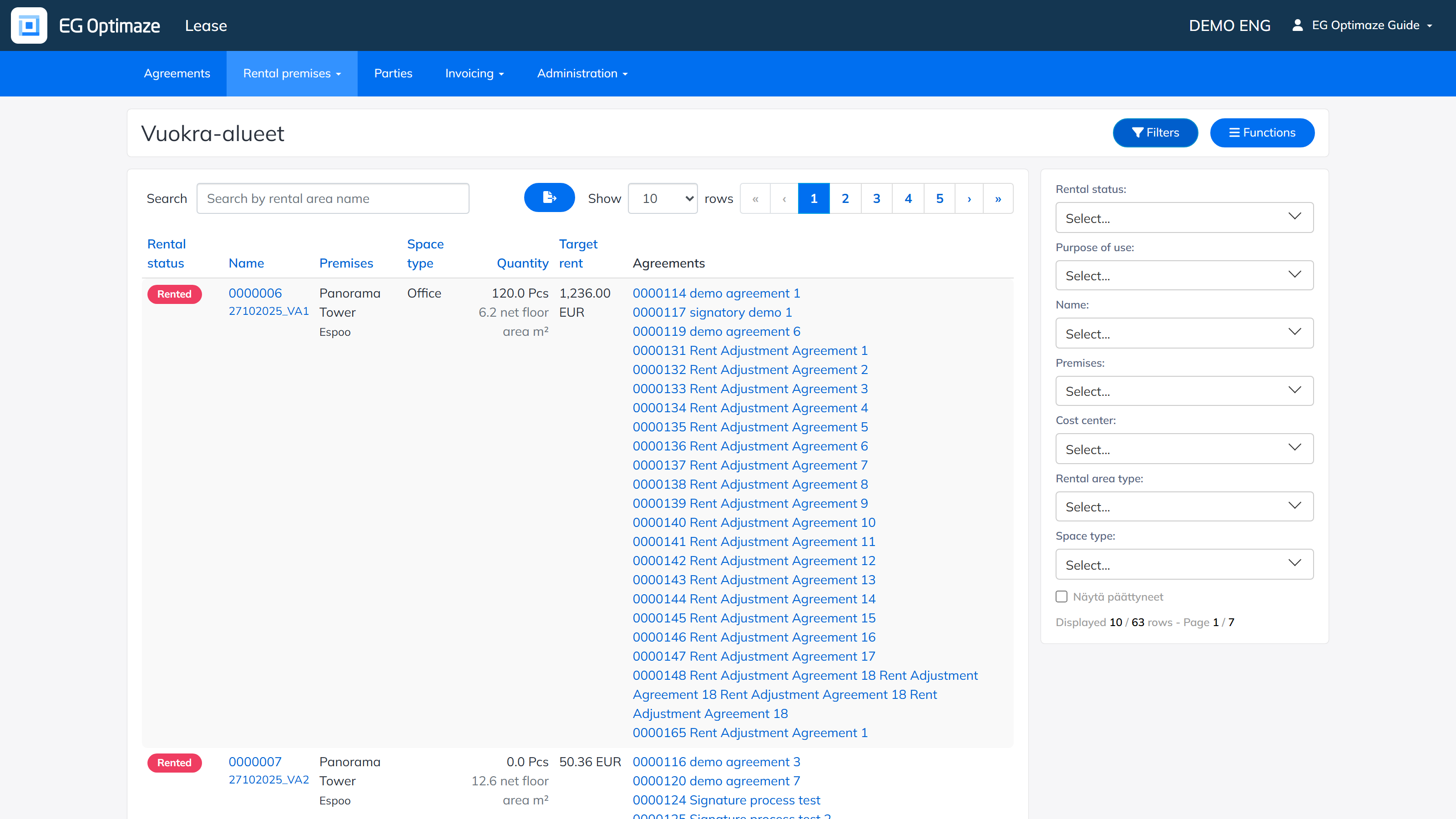
The list view can also be downloaded to Excel with the download button, following the chosen sort order and the selected filters.
Creating a new rental area
A rental area is created via Functions → New rental area.
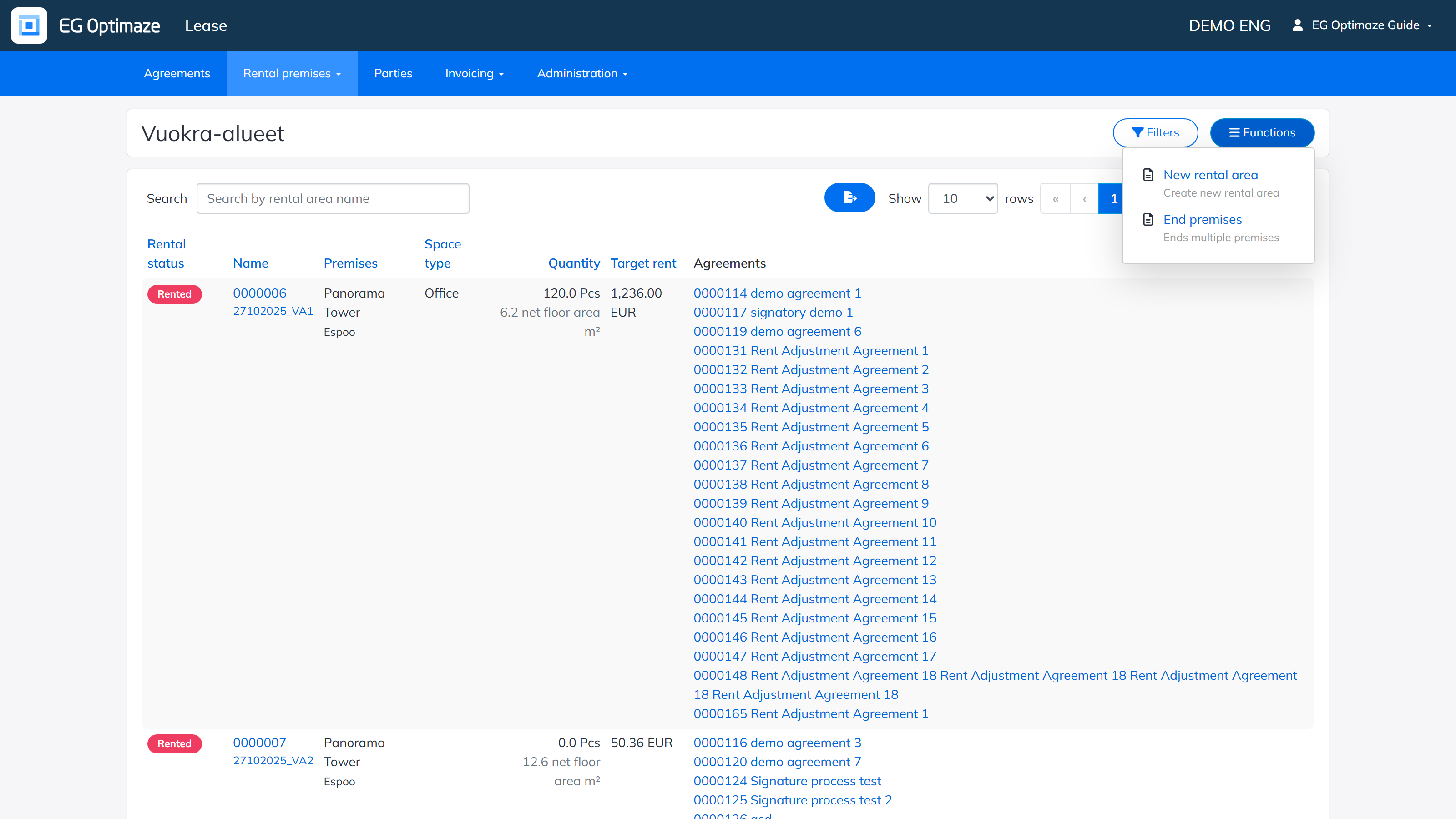
The New rental area view opens:
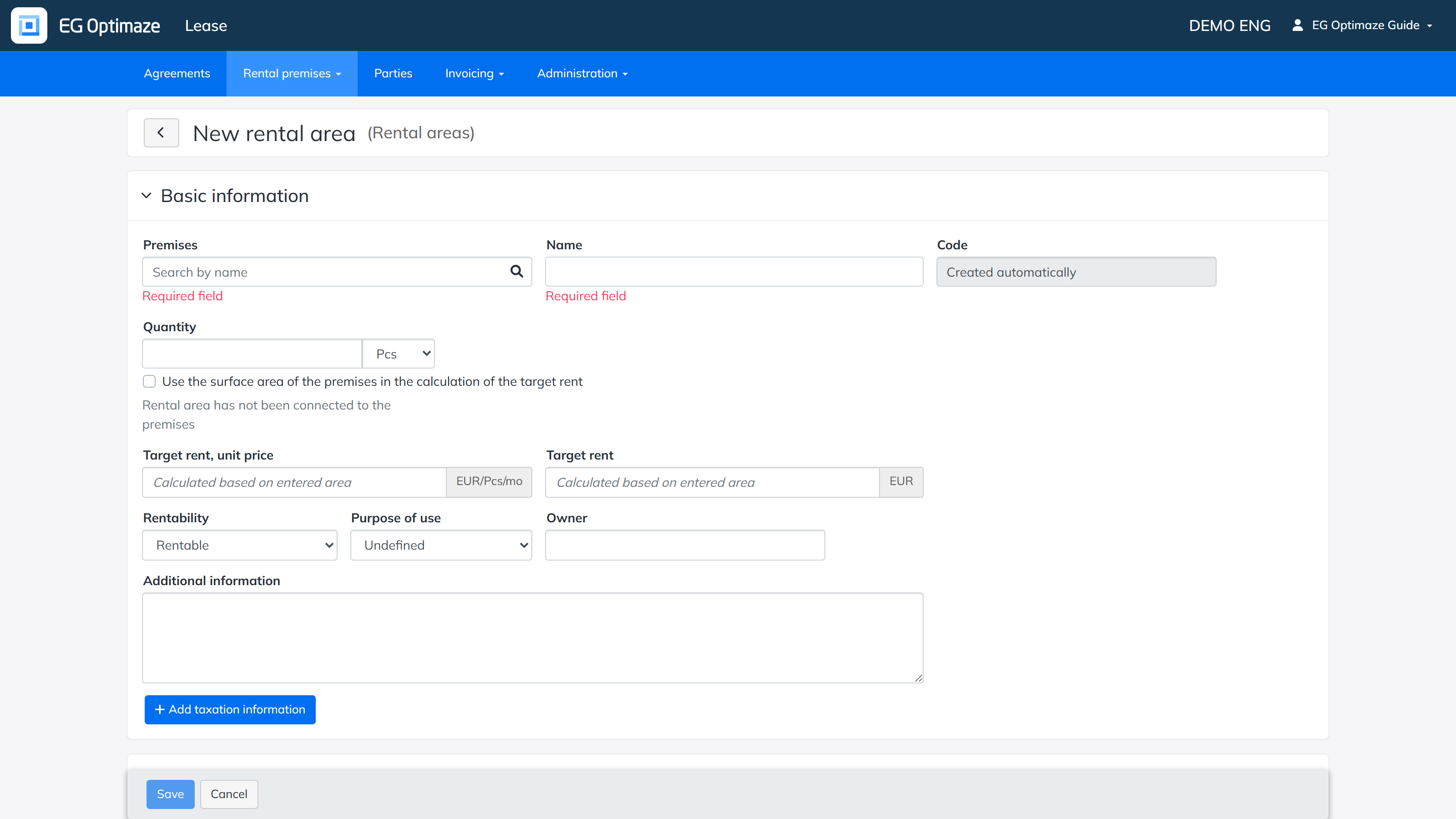
The basic information and property details are entered for the rental area:
- In Premises, enter the building where the rental area is created. The program finds the building with a free text search.
- In Rentability, select whether the rental area is rentable, not rentable or in own use.
- Add taxation information opens the VAT details: the VAT liability of the premise and its effective date.
- The Property details (rental area type, property type, space type, rental area utilities, residence types) are used when filtering rental areas. Options for the drop-down lists are added in the Administration section.
When the details are complete, click Save. The created rental area then appears on the screen and in the rental areas list.