
What anonymization does
The Anonymization tool lets you remove the personal data of tenants from Lease in a controlled and transparent way, for example when data protection (GDPR) obligations require that a tenant’s details are no longer stored. You choose the parties to anonymize, Lease checks the selection, and only parties that pass the check are anonymized.
Anonymization deletes and empties data as described under What is anonymized below, so check your selection carefully before you confirm it.
The tool is available only to users with the Lease main user right. Other users do not see the menu item.
Opening the tool
Open the Administration menu in the top navigation bar and select Anonymization.
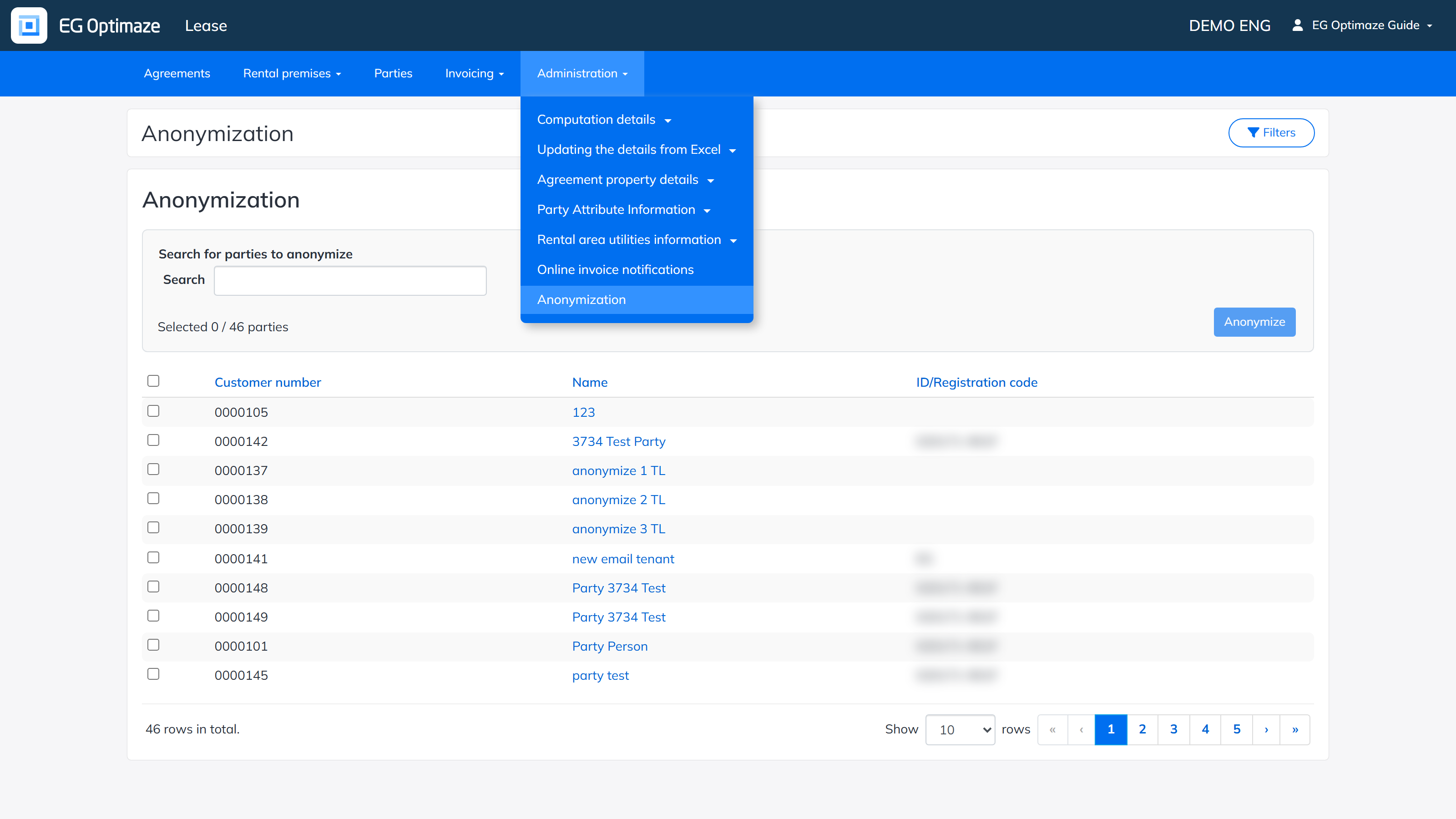
Finding the parties to anonymize
The list shows only parties that are marked as tenants and have not been anonymized yet. Parties that are already anonymized never appear in the list again.
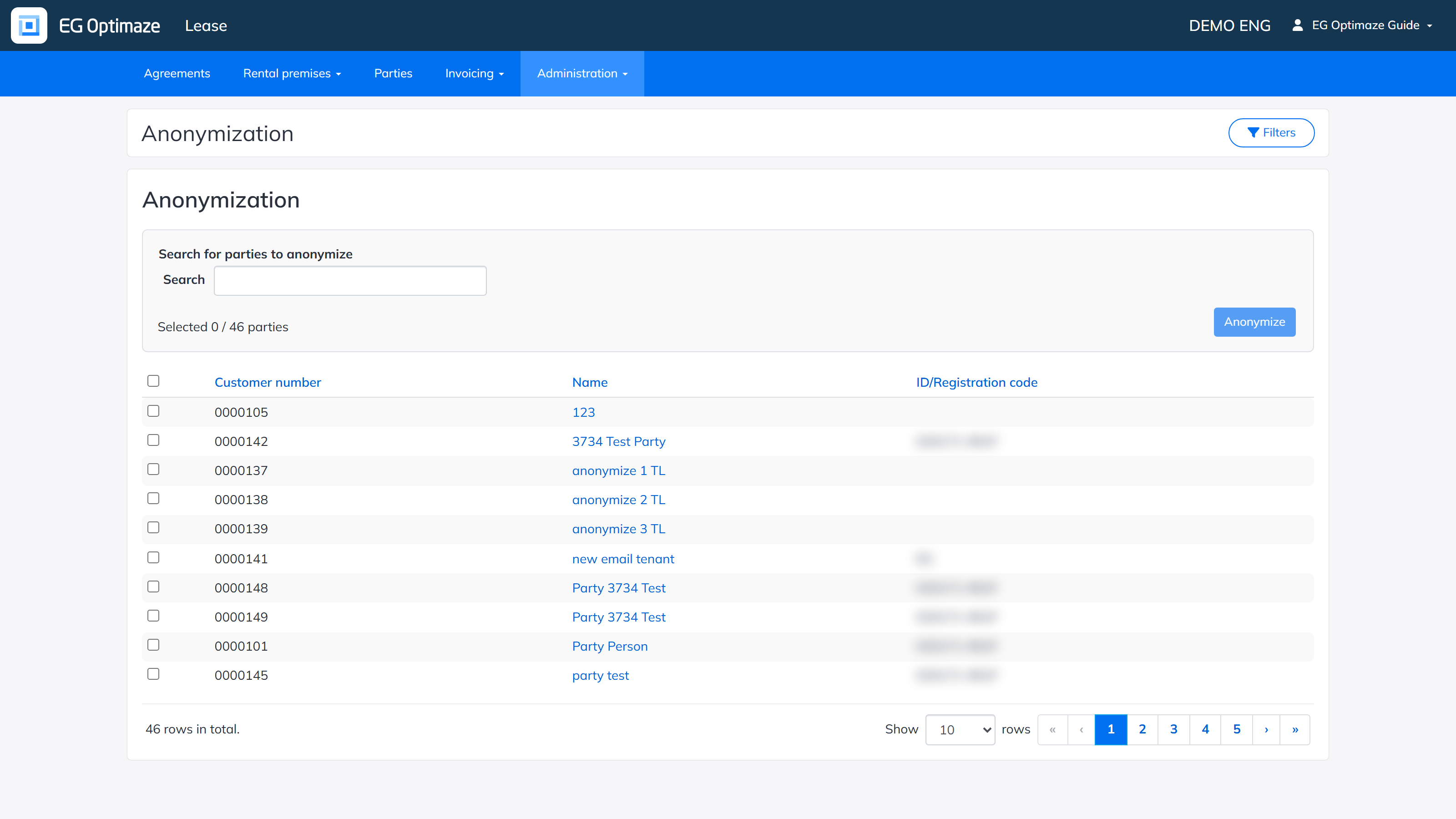
The columns of the list:
- Customer number — the customer number of the party. It is kept as it is when the party is anonymized.
- Name — the name of the party. Clicking it opens the party.
- ID/Registration code — the personal identity code of a person or the registration code of a company.
Above the list, Search for parties to anonymize narrows the list by customer number and name. The Selected counter next to the search shows how many parties you have selected out of the parties that match, and the row count below the list shows how many rows match. Use the rows-per-page selector and the page links at the bottom of the list to move through longer lists.
Filters
The Filters button opens a panel on the right-hand side with the following filters. They can be combined to narrow down the list.
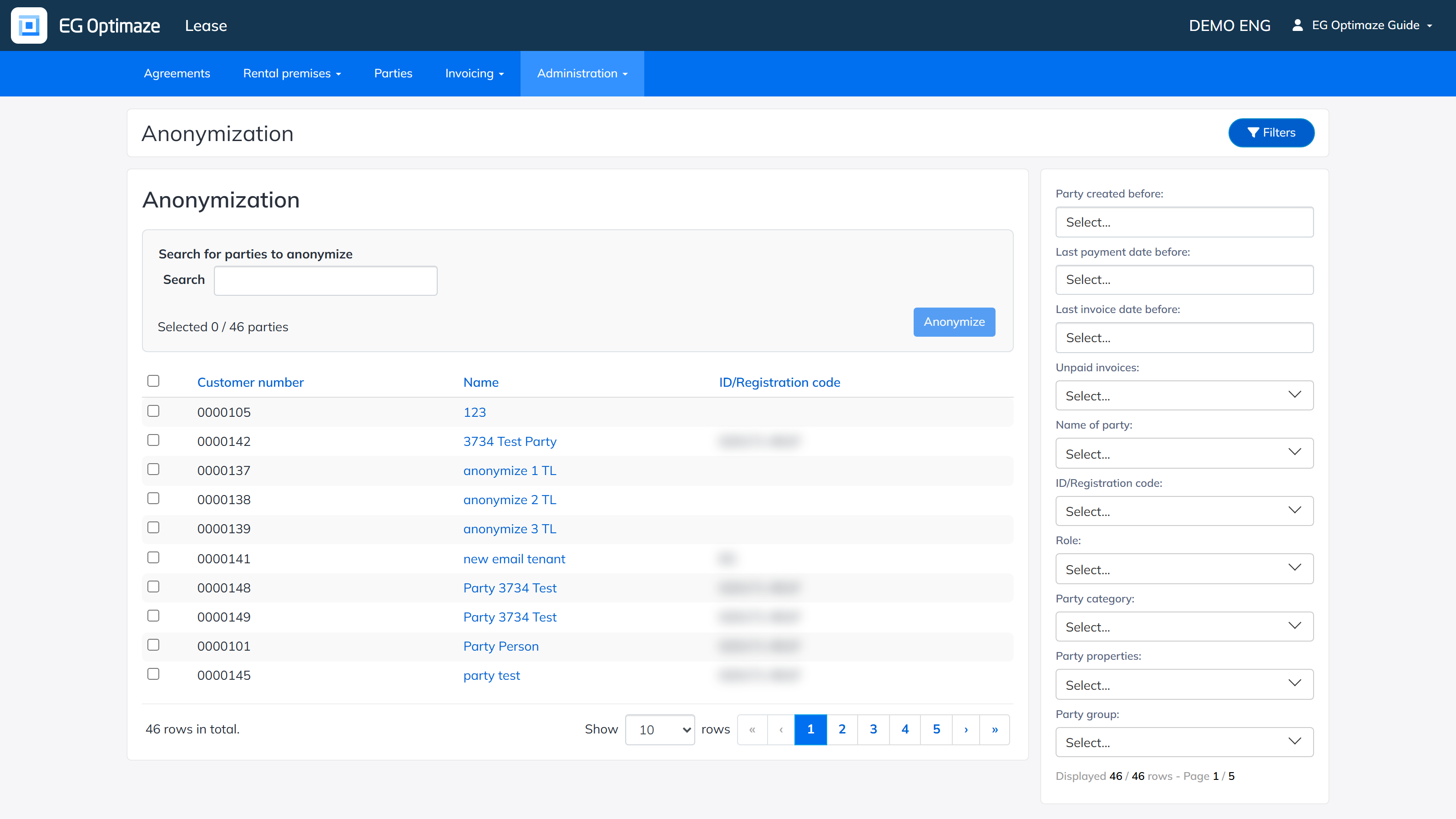
- Party created before — shows parties that were created in Lease before the selected date. The creation date is not shown anywhere else in Lease. For parties that already existed when creation dates were introduced (August 2025), the creation date is that introduction date, so this filter is mainly useful for parties created after it.
- Last payment date before — shows parties whose latest invoice was paid before the selected date. Only the latest invoice the party is attached to is checked. Parties without any invoice payment date are left out.
- Last invoice date before — shows parties whose latest invoice is dated before the selected date. Only the latest invoice the party is attached to is checked. Parties without an invoice date are left out.
- Unpaid invoices — Yes shows parties that have at least one accepted invoice with open payments, No shows parties that have no accepted invoices with open payments. Parties without invoices are left out.
- Name of party, ID/Registration code, Role, Party category, Party properties and Party group — the same filters as in the party list. Role is Person or Company/ Community.
Selecting parties
Tick the checkbox on each row to select a party, or tick the checkbox in the header to select all parties that match the current filters, including the ones on other pages. The Selected counter shows the result. When you change the filters or the search, the selection is cleared.
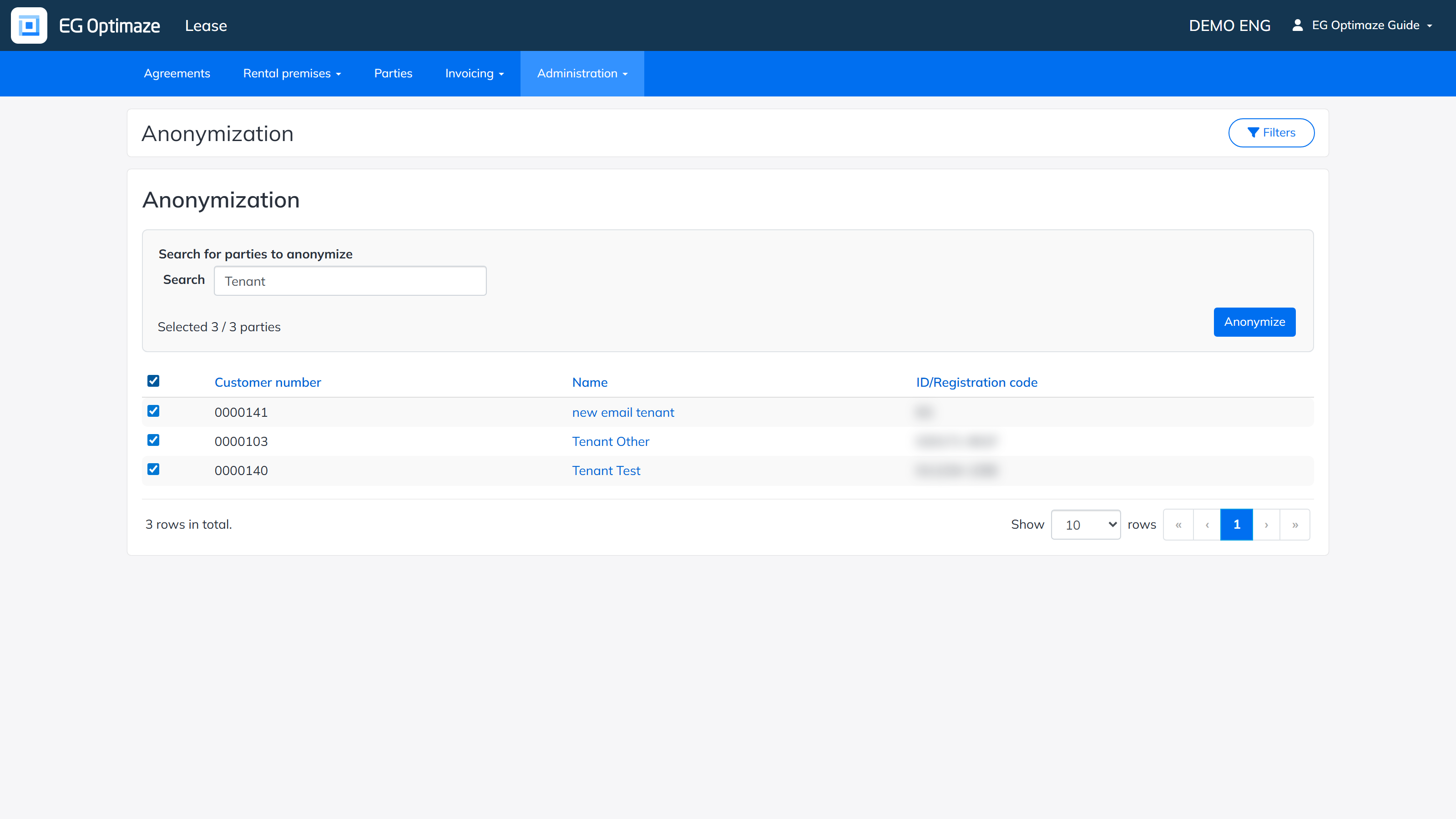
The Anonymize button is disabled until at least one party is selected. Clicking it does not anonymize anything yet — it starts the check described below.
Checking the selection
When you click Anonymize, Lease checks the selected parties and opens a page that lists the parties that cannot be anonymized, with the reason for each. At the bottom the page shows how many parties can be anonymized.
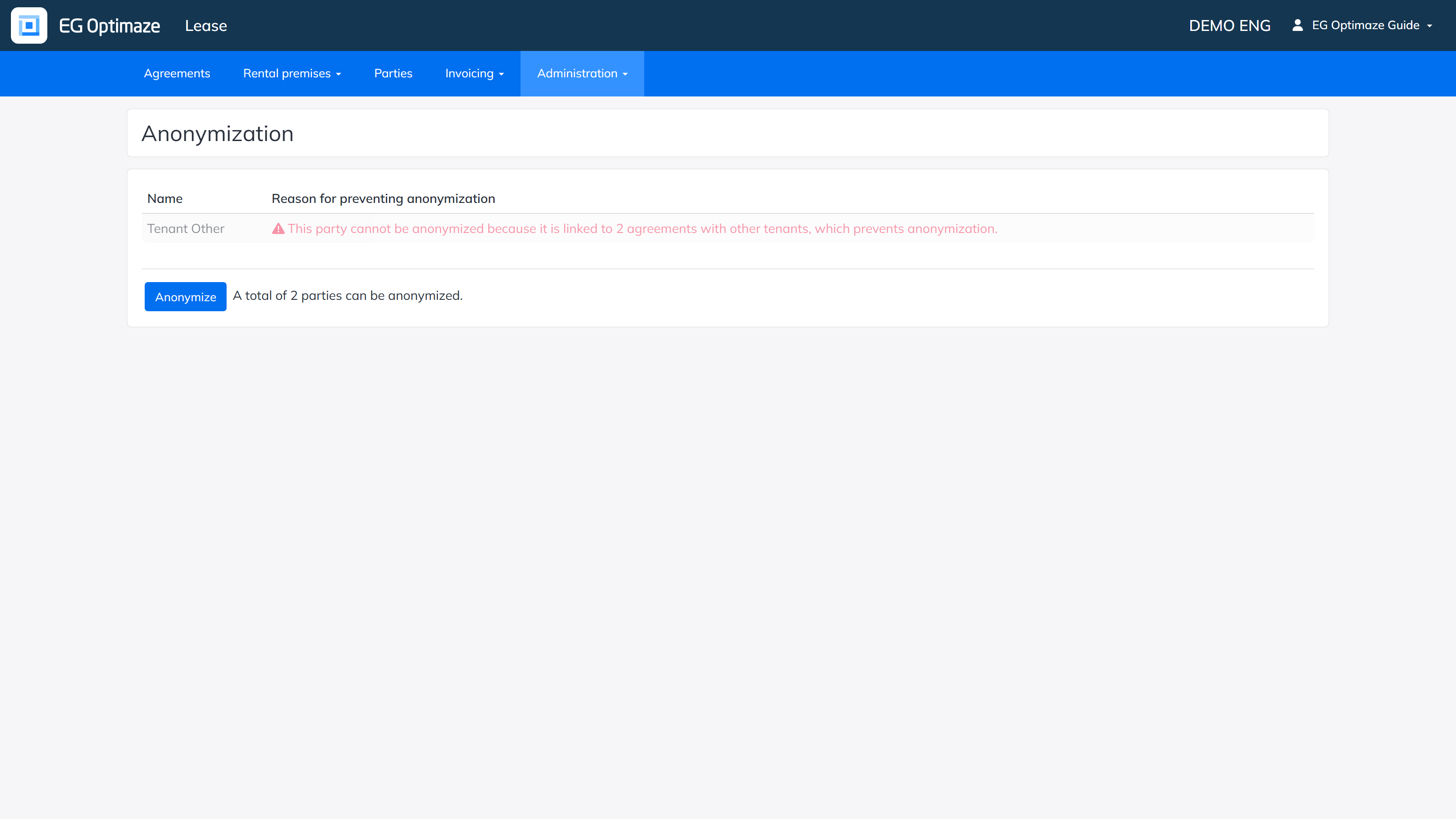
A party cannot be anonymized if one of its agreements also has another tenant that was not selected in the same run. Anonymizing the party would otherwise leave an agreement that is half anonymized. To anonymize such a party, go back and select all the tenants of the agreement in the same run.
Clicking the Anonymize button on this page anonymizes only the parties that passed the check. Parties that failed the check are left untouched.
What is anonymized
For each anonymized party, Lease changes the following.
Party
- The name of the party is replaced with an identifier.
- The customer number is kept as it is.
- All other information of the party is emptied or deleted.
Agreements of the party
On every agreement where the party is a tenant or an other tenant:
- The tenant and other tenant details are emptied. The name is replaced with the identification number of the party.
- Agreement attachments, conversations and events are deleted.
- The other terms of the agreement are deleted.
- The deposit guarantor and deposit additional information fields, and the additional information field of the agreement, are emptied.
- The signatory details are emptied.
- Sitting tenant links are deleted, also on agreements that are not themselves anonymized.
- Rent adjustment notifications are cleared from the agreement.
Invoices
- All invoices of the party are deleted.
- All online invoice notification rows related to the party are deleted.
Anonymization is not recorded in the Lease audit log.
Limitations
Please note the following when planning anonymization.
- Tenants and other tenants only. The tool anonymizes parties that are tenants or other tenants on agreements. A party that is the lessor of an agreement cannot be anonymized. This applies especially to Inrent agreements, where the external landlord is the lessor: a private-person landlord of an Inrent agreement is not anonymized, and the landlord’s name, address and contact details stay on the agreement. Inrent and Outrent agreements are otherwise treated in the same way.
- Deleted invoices. Because the invoices of an anonymized party are deleted, check that you no longer need them, for example for accounting or reporting, before you anonymize.