
Document requests can be sorted on a dashboard in a dedicated section or in the project overview. The example on this page explains how it’s done in a dedicated section. Start by creating a new section.
1. To edit the dashboard linked to the section, go to the tab (section) you created, hover the mouse pointer over Edit on the right side of the page, and click Edit dashboard.
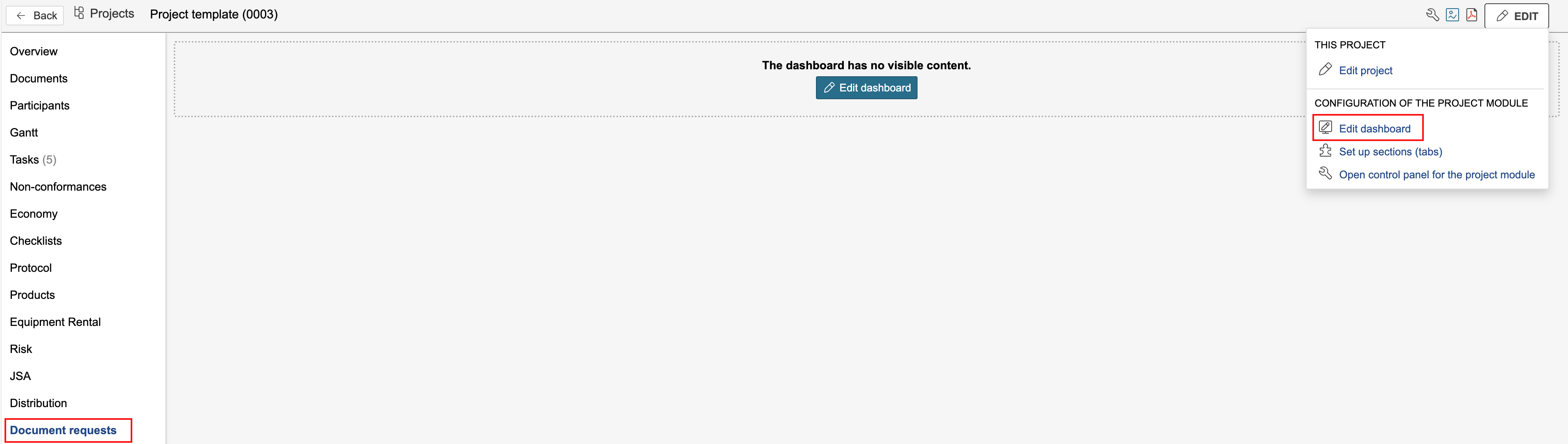
Tip: If the dashboard doesn't have any visible content, you can click Edit dashboard to start editing.