PLANNED
Prerequisites are located in the menu on the left.
Improvement POS
| Area | Description |
|---|---|
| Bank | Cancel payment when pay terminal connection is lost (RTP-36425) Cashiers can cancel a payment even if the connection to the pay terminal (Baxi.Net) is lost. This makes it possible to complete the receipt using a different payment method. When the countdown ends, pressing Cancel a third time sends a reset to Baxi. If the reset does not restore the connection, the transaction is aborted automatically and EG POS returns to the Payment screen. Existing parameter in POS Configuration: 'BankReceiveTimeOutInSeconds' (default 120) - the number of seconds before cashier is allowed to abort a transaction even when connection is lost. |
| Fusion Fuel integration | Sound alerts for authorization requests (fill outside, pay inside) (RTP-33974) When there is at least one request to authorize filling (fill outside and pay inside), a sound plays on at least one cash register every 1–2 seconds. The sound continues until all active requests are closed. If a customer or cashier cancels a request, the sound stops and the alert disappears from the pump panel. |
| General | Pay terminal transactions logged correctly despite Cash button press (RTP-37541) Finished transactions from the pay terminal are always written correctly to the Poslog.xml file, even if the cashier presses the Cash button while the payment is still in progress. This ensures that payment records stay accurate, even when incorrect actions are taken during the transaction. Auto logout timer resets after payment completion (RTP-28929) When auto logout is set up for idle time in EG POS, the logout timer resets only after the payment is fully completed. This avoids logging out the cashier too early in cases where the customer takes time to finish the payment, such as using a phone app, and keeps the payment summary visible on screen for the cashier. Relevant existing parameters in POS Configuration: 'AutoLogoutWhenIdle' = 'True' 'AutoLogoutWhenIdleTimeout' = (configured seconds) |
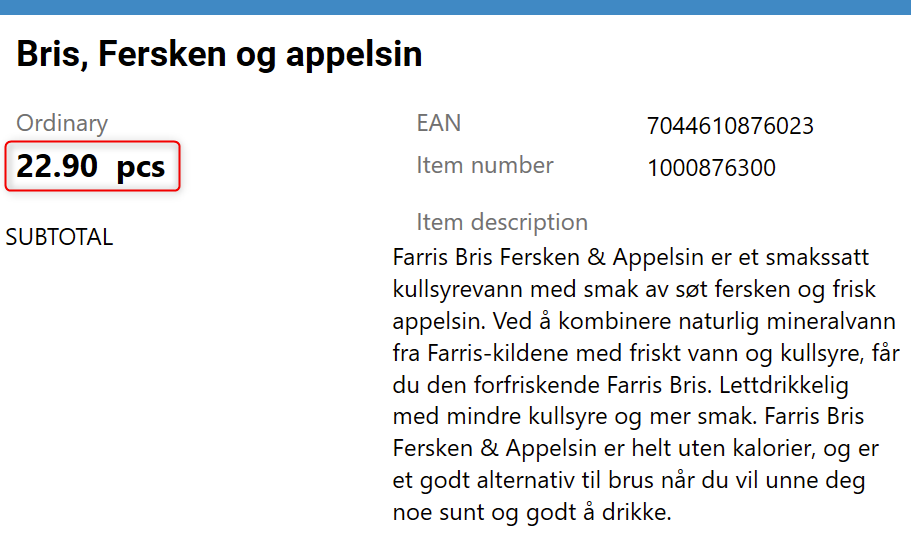
| Price checker | Showing active price in price checker view (RTP-38675) Active price is shown instead of planned price in price checker, Item information, and Price tab views in POS.
|
| Receipt | Bonus check discounts displayed separately on receipts (RTP-32817) Subtotal discounts from bonus checks appear as a separate discount line on receipts. This ensures a clear and accurate breakdown of discounts, preventing them from being displayed as subtotal rounding. Searching for member receipts (RTP-37843) POS no longer freezes when searching for member receipts by phone number. Net amount on receipts (RTP-39503) Net amount on receipts is taken from currently active price. |