
Chain Classic version 2.2.0.0.20
RELEASED
Prerequisites for upgrade
With the upgrade to Chain Classic version 2.2.0.0.20, POS must always deliver receipts in POSLog version 81.
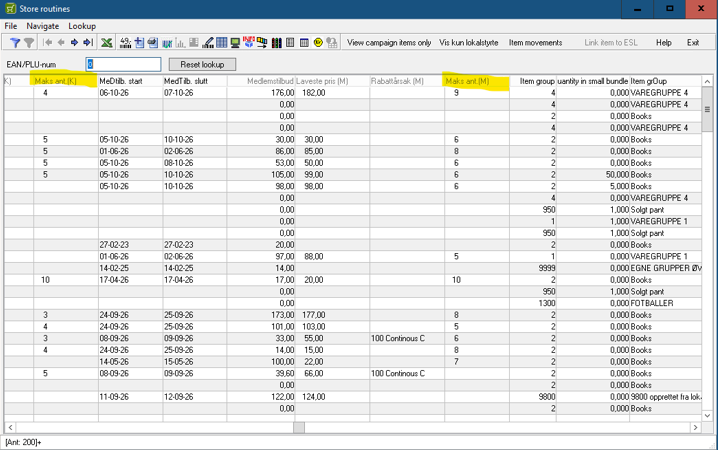
Max quantity for Campaign & Member in Store routines
Maks ant (K) – Max quantity of a campaign price
Maks ant (M) – Max quantity of a member price
VIPPS
(RTC-58498, RTC-59530, RTC-59072, RTC-59073, RTC-59531)
Reports : Store Settlement per Cashier & Store Settlement Total
Vipps should be shown on own line below Bank netthandel under BANKAVSTEMMING.
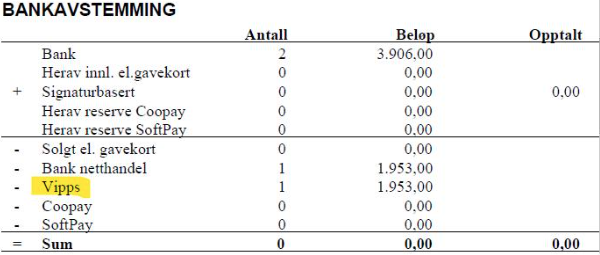
Report: Revenue per Card Type shows Vipps on a separate line when the functionality is enabled.

When VIPPS transactions exist, the RIGAL F file export contains R33 rows in FKD, FTD, and FED sections.
Chain Classic version 2.2.0.0.19
RELEASED
Prerequisites for upgrade
With the upgrade to Chain Classic version 2.2.0.0.19, POS must always deliver receipts in POSLog version 81.
Campaign and member price with max quantity
The "Max Qty" field limits how many items can be purchased at the discounted price in a single transaction. Any quantity exceeding the specified max quantity will be sold at the normal price. Max quantity values can, if permitted for the user, be manually edited in almost all price maintenance programs. The max quantity will be displayed on shelf edge labels and poster printouts, as well as in self-service terminals and on receipts.
The Max Quantity field appears in:
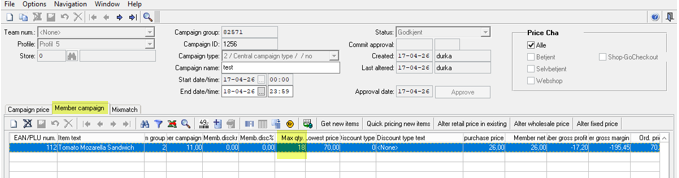
- Campaign Group — on campaign price and member offers in a dedicated column, and also in the price calculation window (popup)
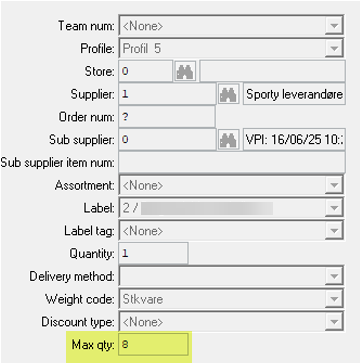
- Item and Price Maintenance — in the price change window and in all price calculation windows (popups)
- VPI Maintenance — on the Price and Member Price tabs.
For instance:
New column in campaign group:
Price popup field with max quantity:
Mixmatch in an active campaign group
- Mixmatch can be added to or removed from an active campaign group at any time.
- Terms and rules for an already active mixmatch can be changed at any time.
- However, an exception applies to item group mixes. If a change is needed related to item groups, it is recommended to delete the original mixmatch and create a new one based on the new conditions.
- An active mixmatch can be copied, with the option to copy the items or not.
- Pay attention to the name and terms, which will likely need to be changed.
- Export of the changes described above will occur as soon as the program window for the new/modified mixmatch is closed.
Chain Classic version 2.2.0.0.18
RELEASED
Prerequisites for upgrade
With the upgrade to Chain Classic version 2.2.0.0.18, POS must always deliver receipts in POSLog version 81.
Functionality for Label Tags
A new field is added to the price maintenance "Label Tags". This is a new register for different texts that can be displayed on electronic shelf labels and posters from Lexmark.
Before starting to use the functionality, the label tags have to be added to the registry. This is done on the register maintenance program "Label Tags".
Existing label tags can then be chosen in every program that can be used for changing prices. There is also possible to set existing Label tags on prices via RIGAL V-file, using the character chosen to represent the wanted label tag.
Label tags will be exported to the formats:
- RIGAL V
- Pricer
- Breece
- Lexmark
Export "Label text 2" to Lexmark
When a local value exists for the "label text 2" field for the store, this value is exported to the Lexmark files.
Maintenance of rights for discount types
Parameter-controlled rights determine whether discount types can be partially or fully maintained, or if it should only be possible to view all of them.
There is also an option where only discount types with a number lower than 100 can be maintained, while discount types with a number higher than 99 will only be viewable.