RELEASED
Prerequisites are located in the menu on the left.
Still missing documentation for some issues, will be updated as soon as possible.
Improvements POS
| Area | Description |
|---|---|
| Balance | Shift Balance Discrepancies and Missing Receipts (RTP-33684) Return are now being included in the expected total instead of being listed as discrepancies in the shift balance report. |
| Bank | Merchant receipt handling for SwedbankPay transactions (RTP-30243) SwedbankPay provides separate text lines for the merchant's copy of the customer receipt. This merchant receipt is only required in specific cases, such as when a customer needs to sign it. EG POS receives information from SwedbankPay on whether a merchant receipt needs to be printed. |
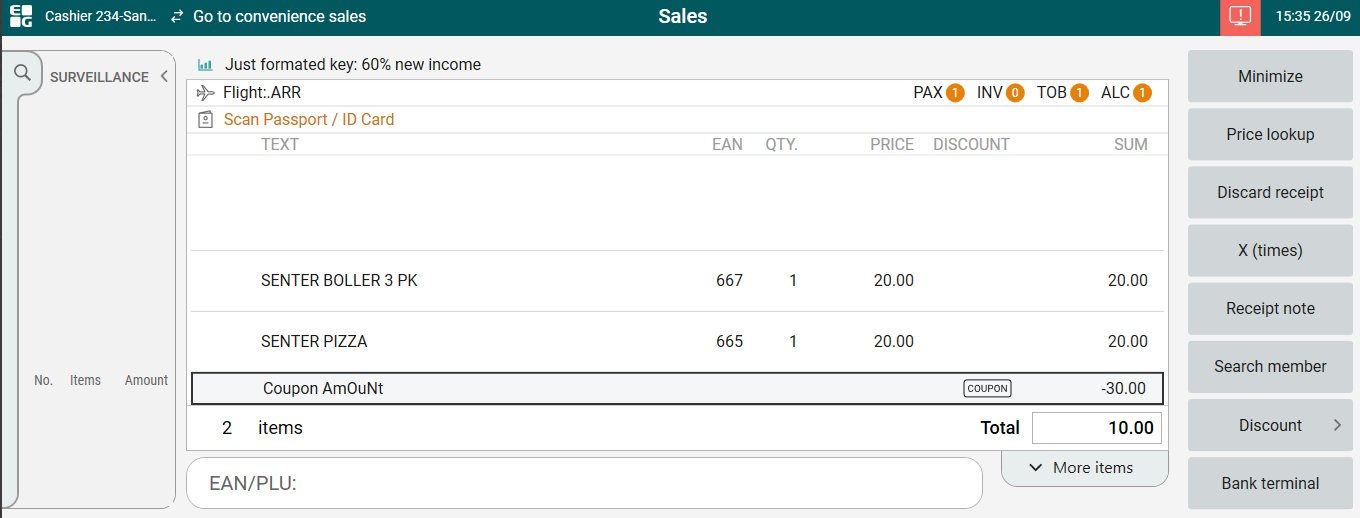
| Coupons | Improvement for alphanumeric coupon (discount code) (RTP-33319) Now, discount code is "case insensitive" and can be added using different cases. Also, in Coupon line entered discount code is shown. Both things work when provider = Simple and it works in both Cashier mode and self-service.
In POSLog in Bundles Name there is exact discount code. In RedeemedCoupon Name there is discount code entered by cashier/client.
|
| Flight integration | Maximum stopover hours for boarding pass validation (RTP-32360) The maximum stopover hours can be configured in parameter ExternalFlightServiceMaxStopoverHours. This value will be sent to the external flight service when scanning a boarding pass and it will be used to check if the flights are valid or not. Date offset for boarding pass validation (RTP-32355) The value in parameter ExternalFlightServiceValidDateOffsetHours will be sent to the external flight service when a boarding pass is scanned. This will be used to check if the boarding pass is valid. Sending blocked CustomsIDs to external flight service (RTP-32354) CustomsIDs configured in parameter ExternalFlightServiceBlockedCustomsIDs will be sent to the external flight service. The service will use it to validate if the boarding pass is valid for the store it is scanned in. Example CustomsIds: U = EU, X = International, D = Domestic Sending Local Airport and Store Type to external flight service (RTP-32353) The store type configured in parameter ExternalFlightServiceStoreType (Arrival, Departure or All) will be sent to the external flight service together with the local airport code configured in parameter AirportCode. These will be used by the external flight service to check if a boarding pass is valid in the store it is scanned in. For example, a boarding pass containing only departure flights will not be valid in a store configured with ExternalFlightServiceStoreType = Arrival. |
| General | Entering Payment View from Sales View with an Empty Receipt (RTP-33775) Pressing Enter on an empty receipt in the Sales view now seamlessly opens the Payment view without interruptions. This improves the user experience by removing the brief error message that previously appeared during this action. New change regarding Identity and access (RTP-33307) There is now new heading in POS. Instead of "Casher register" heading, there is now ever "POS" heading in pos. |
| Orders | Alphanumeric external order numbers (RTP-33337) Alphanumeric external order numbers are supported in Web Orders View in POS. Showing of Click & Collect in Web Order View (RTP-33321) When CustomerOrderVariant is set as NULL then, Click & Collect orders are shown in Click & Collect tab always. |
| Payment | Support negative values in product upload to Swedbank (RTP-33345) EG POS now sends negative quantity when product data is uploaded to Swedbank PAX , this to avoid any errors. Payment process popup and securing no multiple tenders started (RTP-29899) When a payment starts, a "Payment is in progress" popup appears with a 'Cancel' button. This button allows users to cancel the payment and switch to another payment method if needed. To prevent multiple payment types from being started simultaneously, only the initial payment option remains available until the 'Cancel' button is shown, even if the popup with the button takes time to appear. This ensures that users cannot accidentally initiate multiple tenders at the same time. Support for Ingenico pay terminal to make payment for the orders made from POS (RTP-30027) Integration with Ingenico pay terminal to make payment for orders from POS (Payment, Refund and Reversal):
|
| Price calculation | Updated Price Calculations and Mix Handling (RTP-26967) Price calculations in EG POS are now faster and more efficient. The system calculates the total amount required to trigger mix types after applying Campaign, Member, or Normal prices but before any mix calculations are performed. For articles in an active mix with the flags 'IncludeOnlyNonDiscountedItemsInTotalAmount' or 'IncludeOnlyItemsNotUsedByCurrentGroupInTotalAmount' enabled, these articles are excluded from the total amount calculation used to trigger other mixes. Important! The mix engine has been simplified, which may result in multiple mixes triggering simultaneously. Users are advised to review how these changes impact existing and future mixes to ensure they work as expected.
|
| Receipt | Fix on printing campaign discounts in receipt (RTP-32770) When "Do not show campaign discount for items with ID requirements on receipt" is enabled and "Do not show campaign discount on receipt" is not enabled in PrinterConfig, then regular items will have their discounts printed in the receipt and age validated items will not have their discounts printed in the receipt. When adding new items to existing orders or processing returns, the warranty receipt now includes only the items that were added. This prevents duplicate receipts from being printed, unlike before when all warranty receipts were printed every time. This ensures clearer and more accurate receipt handling. |
| Receipt Service | New Credit Payment Fields in ARTS XML (RTP-31029) When CreditPaymentFields parameter is configured and customer makes a credit sale, then information from the credit payment dialog is saved in ARTS XML. |
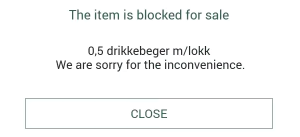
| Self-service | Sales start and end date on items (RTP-32000) When an item is outside the planned sales start or end date a message will be shown to the customer in self-service:
Switching between manned and self-service mode in POS (RTP-33410) The process of switching from manned mode to self-service in POS is more stable, reducing the likelihood of errors during the transition. This ensures smoother operation when changing modes. Additional checks for "null object reference" errors are implemented when scanning a cashier card in self-service mode. These checks help ensure a smooth transition to cashier mode and reduce the risk of app-wide issues that could disrupt the expected operation. In unmanned stores during night hours, details about age-restricted items to be picked up from Vensafe automats are sent directly to the customer’s CoopKey app instead of being printed on a receipt. This information is now sent synchronously to ensure it is received reliably in the app. |
| Stock control | Integration with Stock control service (RTP-27169) Stock is reserved when selling item in POS now. |