
1. Go to the protocol module and click Create new.

2. Select the type for the protocol by clicking on it.

Info: Protocol types are indicated by  , while templates are represented by
3. Enter a name and fill in any other fields if applicable. Click Save to add participants and documents to the protocol.
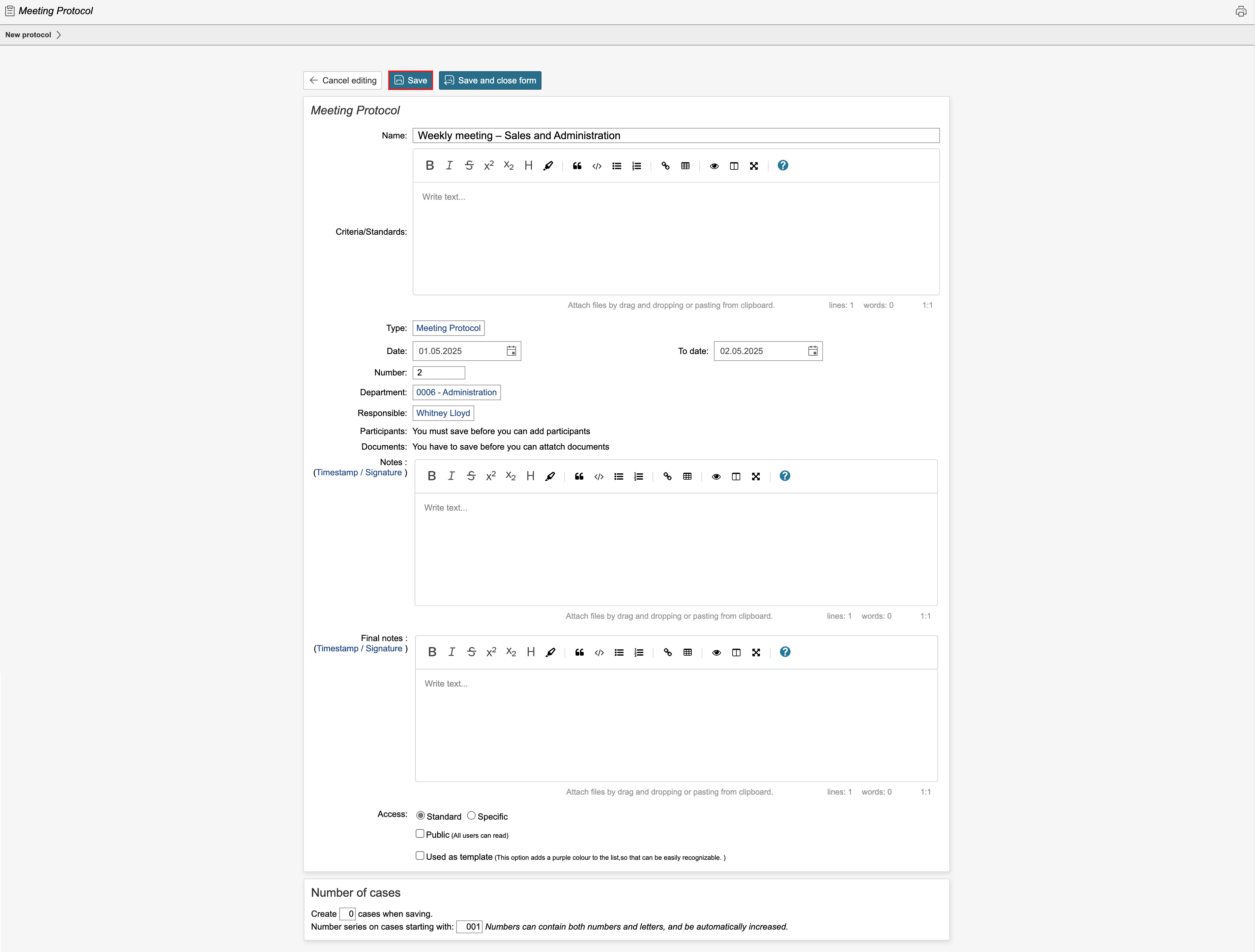
4. If applicable, add participants and documents and click Save. To view the protocol overview or create a case, click Save and close form.

Tip: If the protocol requires strict access control, tick the 'Specific' box in the Access field and select who should have access.
5. To create a new case, click Create new case.
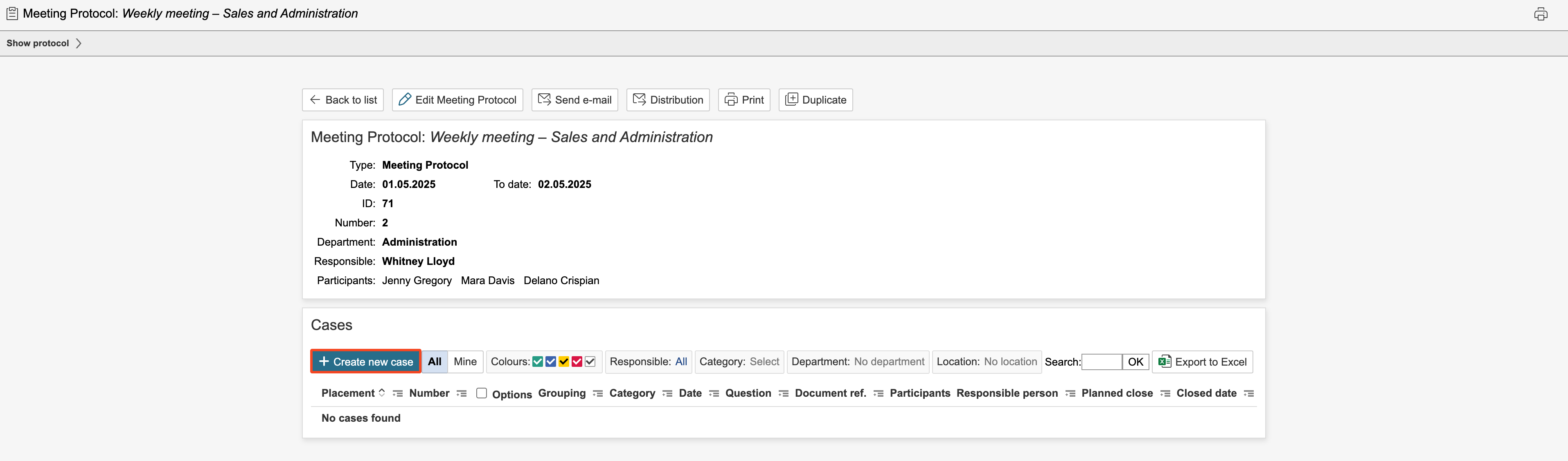
6. Enter information in the fields and click Save. To create a new case and move on, click New case.

7. Clicking New case allows you to create a new case in the auditing and meeting note. All the cases in the auditing and meeting note can be viewed in the list on the left of the page. If a case is responded to and completed during the meeting, the case can be closed by checking Case is closed. To continue and create new cases, click New case.

8. When the cases have been fully registered and reviewed, click Save and close form to access the auditing and meeting note list.

Tip: It is possible to select actions for the various responses to the questions and to create and link to records in other modules for the cases.
9. The auditing and meeting note can be closed if all cases are closed and fully processed.

Info: Closed auditing and meeting notes are marked with the  icon in the auditing and meeting note list.
Auditing and meeting notes with cases where the planned date has been passed appear red in the auditing and meeting note module's list. Auditing and meeting notes with cases that have a planned closure date in the future are yellow in the list. Auditing and meeting notes with cases where all cases are closed are green in the list. Auditing and meeting notes with cases with no planned closure date are white in the list.