RELEASED
Prerequisites are located in the menu on the left
Improvements POS
Area | Description |
|---|---|
| Discounts | Wrong display of currency and delete button (RTP-35181) When doing line discount, correct currency is displayed in the popup and the delete button is showed correctly. |
| Fuel integration | Fusion Forecourt Controller - Fix issues with price change messages (RTP-34784) FuellingType is added with the correct value (2) to the authorization message sent to Fusion Forecourt Controller, which previously caused issues with price change messages. Fusion Forecourt Controller - Fix for error when fuel transaction is freed up (RTP-35231) When a fuel transaction is freed up for in-store payment, error message is no longer shown and no longer causes the cash register to hang. |
| Item transaction | Limits for items with active substances removed for item transactions (RTP-35379) In POS, item transactions can be done on items with with active substances and it is not restricted with the maximum limit. Sales transactions are still limited to the set maximum limit. |
| Order | Order return (RTP-31168) POS no longer throws an error when return item from web order is selected. After printing order confirmation in POS:
|
| Payment | Handling returns and sales on the same receipt (RTP-37011) When canceling dialog "Confirm Klarna Payment - Order will pay to Klarna xxx" will now not send anything to Klarna. |
| Price calculation | Correct bonus calculation for items with Main and Tandem EANs (RTP-34651) The 'BonusRewardAmount' mix type ensures the bonus is calculated correctly when receipts include items sold using both main EAN and tandem EAN numbers. The calculation works accurately regardless of the order in which these EAN numbers are registered on the receipt. This improves consistency in bonus rewards for such items. |
| Receipt | Drive off receipts (RTP-35222) Drive off receipts are marked as "Drive off". |
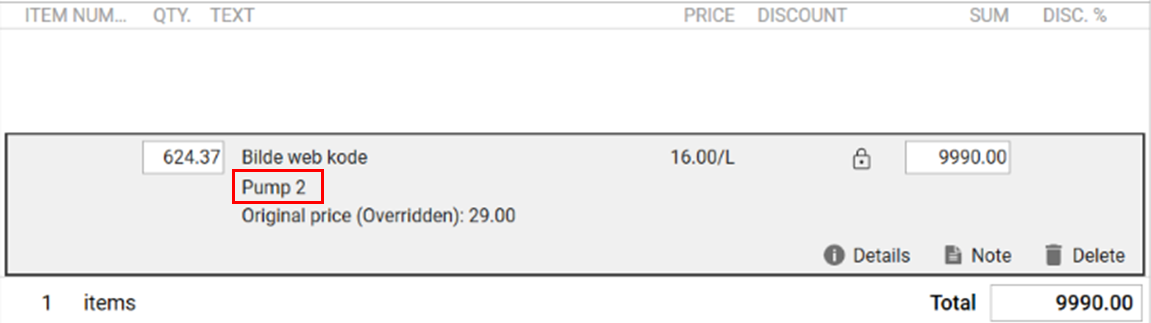
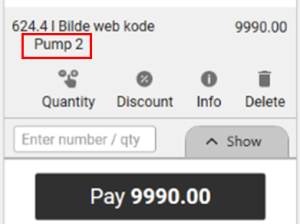
| User interface | Pump number on the item line (RTP-34885) The fuel pump number is displayed on the item line after a fuel transaction is added to the transaction in both Normal Sales view and Convenience Sales view. This would help the cash register ensure that the correct fuel transaction is being paid for by the customer. Cashier Sales view:
Convenience view:
|