Under Terminologi för lokalkostnader kan du redigera och lägga till eller radera olika lokalkostnadskonton. På hierarkins översta nivå kan du skapa kontotyp, kontonamn under kontotypen och konto under kontonamnet.
Du kan konfigurera olika typer av uppgifter för olika nivåer.
När ekonomikörningar utförs, måste alla kostnadskonton i överföringsfilen finnas i terminologin för lokalkostnader, i annat fall kan uppgifterna inte importeras i Optimaze.
Kostnaderna i Optimazes rapporter visas på nivån Kontonamn.
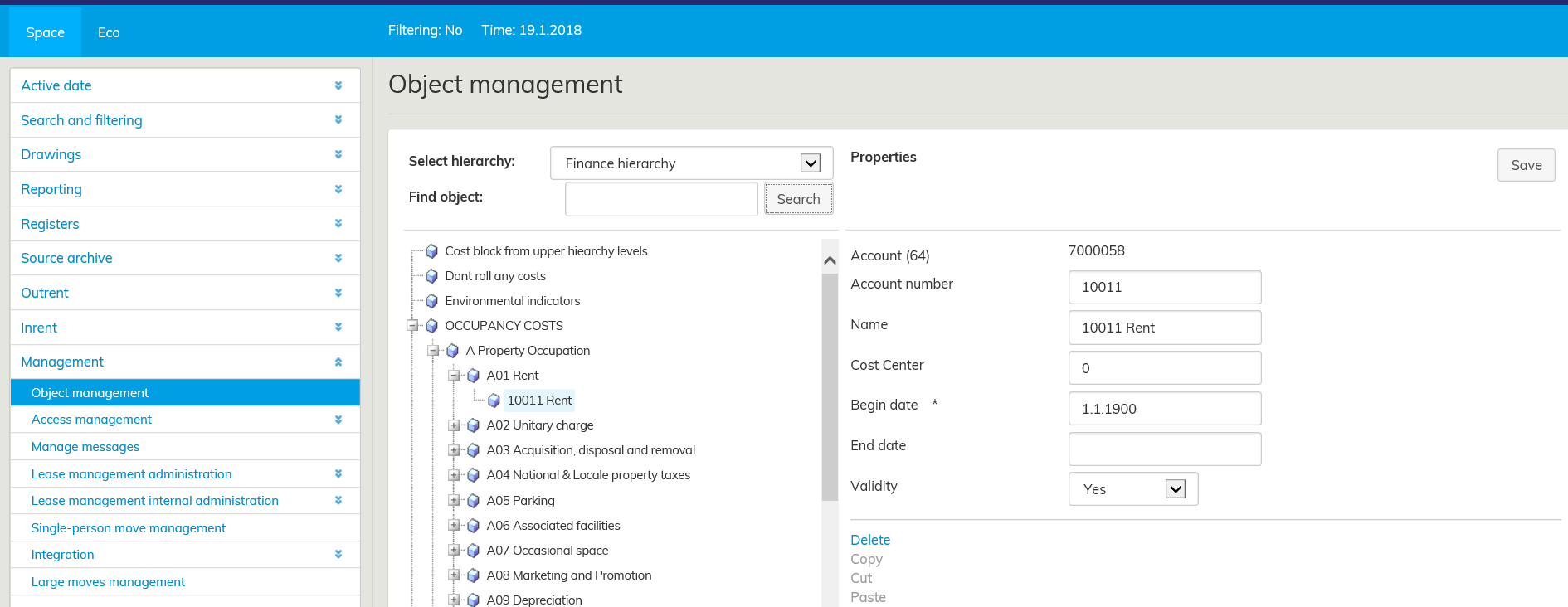
I terminologin för lokalkostnader har man i hierarkin i Optimaze modellerat följande bokföringskonton som lokalkostnader.
Blockering av kostnader
De i kontoplanen synliga kontonamnen Alla blockeras och Alla riktas är verktyg förknippade med riktning av kostnader.
Om du vill blockera alla kostnader från att riktas till en viss lokal, kan du i planritningen konfigurera kontonamnet Alla blockeras för lokalen i fråga.
När du sedan återigen vill rikta kostnader till lokalerna, kan du för den här lokalen välja Alla riktas.
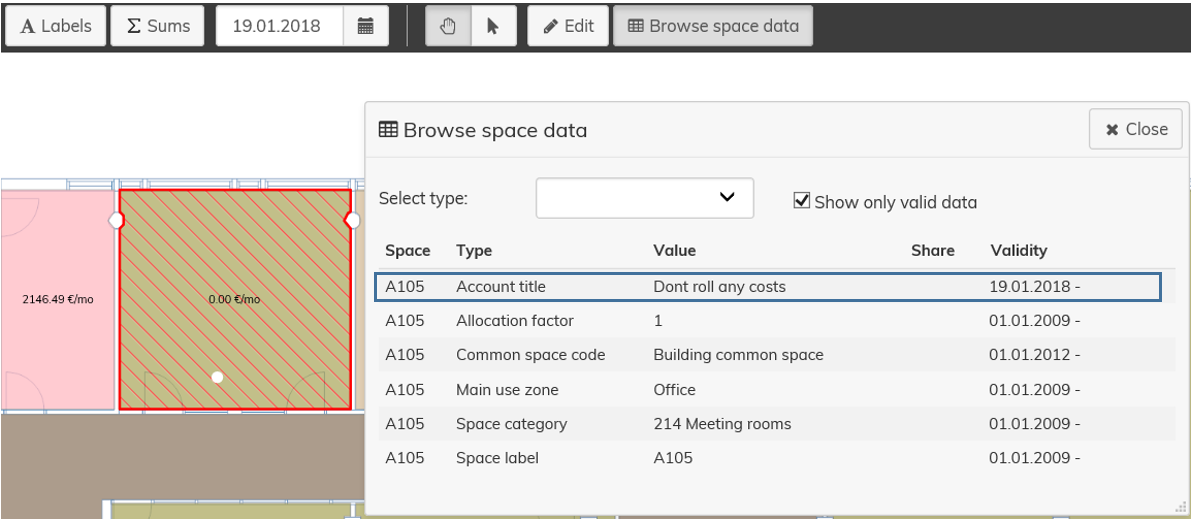
Om du endast vill blockera lokalkostnaderna för ett visst kontonamn, kan du i rullgardinsmenyn välja det ifrågavarande kontonamnet.
Till exempel kan renhållningskostnader vara bra att blockera för en lokal som renoveras
In finance hierarchy, you can add, edit or delete different accounts.
You can create an account type at the highest level in the hierarchy, an account title under it and finally an account. Each level can have different properties.
When managing finance processes in the system, all the accounts that are in the transfer files need to be added to the finance hierarchy. If not, the information will not be imported in Optimaze.
The costs in reports in Optimaze, are displayed in the account title level.
...
The accounts that are followed in Optimaze as occupancy costs are modelled in the finance hierarchy.
Cost blocks
Account titles 'Dont roll any costs' and 'Roll all costs' in the finance hierarchy are tools for allocating costs.
If you do not want to allocate costs to a certain space, you can select the account title 'Dont roll any costs' in the floor plan.
If you want to start allocating costs to spaces, you can select the title 'Roll all costs' for the desired space.
If you want to block only the occupancy costs of a certain account title for a space, you can select the desired account title from the pull-down menu.
It might be useful to block cleaning costs, for example, for a space under renovation.