Ett hyresändringsdokument skapas när en ändring sker i avtalets hyra, ett ändringsdokument skapas om någonting annat i avtalet (t.ex. hyresområdet) ändras.
Med ett hyresändringsdokument kan du ändra villkor i anslutning till hyran eller en hyra, som inte är kopplad till hyresjusteringen i avtalet.
Ändringsdokument
Fastighetsobjektet sägs upp från det gällande avtalet med hjälp av ett ändringsdokument. Efter detta skapas vid behov ett nytt ändringsdokument, som kopplas till det aktuella fastighetsobjektet. I ändringsdokumentet kan du definiera önskade avtalsvillkor. Som standard använder ändringsdokumentet det ursprungliga avtalets höjningsvillkor, villkoren kan dock definieras om. Till ändringsdokumentet kan man lägga till bilagedokument. Med ett ändringsdokument kan man inte ändra det ursprungliga avtalets giltighetsvillkor > detta kräver att ett nytt avtal skapas.
Sök det uppgjorda och godkända avtalet. Välj Skapa ändringsdokument i höger kant på avtalets samlingsblankett. Närmare instruktioner om hur avtalsvillkoren fylls i finns under punkten Fylla i hyresavtalet.
Observera: om du säger upp och lägger till hyresområden med samma ändringsdokument, är Hyrestidens startdatum samtidigt slutdatum för objekten som sägs upp.
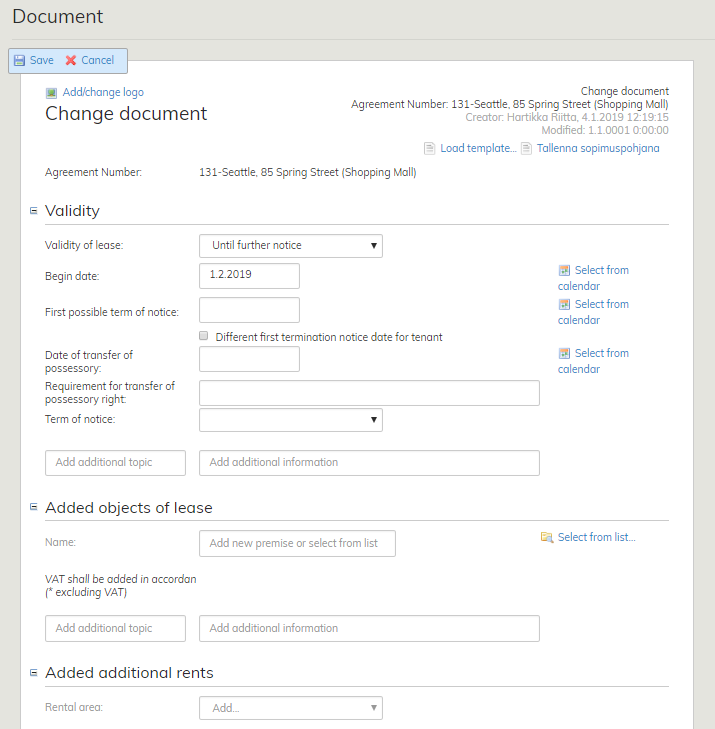
Ändringsdokumentets uppgifter fylls i på samma sätt som hyresavtalet, närmare instruktioner i punkten
Fylla i hyresavtalsblanketten.
Hyresändringsdokument
Med hyresändringsdokumentet ändras hyran för det valda fastighetsobjektet. Om hyran ändras till exempel på ett hyresområde, kan man för det aktuella hyresområdet göra en separat hyresändring utan att behöva ändra hela avtalet. Hyresändringen visas på fakturan som en separat rad.
Sök det uppgjorda och godkända avtalet. Välj Skapa hyresändringsdokument i höger kant på avtalets samlingsblankett.
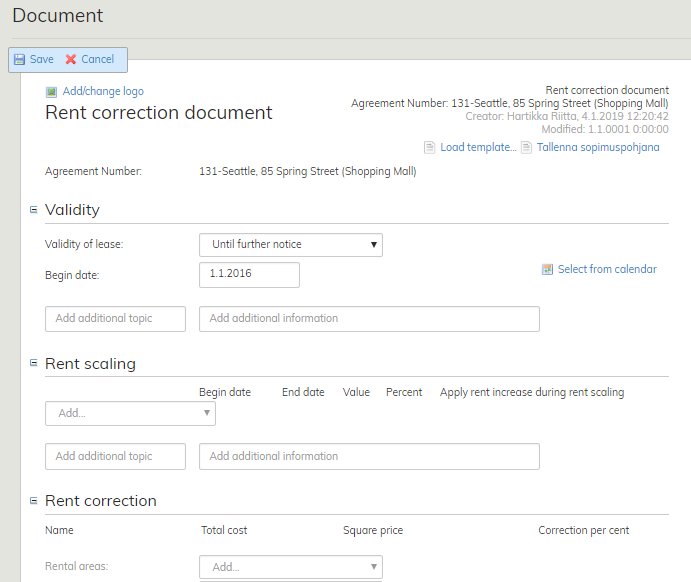
Närmare instruktioner om hur avtalsvillkoren fylls i finns under punkten Fylla i avtalsblanketten
A rent correction document is made, when the rent specified in the agreement changes.
A change document, on the other hand, is made for other changes relating to the agreement (e.g. rental area).
You can use the rent correction document to change terms related to rent, or the rent itself.
The details relating to rent adjustments agreed upon in the agreement are not included.
Change document
An object of lease is terminated from an operational agreement with a change document. After this, a new change document for the object of lease is compiled, if necessary. You can determine desired terms of agreement for the change document. As a default, the terms of rent increase specified in the original agreement will be used in the change document, but these terms can be determined again. You can add attachments to the change document. The change document cannot be used to alter the validity of the original lease. For this, you need to create a new agreement.
Find the accepted agreement that you want to work on. Select Create change document on the right of the agreement summary page. For more detailed instructions on how to enter the validity of lease, see the section Filling out the lease agreement form.
Please note that if you are terminating and adding rental areas with the same change document, the begin date of the lease term is also the end date for the areas being terminated.
The change document is filled out as the lease agreement. For more detailed instructions, see the section Filling out the lease agreement form.
Rent correction document
A rent correction document is used to change the rent of a selected rental area. If the rent is changed in one rental area, for example, you can create a separate rent correction for the affected area, rather than make changes to the entire agreement. The rent correction is displayed in a separate row in the invoice.
Find the accepted agreement that you want to work on. Select Create rent correction doc on the right of the agreement summary page.
For more detailed instructions on how to enter the validity of lease, see the section Filling out the lease agreement form.