Hyresavtalets hyra kan överskridas.
Överskridning av hyra görs på fliken Överskridning av hyra i avtalet.
Funktionen används för hyresavtal, vars hyreshöjningar avviker från hyreshöjningarna i avtalet eller vars hyresjusteringar inte följer de vanliga hyresjusteringsvillkoren.
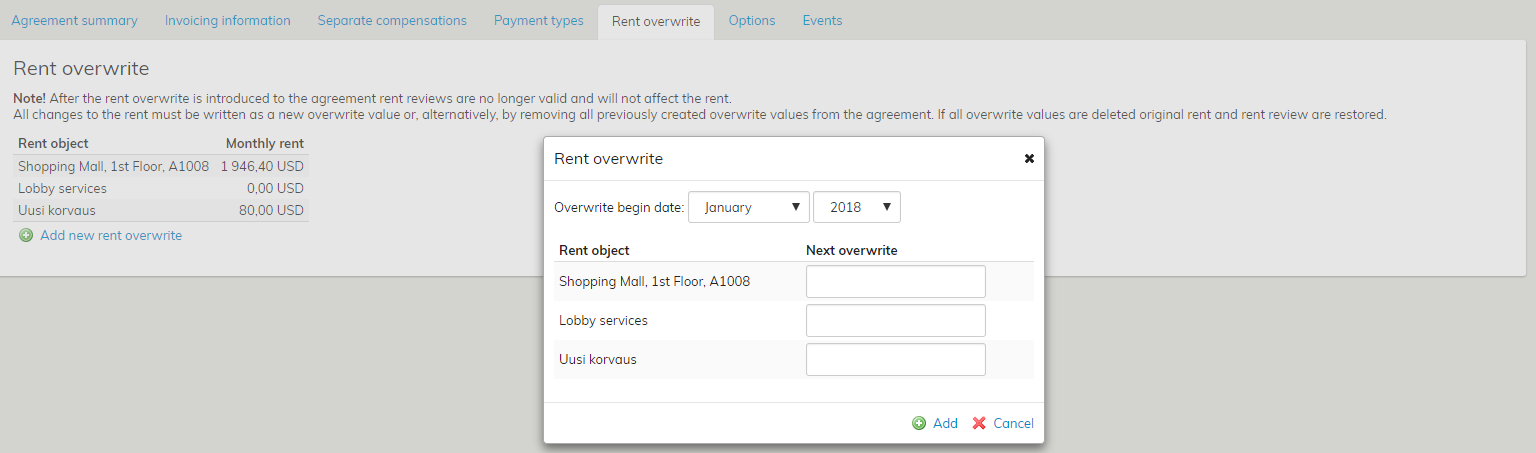
På fliken visas alla hyresprodukter förknippade med avtalet. Du kan mata in hyran per produkt i avtalet genom att välja Lägg till överskridning.
I samband med överskridningen väljs den tidpunkt, då hyran träder i kraft.
I avtalet kan man vid behov göra flera överskridningar av hyra, som träder i kraft vid olika tidpunkter.
När överskridning av hyra är i användning, används de avtalsenliga hyresjusteringarna inte i beräkningen av hyran.
Genom att ta bort överskridning av hyra kan man ändå återgå till en hyra som beräknas utifrån de avtalsenliga hyresjusteringarna
The rent specified in the lease agreement can be overwritten.
The rent override takes place on the Rent override tab of the agreement.
The function is used on lease agreements that have rent increases which differ from the increases set in the agreement, or that are subject to rent adjustments that do not follow common rent adjustment terms.
All rent items relating to the agreement are shown on this tab. The rent can be entered to the agreement separately for each rent item by selecting Add override.
When selecting the override, you also need to select a date on which the new rent will be effective.
If necessary, you can create various rent overrides for the agreement, all of which become effective on different dates.
When the rent override is in use, rent adjustments set in the agreement will not be used for rent calculation.
If you want to return to the rent calculated according to the set rent adjustments, just delete the rent overrides.