Personen kan placeras i planritningen samt i register som har en separat funktion för placering av personer.
Här förklaras hur du använder verktyget Placering av personer som finns i registren.
Börja med att i kalendern välja den dag då ifrågavarande person läggs till i lokalen.
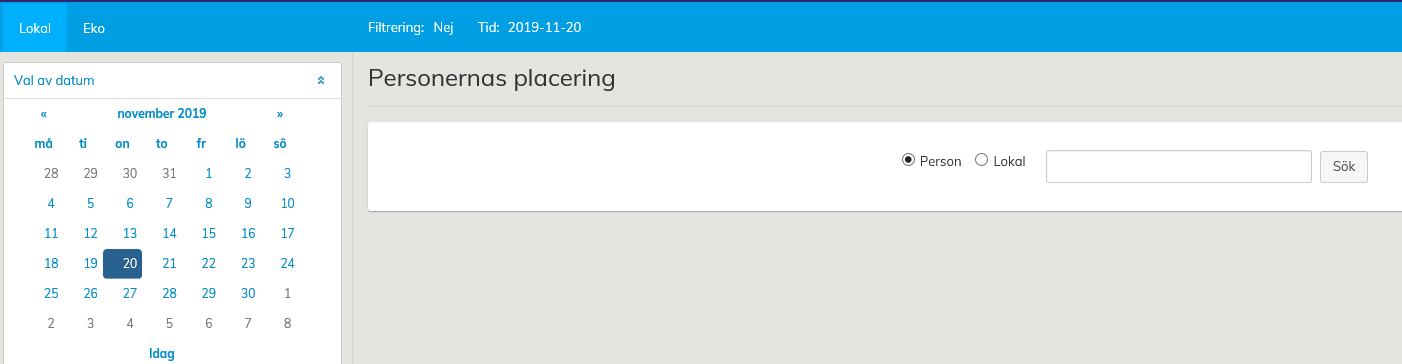
Kontrollera att det valda datumet också syns i den övre balkens punkt Tid.
Gå därefter till Register och klicka på texten Placering av personer.
Mata in Personnamn, en bokstav i namnet eller personens ID i sökfältet. Exempelvis om du söker en person med ’aro’ i sitt namn, letar applikationen fram alla personer i databasen som har ett för- eller efternamn med bokstäverna ’aro’
People can be placed in floor plans, as well as in registers that include a separate function for placing persons.
Here, we explain how you can use the Placing persons tool in the registers.
Start placing people in spaces by selecting the appropriate date from the calendar. This is the date when the person will start in the chosen space.
...
Check that the selected date is shown also in the Time field of the top bar.
Then, go to Registers and click Place persons.
Enter the name of the person in the search field. You can also enter only a part of the name or the person’s ID number. For example, if you try to search for people whose name contains the letters ‘john’, the system will find all the people whose first or last name have these letters.
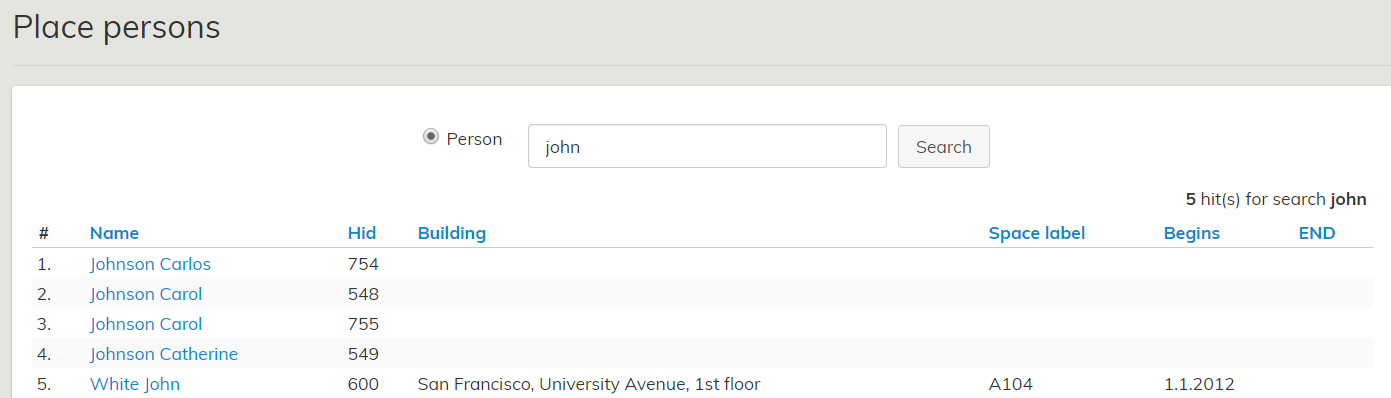
Select the person by clicking their name, and his/her personal space data will open up in the workspace.
...