I Fastighets- och byggnadsregistret upprätthålls basdata om fastigheter och byggnader.
Välj Fastighets- och byggnadsregistret under punkten Register i huvudmenyn. Istället för menyn öppnas nu en fastighetshierarki i en trädliknande form.
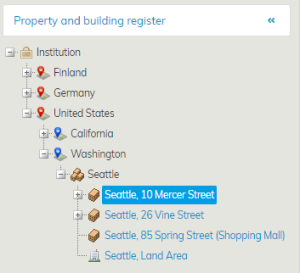
Välj fastighet eller byggnad i objektsträdet för att granska eller ändra uppgifter. I arbetsfönstret öppnas uppgifterna för det valda fastighetsobjektet.
Ikonen för fastighet är en byggnad på ett markområde. När du klickar på fastighetens namn, öppnas en flik med fastighetens Basdata.
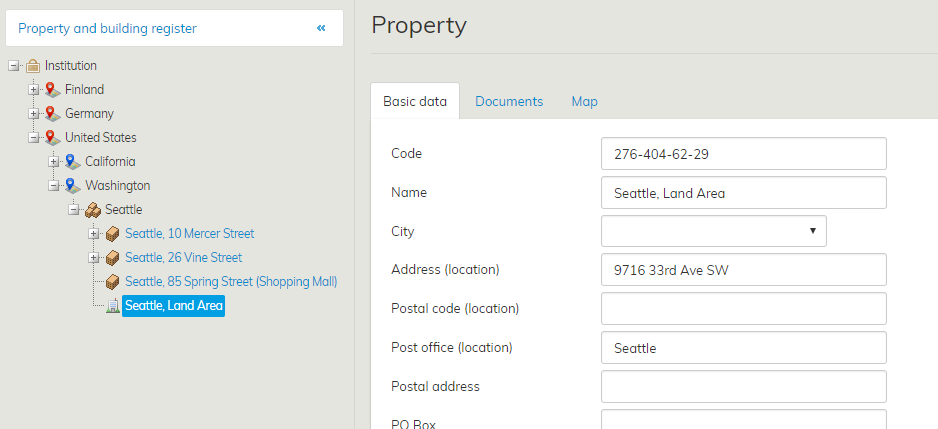
Genom att trycka på flikarna Dokument och Karta med blå text kan du granska uppgifterna på dessa flikar. Fastigheternas uppgifter kan konfigureras och varierar därför enligt kund.
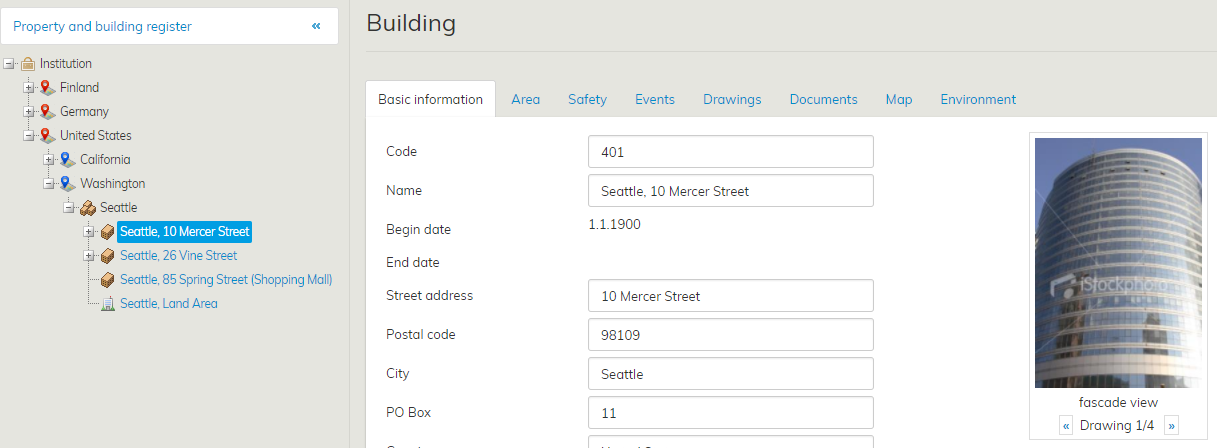
Ikonen för byggnad är en kvadrat som föreställer ett hus. Tryck på byggnadens namn för att granska byggnadens uppgifter.
Byggnadens uppgiftsfält varierar enligt kund och kan ändras i enlighet med kundens behov. Flikarna Basdata, Fastighetsytans omfattning, Händelser, Ritningar, Dokument och Karta finns för alla kunder.
| Tips |
|---|
Data i fältet Beteckning uppdateras också automatiskt i Objektadministration. Informationen i fältet Beteckning styr ekonomimaterialet till rätt objekt i ekonomikörningen |
Basic information on the properties and buildings is maintained in the property and building register.
Select Registers from the main menu, then choose Property and building register. A tree structure of the real estate hierarchy is opened to replace the menu.
...
From the tree structure, select a property or building whose data you want to view.
Information on the selected property is opened in the workspace.
The icon of the property includes a building and a piece of land. When you click the name of the property, the Basic data tab of the property will open up.
By clicking the Documents and Map tabs written in blue, you can access the information in those tabs. The property data can be configured, and thus, they vary according to the customer.
A square depicting a house is used as the icon for the building. By clicking the name of the building, you can access its information.
...
The information fields for buildings vary according to the customer, and they can be edited to better suit the customer’s needs.
The tabs Basic information, Area, Events, Drawings, Documents and Map are available for everyone.
| Tip |
|---|
The information in the Code field is updated automatically also to the Object management. Based on the entry in the Code field, the financial information will be allocated to the right property during finance processing. |