...
- Select Edit > Capacity objects....
- Click to select the capacity object in the floor plan.
- Select the Modification begin date. From this date the modified details are valid
- Edit details for the capacity object or objects:
- Capacity object type
- Capacity object subtype
- Capacity
- Usable capacity
- Usage type
- Description
- Can be reserved
- Email address
- Changes are saved based on the values selected in the fields when update button is pressed
- Alternatively, you can delete the selected capacity objects by selecting Delete selected capacity objects
- When deleting the capacity objects, you must select do you want to delete all the capacity objects data, or just end the capacity object starting from selected date.
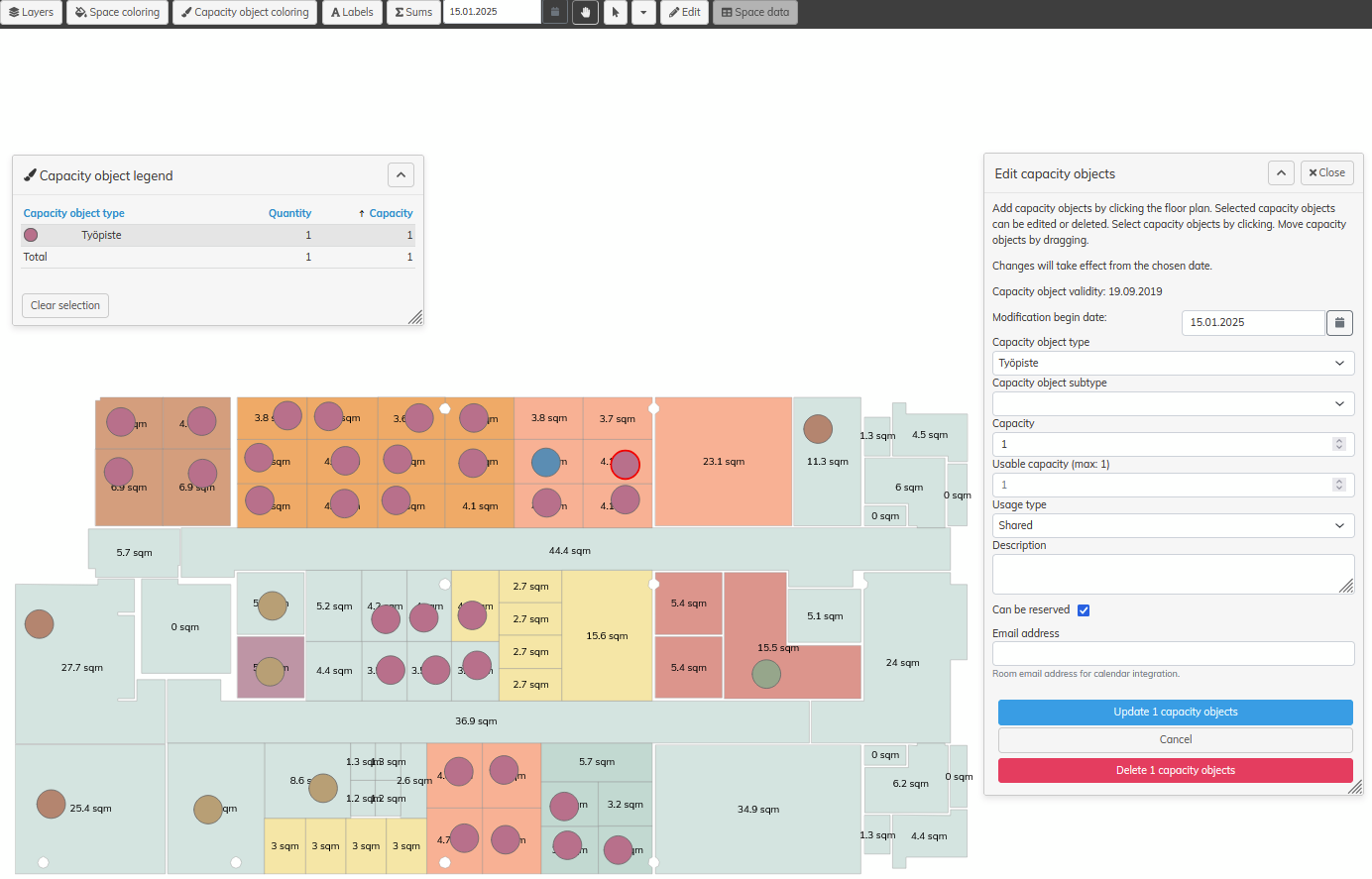
Editing capacity objects (Multiple capacity objects)
- Select Edit > Capacity objects....
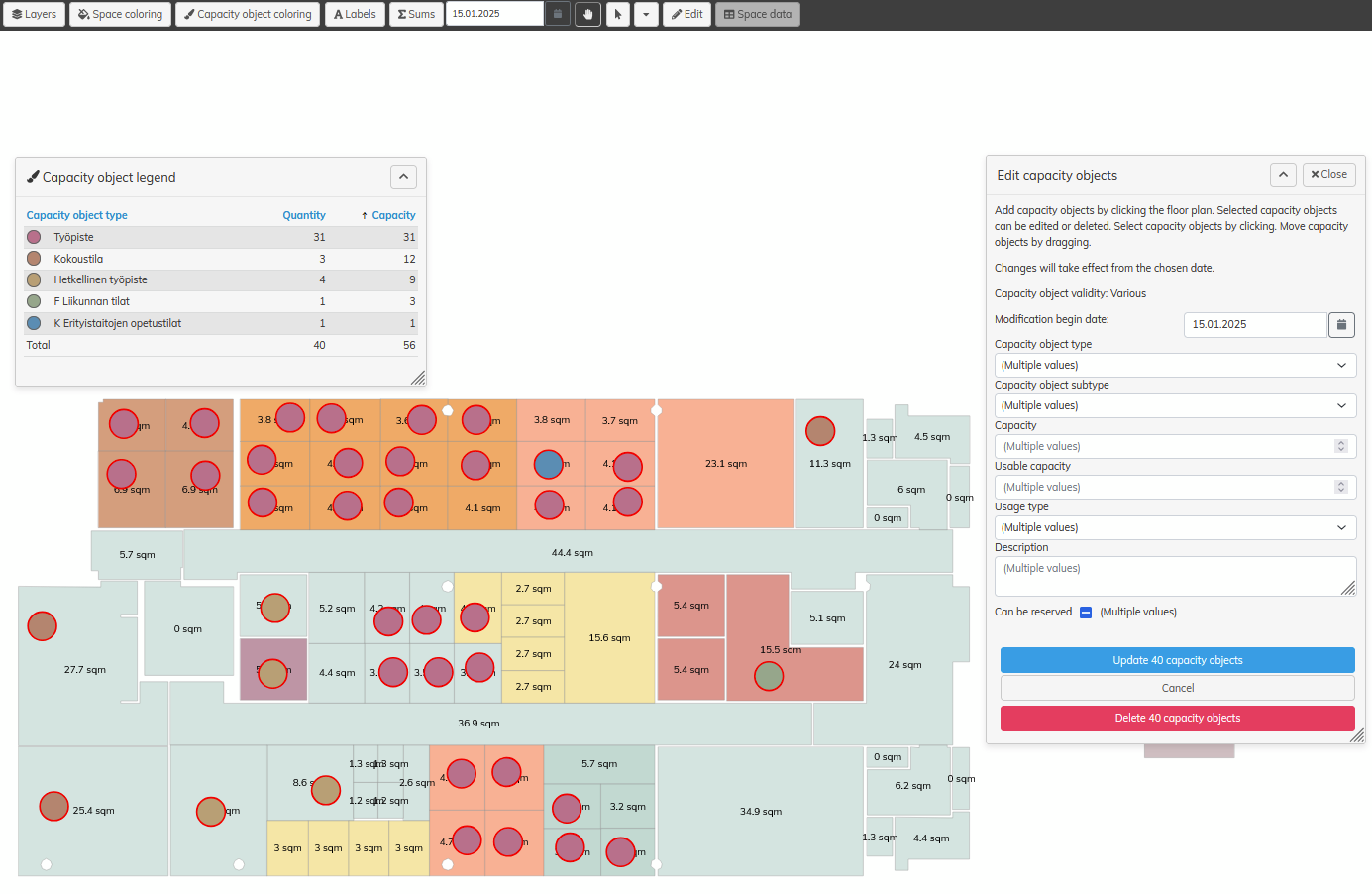
- Click to select the capacity object in the floor plan. Click on a capacity object to select one capacity object at a time, or select 'Select' tool and drag to select all capacity objects in a larger area.
- Select the Modification begin date. From this date the modified details are valid
- Edit details for the capacity object or objects:
- Capacity object type
- Capacity object subtype
- Capacity
- Usable capacity
- Usage type
- Description
- Can be reserved
- Every field will show "(Multiple values)" if the selected capacity objects contain different values
- When saving field values, that have multiple values, no values are saved on any selected capacity object
- "(Multiple values)" selection can be replaced with other value per field, and after that ALL selected capacity objects are saved with that value, when update is pressed
- Email address field can't be updated when multiple capacity objects are selected
- Alternatively, you can delete the selected capacity objects by selecting Delete selected capacity objects
- When deleting the capacity objects, you must select do you want to delete all the capacity objects data, or just end the capacity object starting from selected date.
To move a capacity object, drag the object in the floor plan. You can only move one capacity object at a time.
...