Versions Compared

Key

  • This line was added.
  • This line was removed.
  • Formatting was changed.

...

Expand
title4000_ItemSaleQuantityReport

RTC-46626

Description:

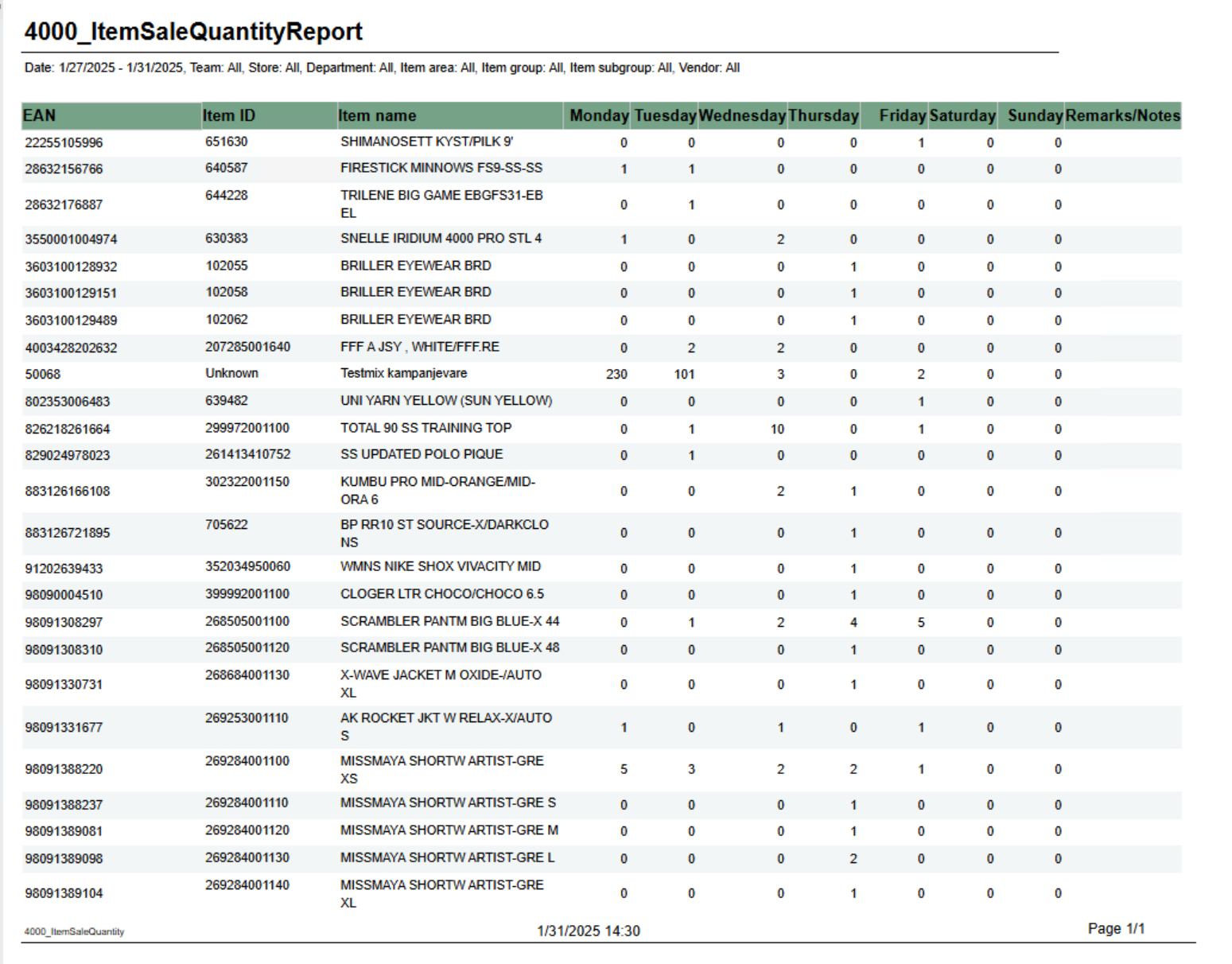
Report shows number of sold items per day of week.

Selections:

  • From date - default first date of current week.
  • To date - default today
  • Team - default all
  • Retail store - default all
  • Department - default all
  • Article area - default all
  • Article group - default all
  • Article subgroup - default all
  • Vendor - default all

Not Note that is is possible to select default e.g article groups by selecting group(s) in parameter pArticleGroup

Output:

One row for ean item with columns for each day of week. In addition one column for notes.

Columns:

  • EAN - EAN
  • Item ID - Item number
  • Item name - Item name
  • Monay - Friday - One column for each day
  • Remarks / Notes - Empty column.

Source:

Lindbak POS Reporting Cube (Olap)


...

Expand
title4001_HourlySalesReport

RTC-46798

Description:

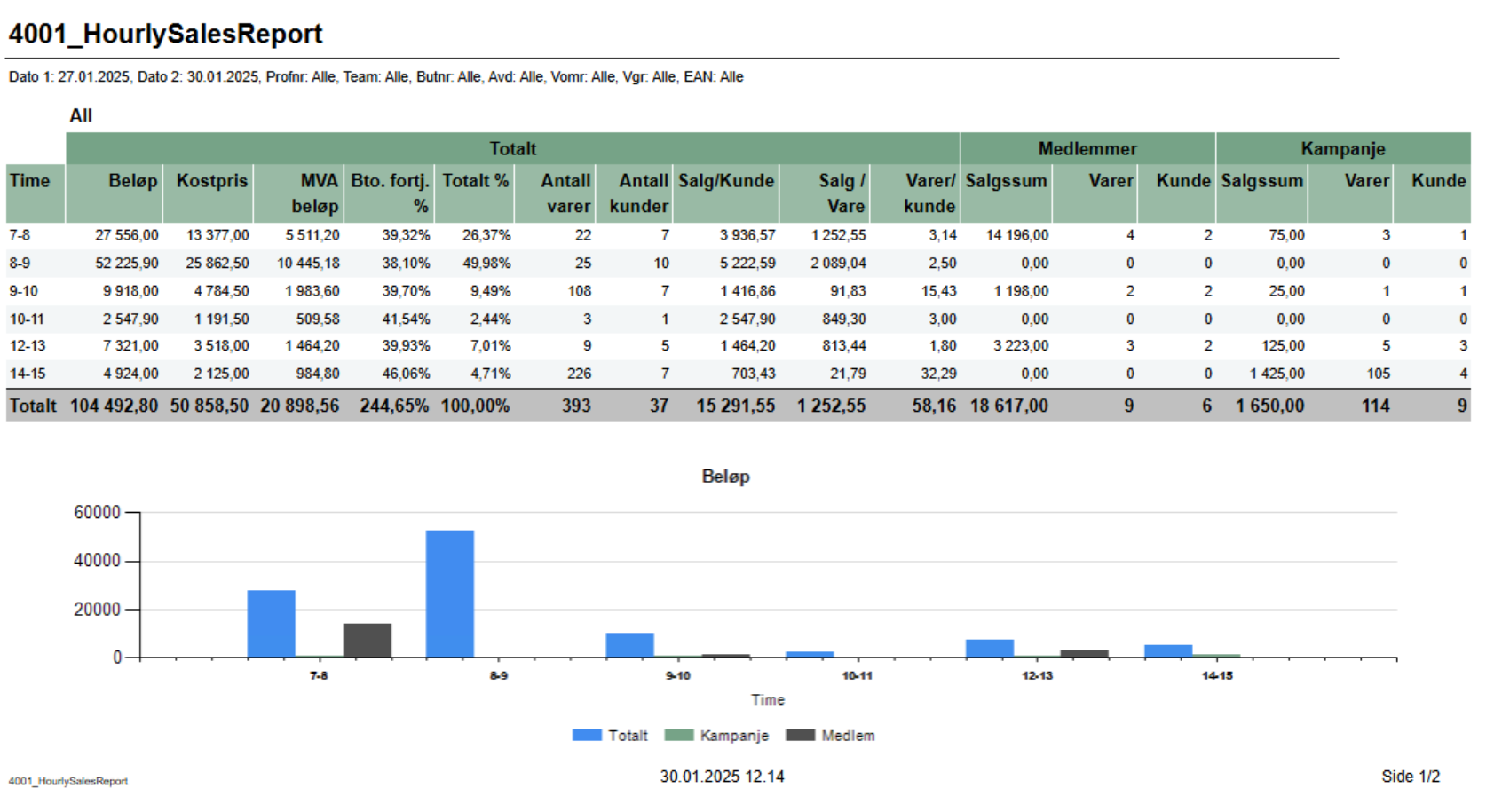
Report lists sale statistics for total sales also sales statistics for member and campaign sales. Graph in bottom showing Total, campaign and member sales.

Report show only hours with sales.

Selections:

  • Date from - default today
  • Date to - default today
  • Hour from - default 0 (start of hour, meaning 0 is between 0 and 1.
  • Hour from - default 23 (start of hour, meaning 23 is between 23 and 00.
  • Profile - default All
  • Team - default All
  • Retail store - default All
  • Department - default All
  • Article area - default All
  • Article group - default All
  • EAN list - default empty

Output:

One row per hour with sale. One page per store and one for All stores. Bottom of page showing graph for Total-, Campaign- and Member-sales.

Columns:

  • Hour - Showing from - to hour.
  • Total
    • Amount - Sales amount including VAT
    • Net cost - Net cost
    • VAT amount - VAT amount
    • Gr. profit % - Gross profit in percentage
    • Total % - Share of sales for this hour
    • Article count - Number of articles sold
    • Customer count - Number of receipts / customers
    • Sales / Customer - Average sales per customer
    • Sales / Item - Average sales amount per item
    • Articles / Customer - Average items per customer / receipt
  • Members (where there is member in receipt)
    • Sales amount - Sales amount including VAT
    • Articles - Number of articles
    • Customer - Number of customers
  • Campaign (where there is discount type Campaign)
    • Sales amount - Sales amount including VAT
    • Articles - Number of articles
    • Customer - Number of customers

Sorting:

Sorted by hour, earliest first.

Source:

Lindbak POS Reporting Cube (Olap)

Anchor
4003_HourlySalesPerItem

Expand
title4003_HourlySalesPerItem

RTC-46808

Image Added

Description:

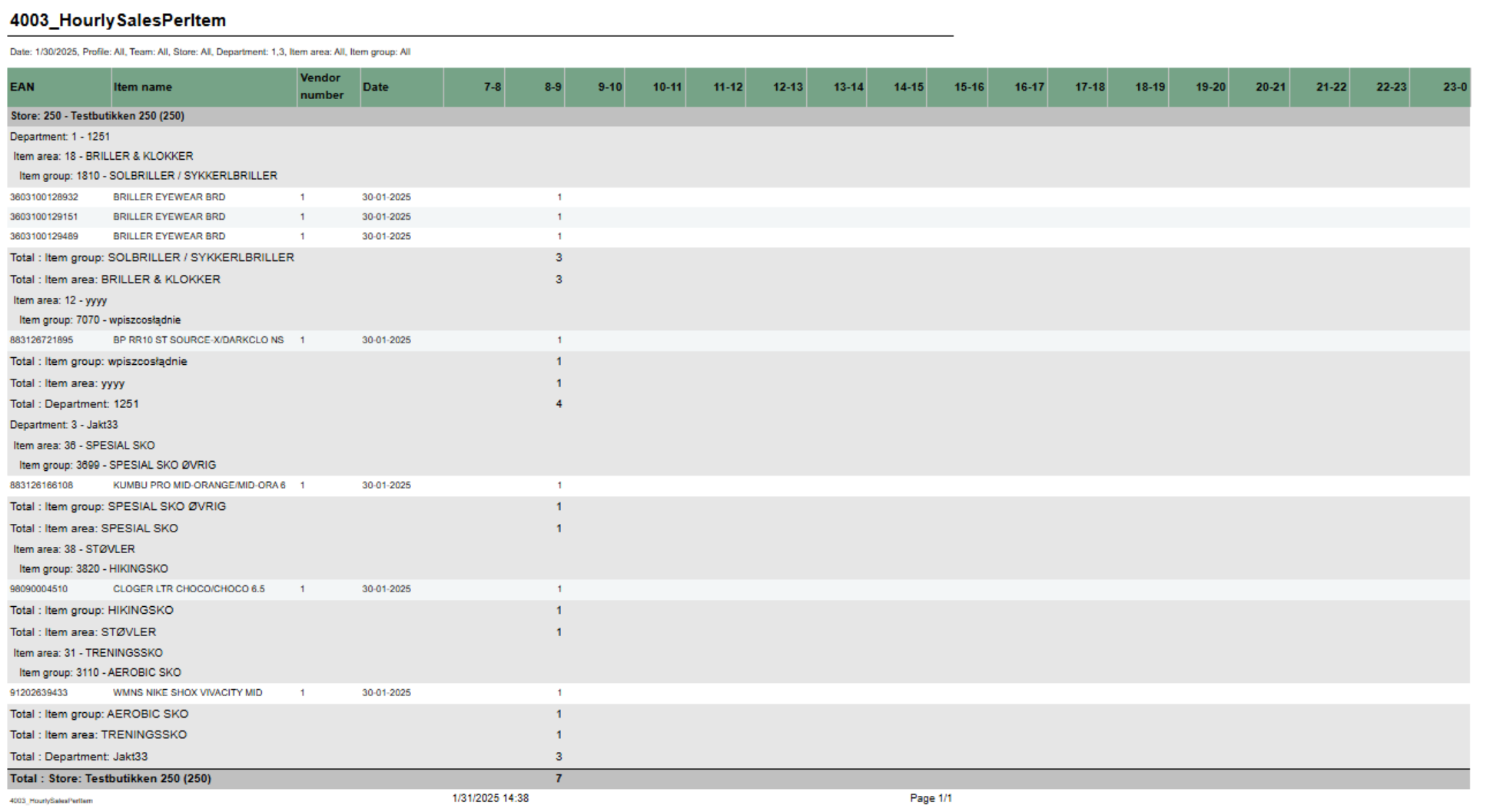
Report showing number of sold items per hour for selected date. Also showing total for hierarchy.

Selections:

  • Date - single selction of date, default today
  • Hour from - Showing only hours from selected hour. Hour in selection is start of hour (7 is hour 7-8). Default 7.  Default can be changed by parameter pHourFrom
  • Hour to - Showing only hours to selected hour. Hour in selection is start of hour (23 is hour 23-00). Default 23. Default can be changed by parameter pHourTo
  • Profile - default All
  • Team - default All
  • Retail store - default All
  • Department - default All
  • Article area - default All
  • Article group - default All

Not that is is possible to select default e.g article groups by selecting group(s) in parameter pArticleGroup

Output:

One row per item with total for group, area and department.

Columns:

  • EAN - EAN
  • Item name - Item name
  • Vendor number - Vendor number
  • Date - Date selected
  • One column for each selected hour

Source:

Lindbak POS Reporting Cube (Olap)

...