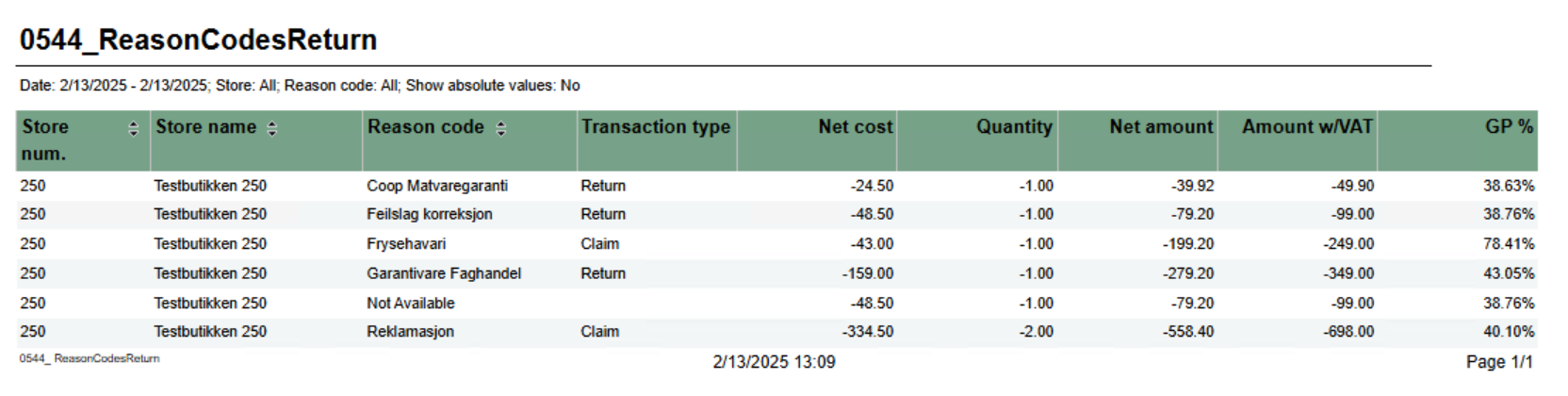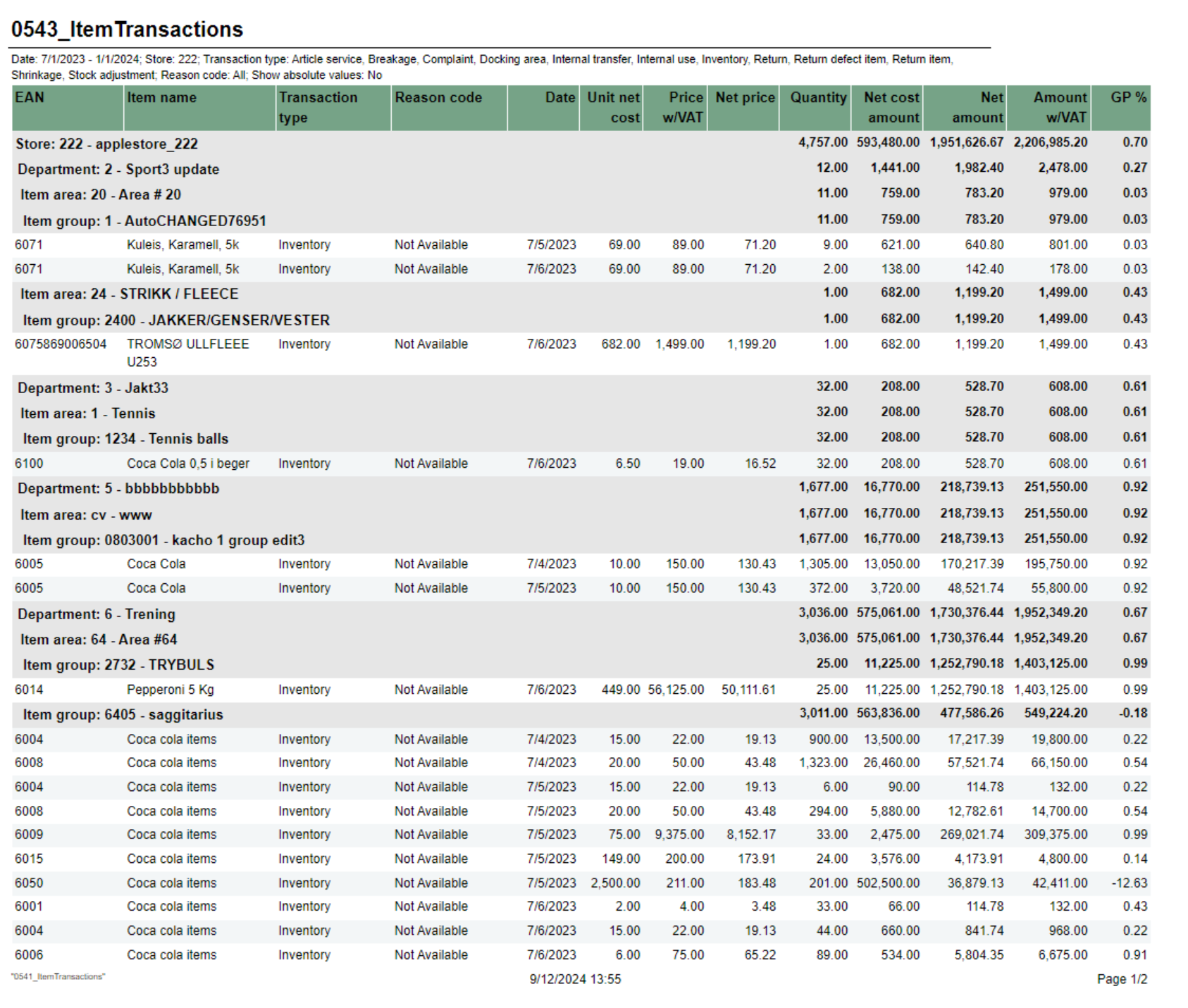
Description: RTP-33121 General report for item transaction. This report will show all item transactions with reason code. Report is similar to 0541 without item number and two extra columns for net cost. Source: - Lindbak POS Reporting cube ((OLAP) Item Transaction RealTime measure)
Selections: - Date from - Default today
- Date to - Default today
- Store - Default All (if HQ user)
- Transaction type - Default All types. It is possible to removed transaction types from list with hidden parameter pTransactionTypesToExclude, see relevant parameters for details
- Reason code - Default all available codes. List shows only reasoncodes linked to selected transaction types. NB! Depending on Chain Web version. When you select transaction type, only first available reason code will be selected. Workaround for this is to de-select all reason codes before seleting transaction type(s).
- Absolute values - Default off. This will show all values as positive values. Used to get correct quantity when you have transactions with positive and negative values. Note that this will not affect sum of same item / reasoncode. Default selection can be changed in parameter pShowAbsoluteValues
- Grouping - Default Group. This will decide on which level of hierarchy report is generated. Report always shows item, it will also show total for group, area, department and store depending on selection. Default selection can be changed in parameter pGrouping
- Department - To filter result on department
- Article area - To filter result on article area
- Article group - To filter result on article group
Relevant parameters: - pTransactionTypesToExclude - Comma separated list of transactions types not to show in list of transaction types. E.g. If customer never uses transaction type Aricle Service and Inventory, put in Normal,ArticleSerivce,Inventory in string (Normal shoul always be excluded)
- pShowAbsoluteValues - To change default value for 'Absolute values' selection
- pGrouping - To change default value for 'Grouping' selection
Output: List of item transactions with reason code Columns (sum for store and each level of hierarchy. Sum total on last row): - EAN - EAN of item
- Item name - Item name
- Transaction type - Transaction type
- Reason code - Reason code
- Date - Date of transaction
- Unit net code - Net cost per item
- Net price - Net price per unit
- Price w/VAT - Price including VAT per unit
- Quantity - quantity
- Net cost amount - Net cost for transaction
- Net amount - Net amount (Net price * Quantity)
- Amount w/VAT - Amount including VAT (Price w/VAT * Quantity)
- GP% - Gross profit in percentage
Clarifications: - Action code is not supported, only reason code (action code not available in Olap (reporting v77))
- Report shows only item transactions from poslog (no Rigal)
- Showing absolute values for same item / reasoncode is not possible (reporting v77). Report will always show sum of same item / reasoncode even if there are positive and negative values.
- Exampe:
 - Without absolute values Report will show Quantity = -3 which is correct
- With absolute values report will show Quantity = 3, ideally it should split this into two lines
|