RTC-47198 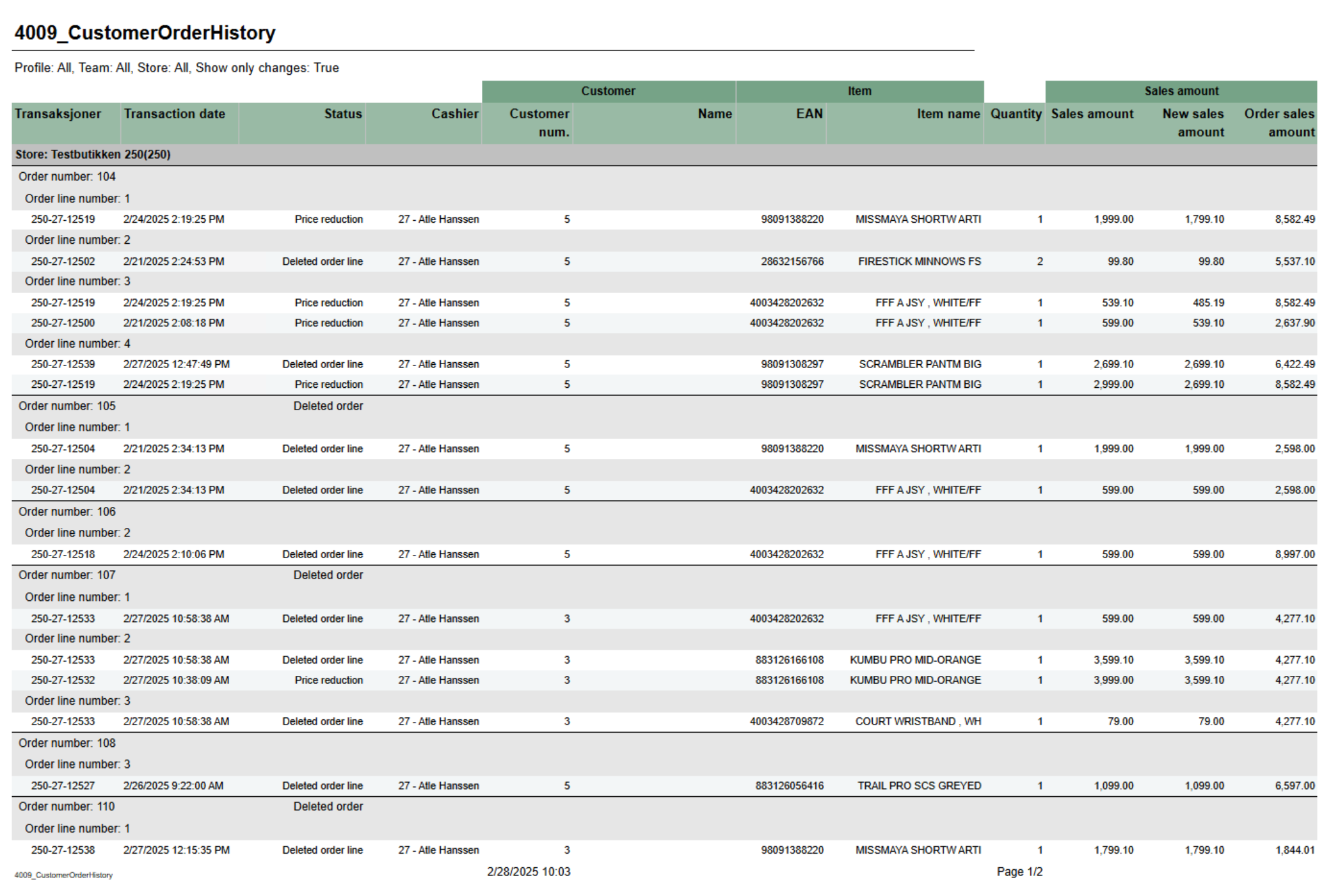 Image Added Image Added
Description: Report shoing history of order header and order lines. Mainly used for showing deletion of order, order lines and price reduction on order lines. Selections: - Date from - default today - 7 days.
- Date to - default today
- Show only changes - Changes means only showing deleted orders, deleted orderlines and order lines with price reduction. If false we are showing all history on order lines. Default true
- Profile - default All
- Team - default All
- Retail store - Default All (filtered also by profile and team)
Output: Grouped by store, order and order line. Showing transaction information, status, item information and prices per row for each order line. Columns: - Transactions - Receipt ID where where changes occured.
- Transaction date - Enddate from poslog where changes occured.
- Status - Type of change. Deleted order, Deleted order line, Price reduction or Not deleted (Other changes than mentioned can be included in this status).
- Cashier - Cashier number and name
- Customer
- Customer num. - Customer number
- Name - Customer name
- Item
- EAN - EAN
- Item name - Item name
- Quantity - Quantity
- Sales amount
- Sales amount - Sales amount of order line. If price reduction this shows before price.
- New sales amount - Sales amount of order line. If price reduction this shows new sales price.
- Order sales amount - Total sales amount of order (from order header)
Source: Lindbak POS Reporting Cube (Olap) Lindbak POS Reporting DW (SQL database) |