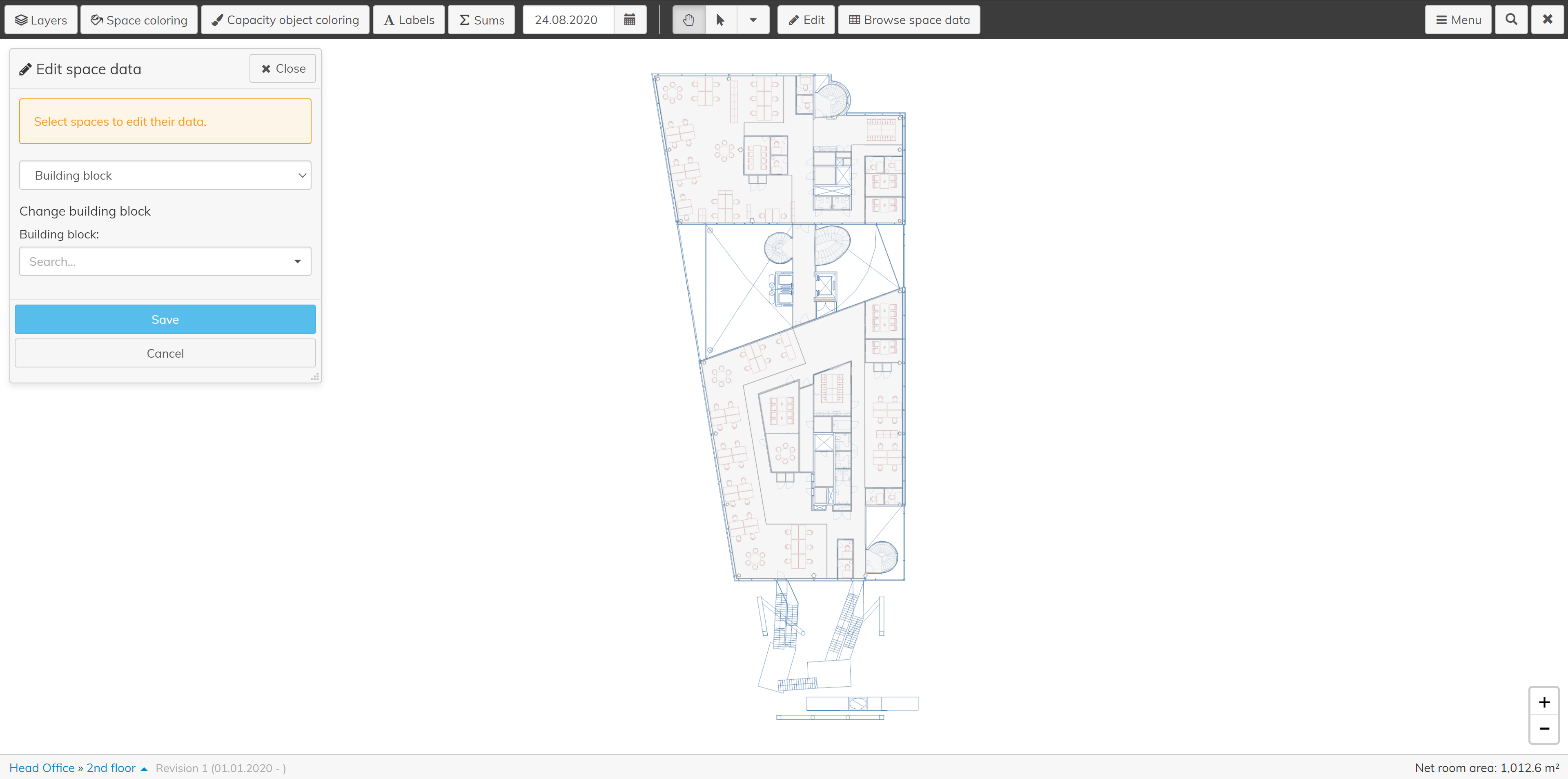
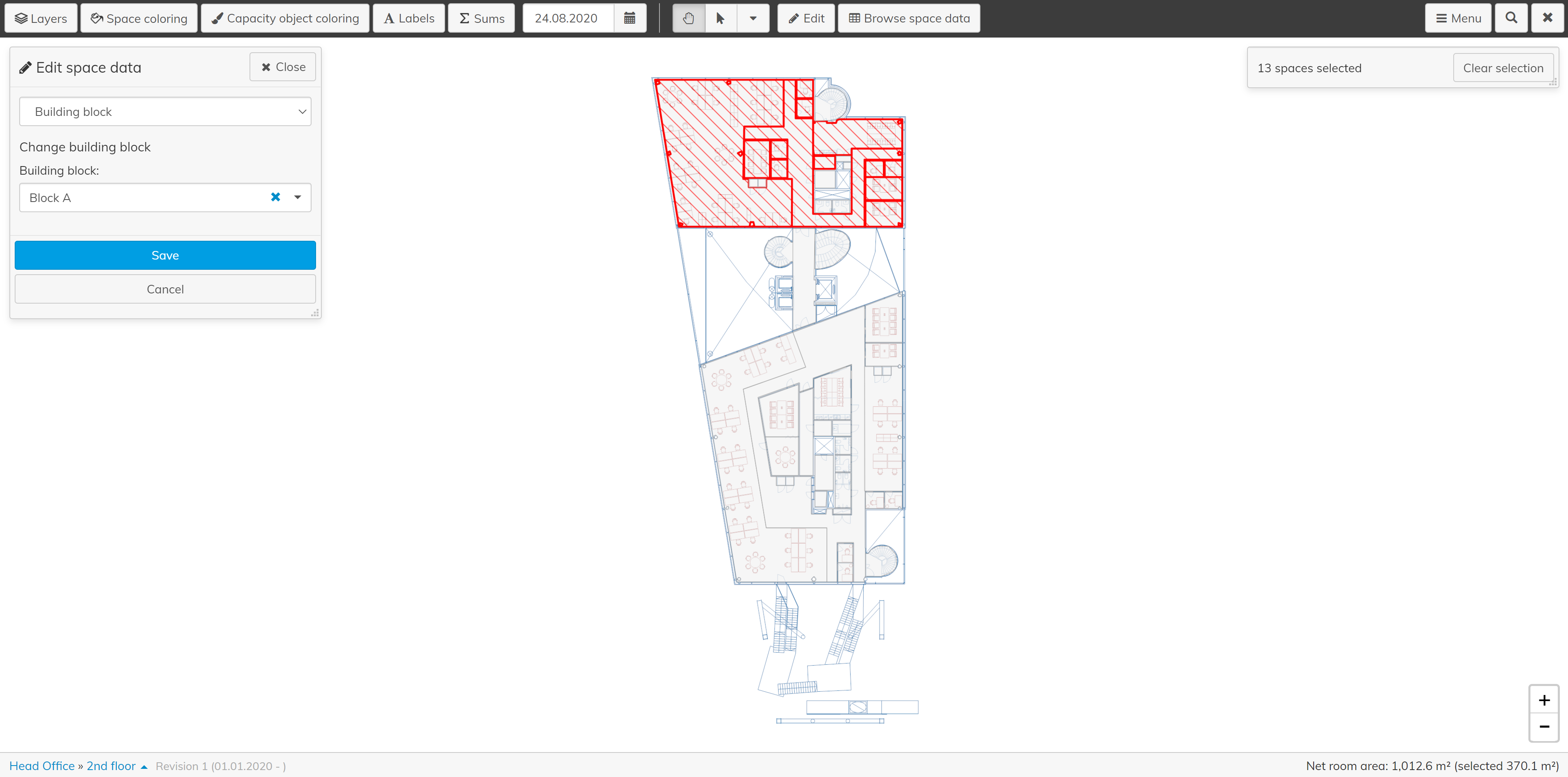
Step by step guide on how to add building blocks to space management floor pans.
Instructions
Optimaze Portal to PortalFirst, go Moment to create the building block namesSelect ‘Management’ and ‘Object management’ in the left hand panel
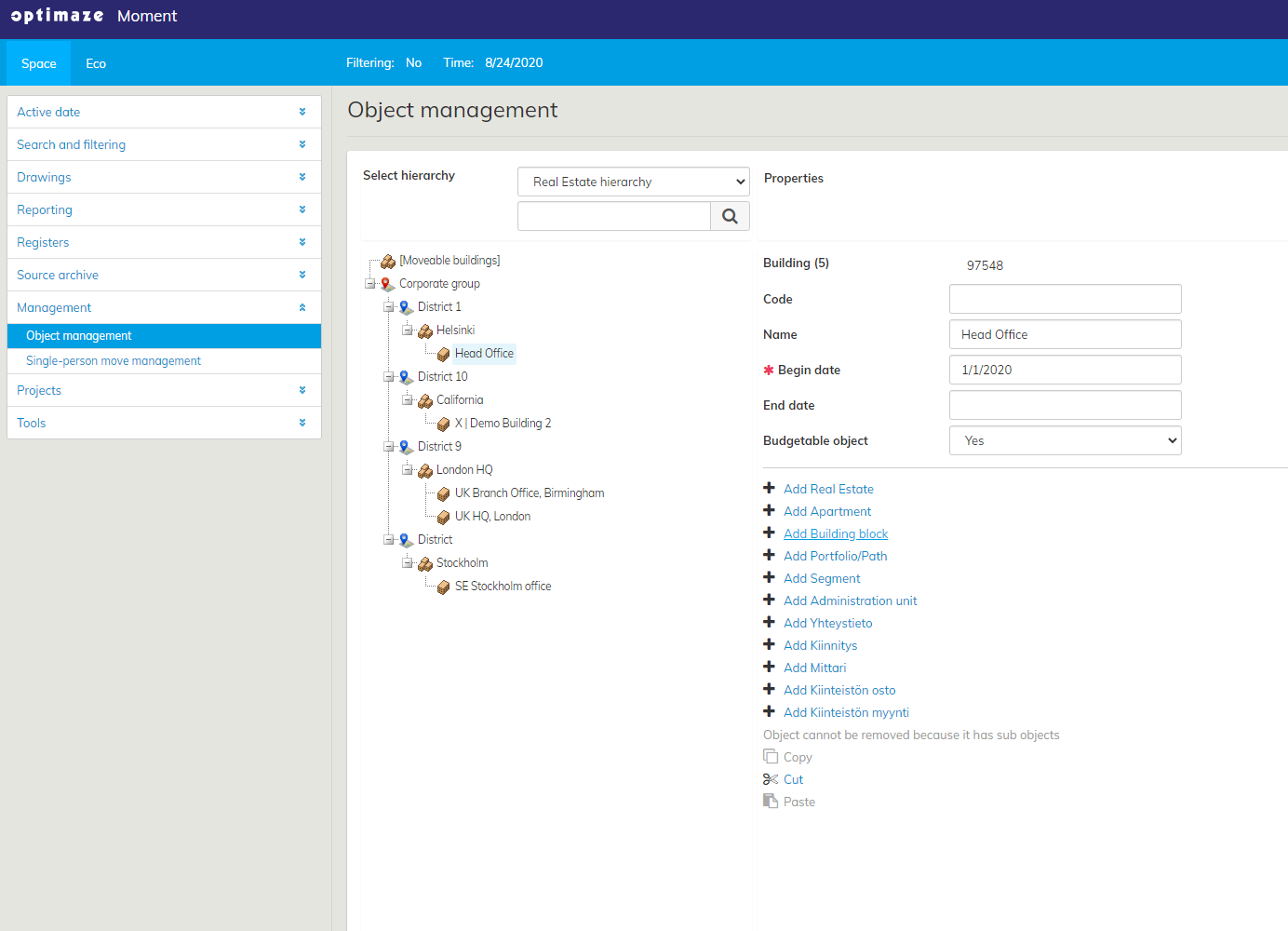
Last, go to Optimaze Space to add the building blocks to your floor plan
Click ‘Edit’ in the toolbar, select ‘Space data’ and choose ‘Building block'
Select the correct areas from the floor plan
Select the building block name (edited in Moment) accordingly
Press ‘Save’ to finish