Versions Compared

Key

  • This line was added.
  • This line was removed.
  • Formatting was changed.

...

Expand
title0951_SecurityReport_DW

RTC-52380

Image Modified

Description:

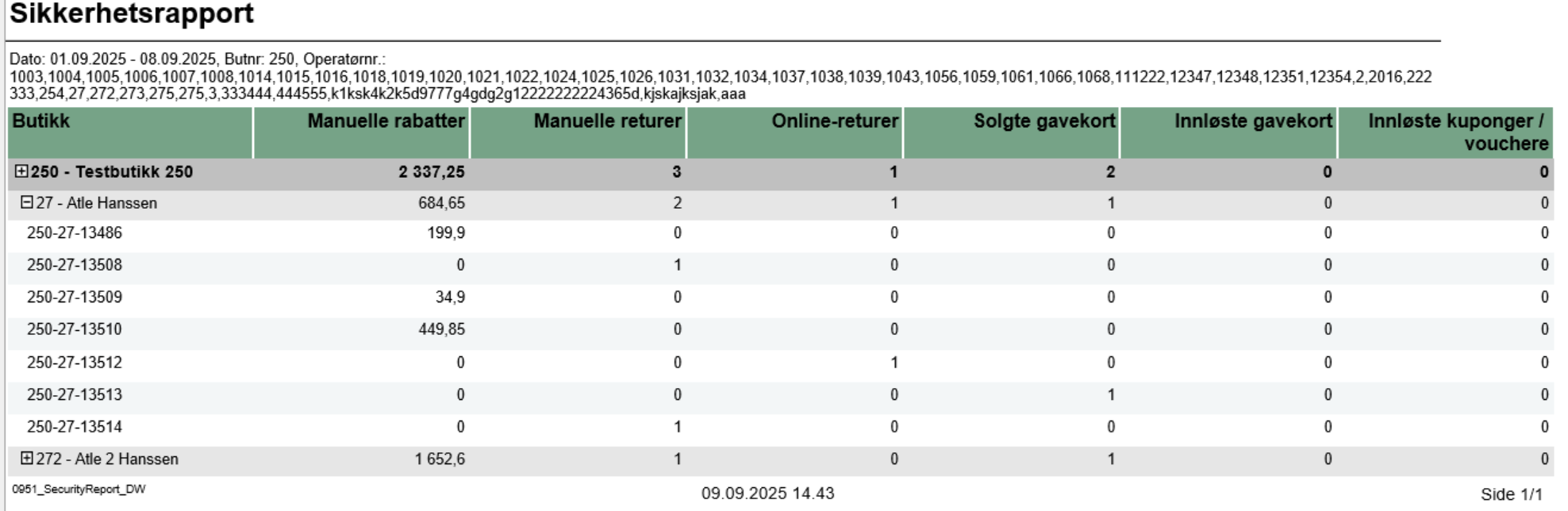
  • Report allows to monitor security-sensitive activities performed by cashiers/operators in the store, including manual discounts, returns, gift card transactions, and voucher usage.

Selections:

  • Date from: Default yesterday
  • Date to: Default yesterday
  • Retail store: Single select on store (because of performance). Default first available.
  • Operator: Default all operators for the selected store

Output:

Security activity statistics shown individually per each cashier security-relevant activities like manual discounts, returns, gift card sales/redemptions, and voucher usage with reference to receipt number.

Additionally there are totals for each operator and each store.

Columns:

  • Retail Store - Store identifier and name
  • Manual discounts - Sum of manual discount amounts (line and sub-total discounts)
  • Manual returns - Quantity of items returned without reference to original transaction
  • Online returns - Quantity of items returned with reference to original transaction
  • Giftcards out - Quantity of gift cards sold
  • Giftcards in - Count of gift card redemptions/usage
  • Voucher/coupon used - Count of voucher/coupon usage transactions

Sorting:

  • Retail Store (default)
  • Operator Display
  • Transaction ID

Source:

  • Lindbak POS Reporting DW - Data Warehouse database


Anchor
4000_ItemSaleQuantityReport

Expand
title4000_ItemSaleQuantityReport

RTC-46626

Image RemovedImage Added

Description:

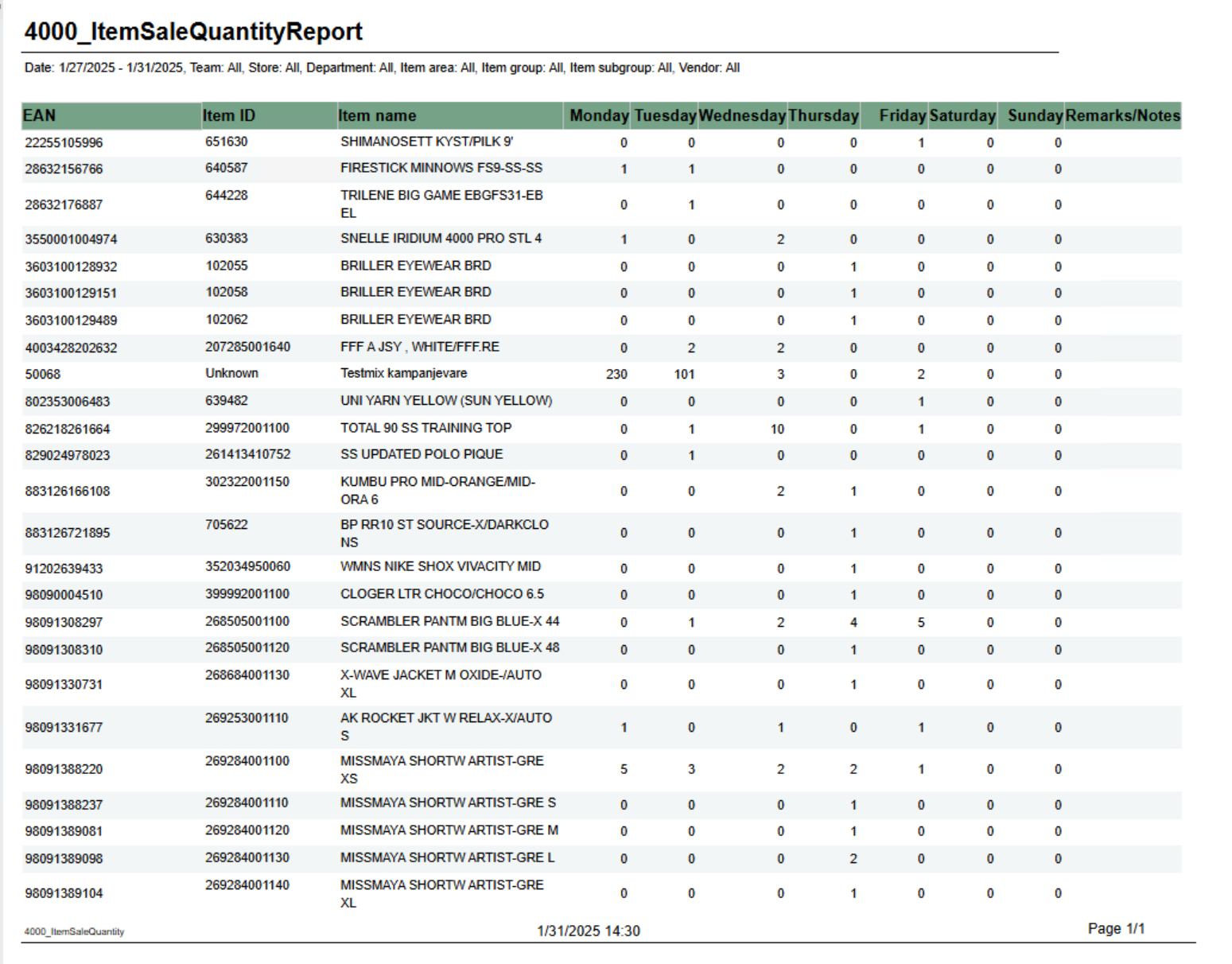
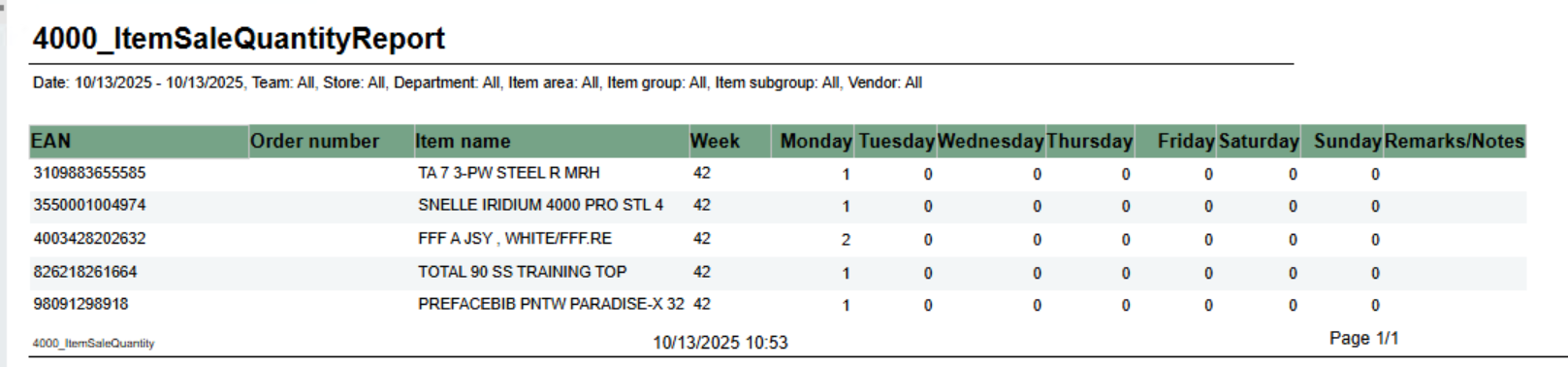
Report shows number of sold items per day of week. Grouped by week.

Selections:

  • From date - default first date of current week.
  • To date - default today
  • Team - default all
  • Retail store - default all
  • Department - default all
  • Article area - default all
  • Article group - default all
  • Article subgroup - default all
  • Vendor - default all

Note that is is possible to select default e.g article groups by selecting group(s) in parameter pArticleGroup

Output:

One row for ean item with columns for each day of week. In addition one column for notes.

Columns:

  • EAN - EAN
  • Item ID - Item number
  • Item name - Item name
  • Week - Week number
  • Monay - Friday - One column for each day
  • Remarks / Notes - Empty column.

Source:

Lindbak POS Reporting Cube (Olap)


...