When a rental premise has been created, it can be added to a rental agreement.
Adding the premise
This is done on the agreement, in the Rental products panel of the edit form, with the Add premise button. The premises open in a separate window:
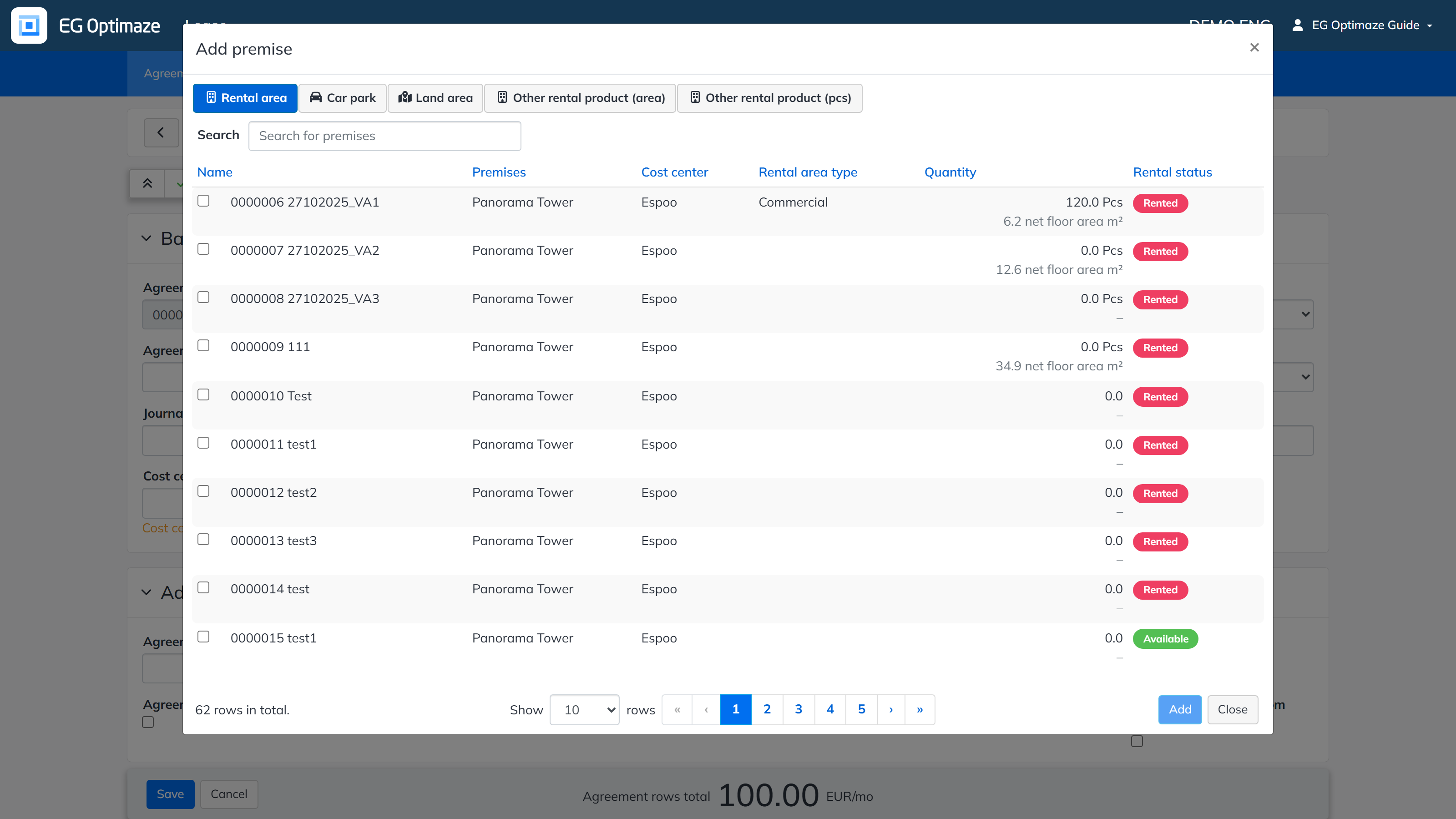
The buttons at the top of the window select whether a rental area, car park, land area or other rental product is added to the agreement. Premises can be searched with a free text search. Select one or more available premises and click Add; the premise then appears in the agreement’s Rental products. More premises can be added to the agreement with the same button.
The same rental area can be connected to only one agreement at a time: the lease terms of different agreements for the same premise cannot overlap.