In addition to the invoicing periods, single invoices can be created directly from an agreement or from a party.
Creating an invoice from an agreement
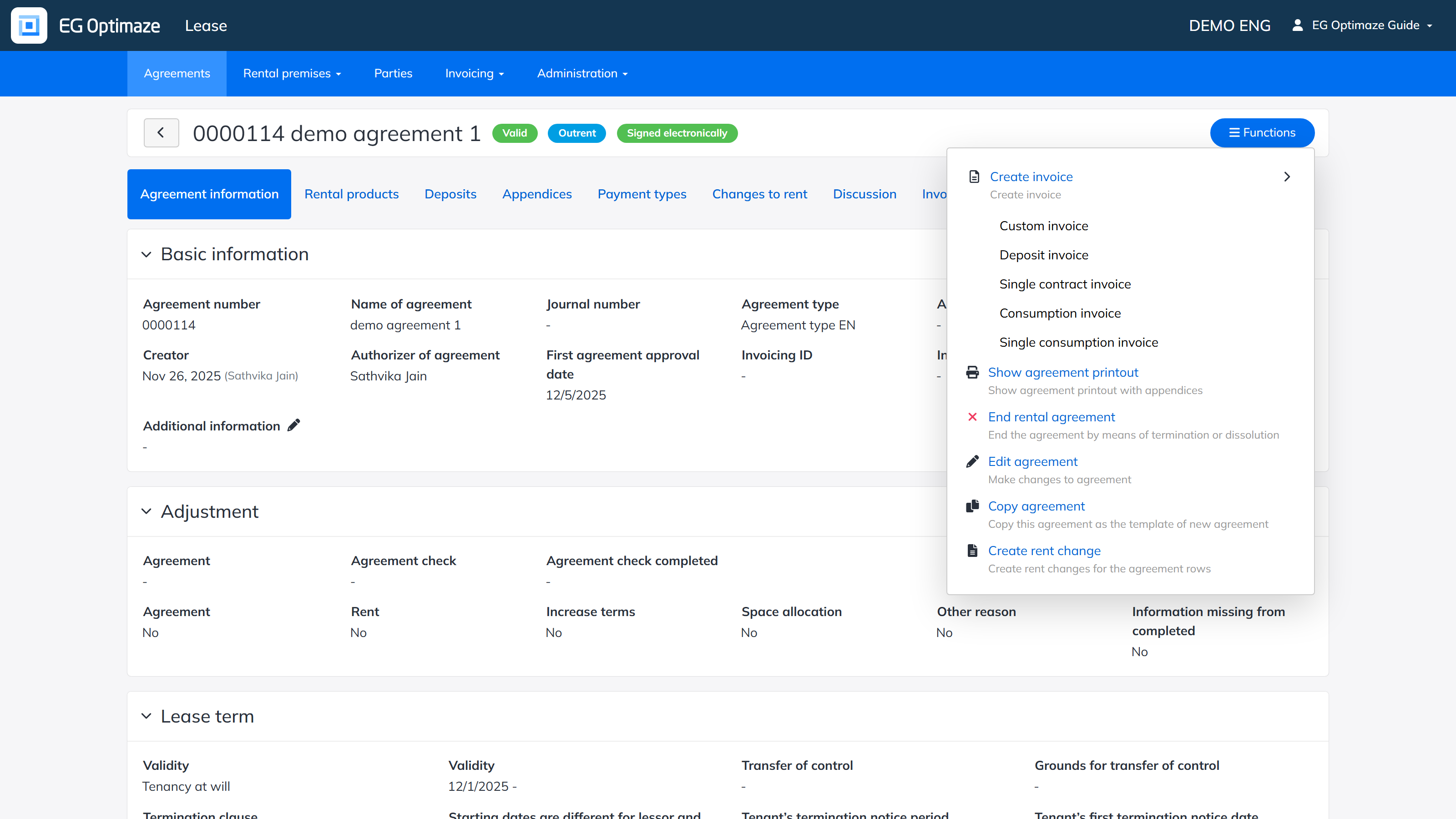
Open the agreement and select Functions → Create invoice. The agreement must be valid for invoices to be created from it. The submenu lists the available invoice types, for example a custom invoice, deposit invoice, single contract invoice, consumption invoice or single consumption invoice.
When creating an invoice, most fields are filled in automatically: the program fetches, among other things, the recipient details, the payer details and the invoicing data. The details shown in white, active fields can still be edited when creating the invoice. The invoice cannot be saved if the details of the parties connected to the invoice (recipient, payer) are incomplete — for example if the recipient’s name, post office or address is missing. In that case the party details must be corrected before the invoice can be created.
At the end of the form are the invoice rows, where the details of the invoiced item are entered manually. New rows can be added with the add row button and removed if needed. When all the fields are filled in, the invoice is created with Save. The invoice is created in draft status and can later be marked as reviewed like the other invoices.
All invoices related to the agreement are shown on the agreement’s Invoices tab.
Creating an invoice from a party
Invoices can also be created from a party (tenant or lessor) via the party’s Functions → Create invoice. Custom invoices that are not related to any agreement can be created this way. The created invoices appear on the party’s Invoices tab, where single invoices can be opened for viewing and, if they are drafts, processed further.