...
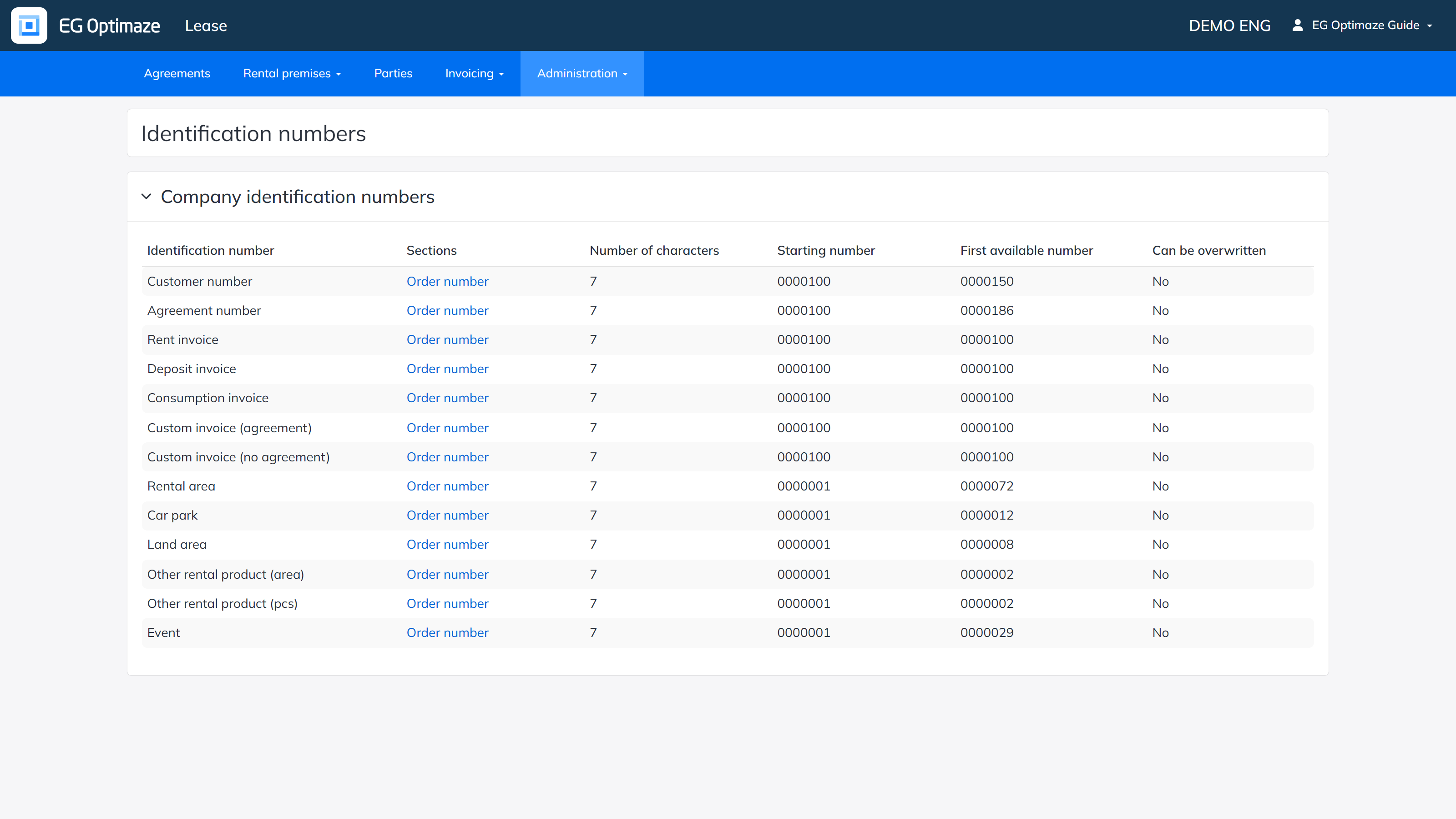
Each number series shows its Sections, Number of characters, Starting number and First available number. The Can be overwritten column tells whether an automatically assigned number can be replaced manually.
Editing the sections
Click a number series’ Sections column link to open a summary of its formation rules, then Edit to reach the actual editing view.
By default an identification number is a plain running number. Sections can be added to it; the number is then formed by chaining the sections into one unbroken string, starting from the topmost section. Sections can be reordered by dragging. A single section can contain at most 15 characters; the allowed characters are 0-9A-Za-zÅÄÖåäö_:./- plus single spaces — a space is not allowed at the start of the first section or the end of the last one.
First number shows the resulting first number of the chain. The identification number can also be set as overwritable, in which case the field stays editable when entering the data it is attached to.
Added sections can be removed via the Functions column. Changes must be saved or cancelled.