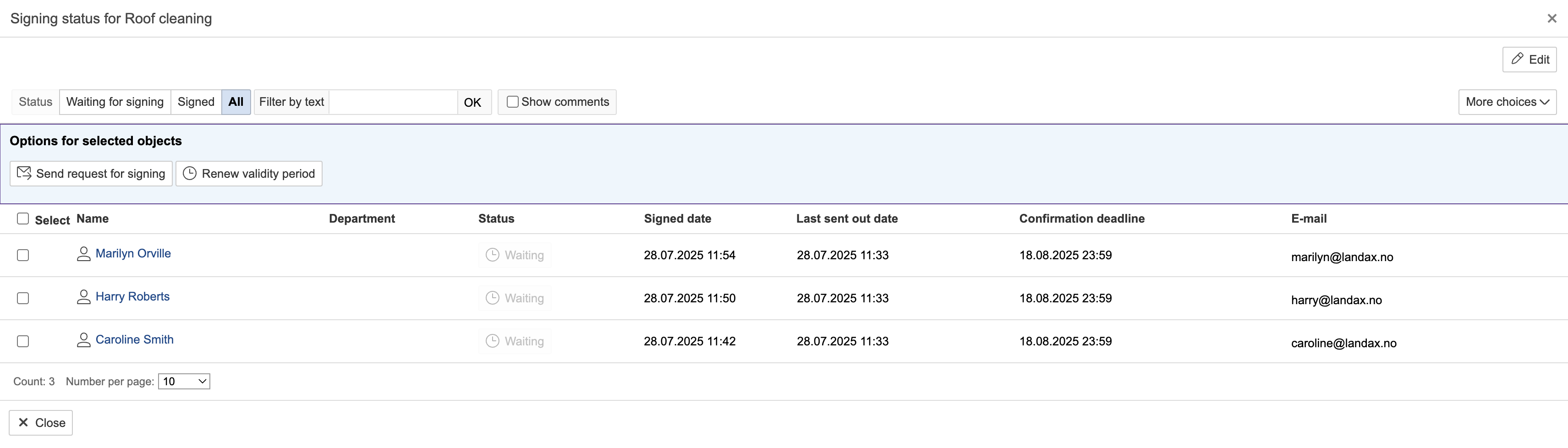
The signature in the JSA serves as confirmation that all involved parties consider the content valid and that they have read and understood it.
Create a signing request
The signing request is created the first time the 'Must sign' option is selected for a participant. Once the request has been created, additional participants can be added by selecting 'Must sign' for each of them. A signing request can be created in two ways: when adding participants or after they have been added.
...
| Note |
|---|
Note: Customers, suppliers, and contact persons cannot log in and digitally sign using their own accounts. However, they can provide a touchscreen signature within the app when assisted by a logged-in user. |
Edit a signing request
1. To view more information about and edit the request, click Open request.
...
2. The request's deadline, who has signed, and the date of each signature are displayed. The validity period can be renewed if needed. To edit the request, click Editclick Edit.