PLANNED
Prerequisites are located in the menu on the left.
Improvements POS
| Area | Description |
|---|---|
| General | Pay terminal transactions logged correctly despite Cash button press (RTP-37541) Finished transactions from the pay terminal are always written correctly to the Poslog.xml file, even if the cashier presses the Cash button while the payment is still in progress. This ensures that payment records stay accurate, even when incorrect actions are taken during the transaction. Auto logout timer resets after payment completion (RTP-28929) When auto logout is set up for idle time in EG POS, the logout timer resets only after the payment is fully completed. This avoids logging out the cashier too early in cases where the customer takes time to finish the payment, such as using a phone app, and keeps the payment summary visible on screen for the cashier. Relevant existing parameters in POS Configuration: 'AutoLogoutWhenIdle' = 'True' 'AutoLogoutWhenIdleTimeout' = (configured seconds) |
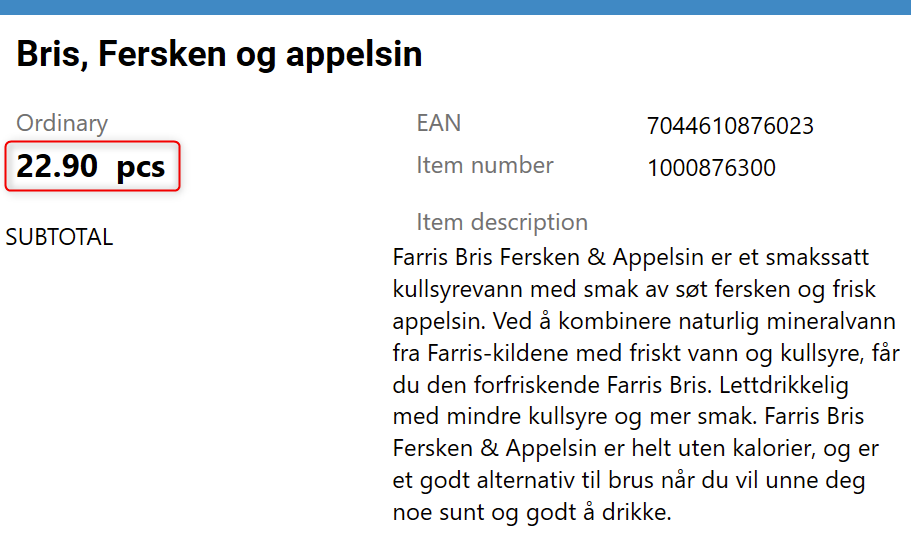
| Price checker | Showing active price in price checker view (RTP-38675) Active price is shown instead of planned price in price checker, Item information, and Price tab views in POS.
|
| Receipt | Net amount on receipts (RTP-39503) Net amount on receipts is taken from currently active price. |
| Settlement | Bag number field limit ensures successful cashier settlement (RTP-39142) The Bag Number field in cashier settlement follows the character limit set in the system. If the input is too long, the field is highlighted in red and settlement cannot continue until the input is corrected. This prevents errors that block settlement in EG Cash Settlement. |