
You can edit and display the stock level for the product under the Inventory control tab. Inventory control is not updated automatically when a product is created. Click on the “Inventory control” tab to view, create, and edit inventory records.

1. To create a new inventory record, click Create new. To edit an existing record, click the pencil icon in the "Options" column.

2. Enter the details and click Save and close form.
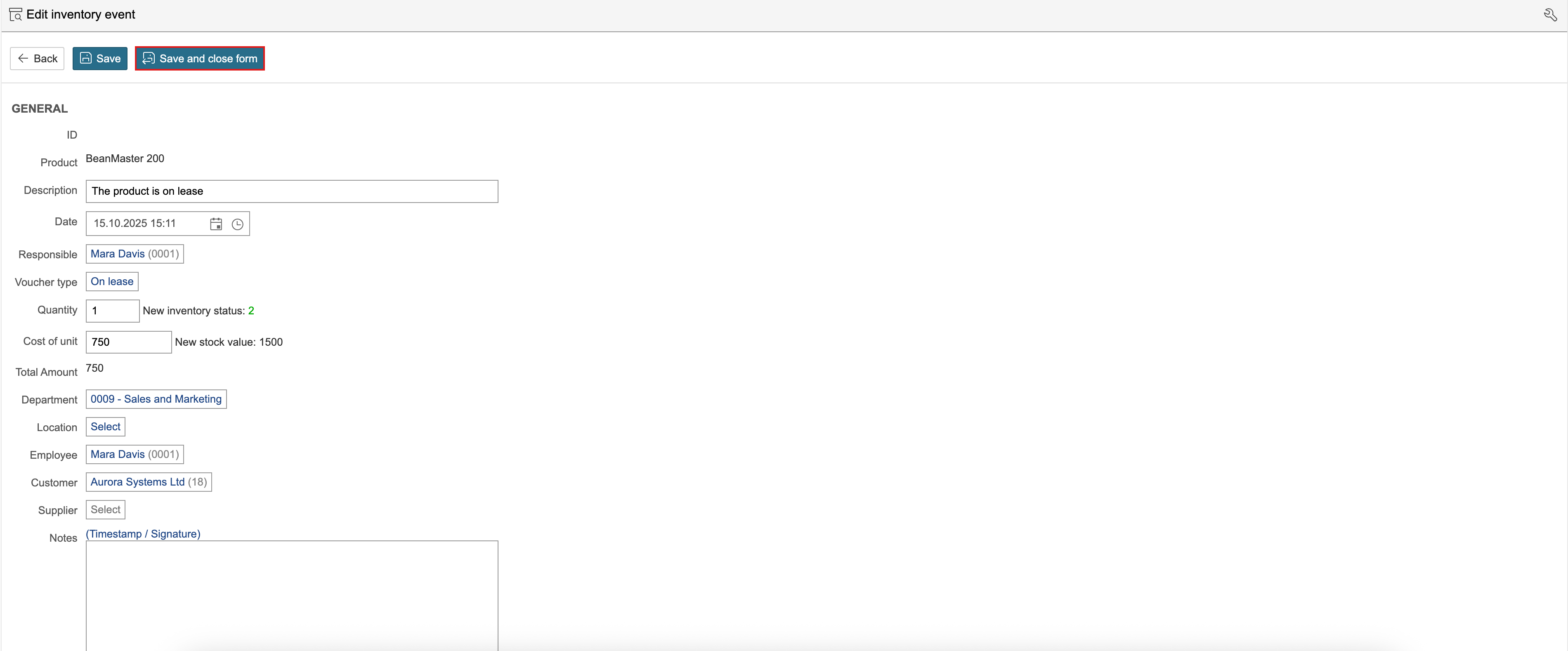
The various voucher types affect inventory status in different ways:
- Voucher types that increase the inventory status are Purchased and Returned.
- Voucher types that reduce the inventory status are Discarded, Disposed, On lease, Other, Planned withdrawal and Wastage.
- The Status voucher type defines a new inventory status and inventory value regardless of the existing inventory status and previous inventory events.
1. Click Create new to register a new inventory event.

2. Complete the fields and click Save and close form.

3. The inventory event affects the inventory status and reduces the quantity available, as well as the value of the inventory.

If a quantity has been specified for inventory alarm and the quantity in stock is less than defined quantity, the summary line for quantity in stock and the inventory value is shown in red.
