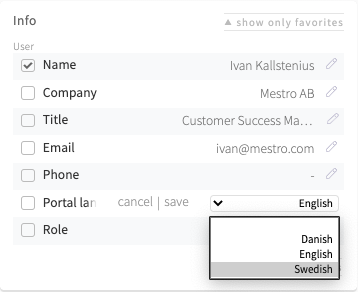
Switch between Swedish, English, Norwegian, Danish, German, Polish and Finnish - depending on what works best today!
With properties and colleagues spread over the Nordics we understand that you sometimes need to change the language in Mestro Portal. Today you have the option of choosing between Swedish, English and Danish. It is easy to switch, just follow these steps!
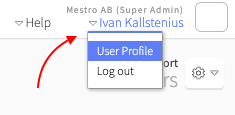
First, click your name in the upper right-hand corner and select User Profile:
Next, change language by clicking the pen icon, choose a language and press save: