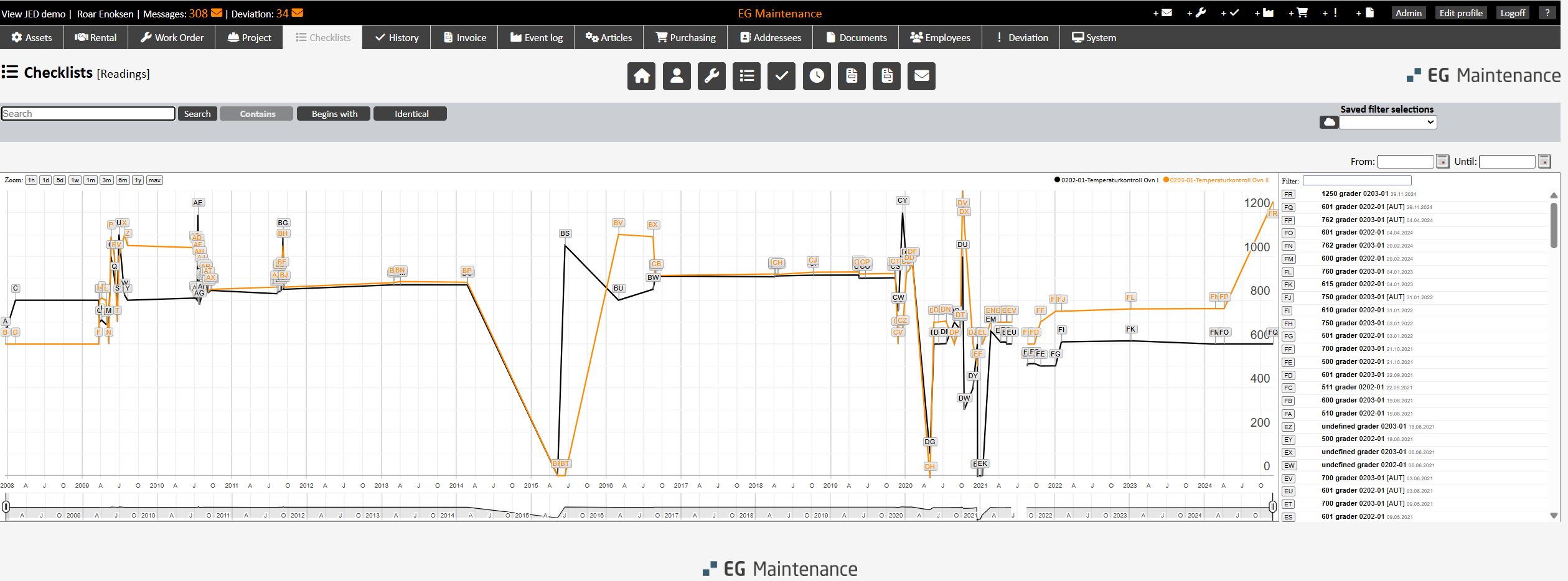
Checkpoints of the ‘Readings’ type can be shown in a special graph, among other things. There is also the option to display several measuring points in the same graph by selecting the checkpoints to be included.
Checkpoints: This button will take you to a list view for the checkpoints filtered by ‘Readings’ type. (This page can also be reached directly via the ‘Checkpoints’ menu filtered by ‘Readings’ type.) You can use various other filters/searches here to find the measuring points that you want.
Select one or more checkpoints, click ‘Save’ [Selected] or Enter and then click on the ‘Readings’ button right corner to get a graphic view of the readings.