
Grouping of assets with associated technical info fields. Asset groups can be connected to any class of asset (equipment, admin, building and customer) in the structure. Specific asset group can be filtered in a range of list views (asset, work order, history, checkpoints, etc.). Searches for asset information also contain extra fields.
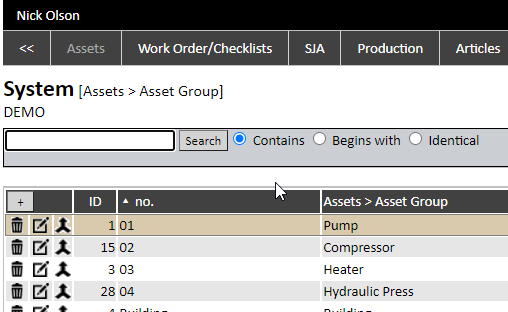
Asset group is made up of a number, a name and any available technical prompt fields (3 x 16 fields are available). When a group is linked to an asset, this asset will automatically inherit the custom prompts on the asset card, and specific info can be inserted.
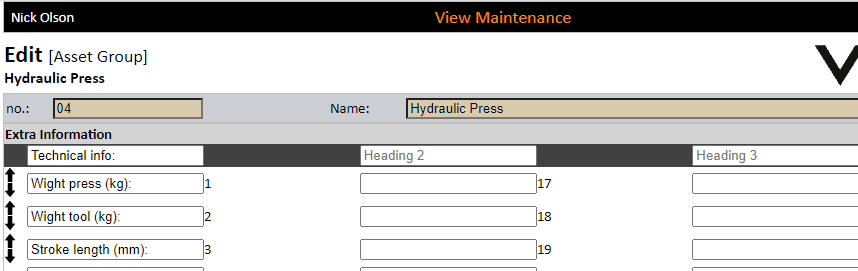
The sequence of the fields can be amended by using the up and down arrows.
Asset groups can be merged via the merge button.
