The Budget template creation option is available for users who have access rights to finance processing in Optimaze.
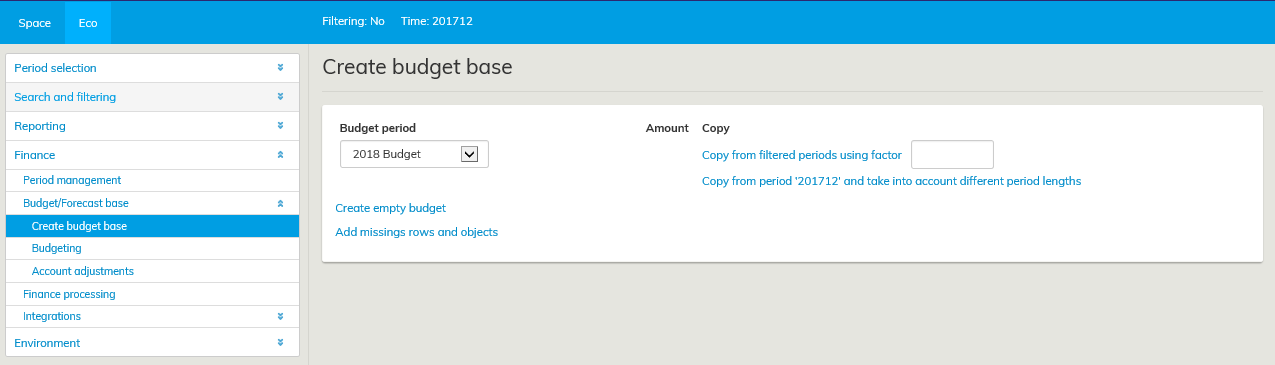
In budgeting, it is possible to use the budget from a previous year that is saved in Optimaze, or the charging or realization information. When using the realization or charging information as a basis, it might be required to use the realization data from one month or more.
Periods to be copied are selected from the Period selection window. Enter the multiplier with which the selected information should be copied in the field Copy from filtered periods using factor.
If required, it is possible to create a blank budget template that does not include any costs. In this case, the budget costs must be entered in the budget template from the beginning. If you want to do this, click on the link Create blank budget.
It is also possible to import budget data to Optimaze with an Excel file. Information on the site, account and amount in euros must then be included in separate rows
Budjettipohjan luonti näkyy käyttäjille, joilla on Optimaze talousajo-oikeudet.
Budjetin pohjatietona voidaan käyttää Optimazessa olevaa aiemman vuoden budjettia tai veloitus- tai toteumatietoja. Toteuma- tai veloitustietoja pohjatietona käytettäessä voidaan tarpeen mukaan käyttää yhden tai useamman kuukauden toteutumia.
Kopioitavat periodit valitaan Periodin valinta ikkunasta ja Kopioi suodatetuista periodeista kertoimella -kohtaan merkitään millä kertoimella valittu tieto halutaan kopioida.
Mikäli halutaan, voidaan myös luoda tyhjä budjettipohja, jossa ei ole lainkaan kuluja. Silloin budjetin kustannukset syötetään alusta alkaen budjettipohjaan. Silloin painetaan Luo tyhjä budjetti -linkkiä.
...
.