...
Modified Excel file is then uploaded back to the system via the functionality found in the bottom of the page.
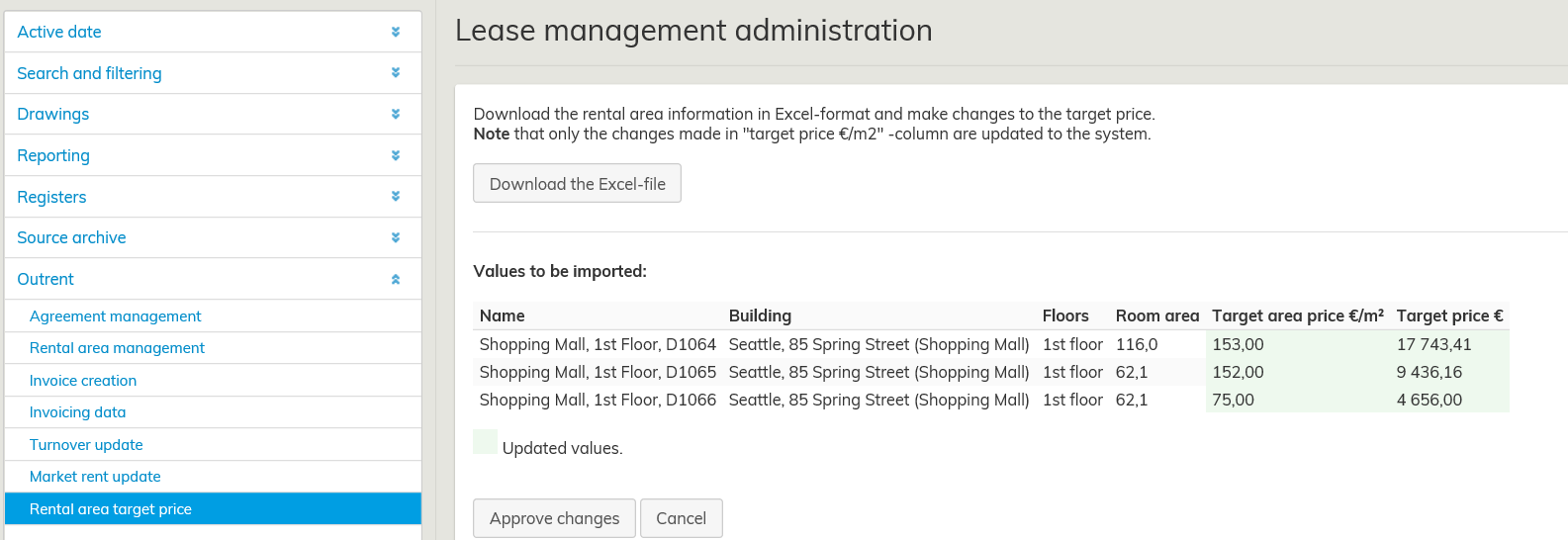 Muuttuneet arvot korostetaan taulukossa vihreällä ennen tietojen hyväksyntää. Virheelliset syötteet korostetaan punaisella värillä esikatselussa. Tiedot päivitetään järjestelmään sen jälkeen kun klikkaa Hyväksy muutokset – painiketta. Uudet päivittyneet tiedot ylikirjoittavat vanhat tiedot
Updated values are highlighted with green color before the changes are approved.
Input errors are highlighted with red color in the preview. New information is updated to the system when you click Approve changes.
New or updated information overrides the old data.