Start creating a report by selecting the report type and the desired report from the list.
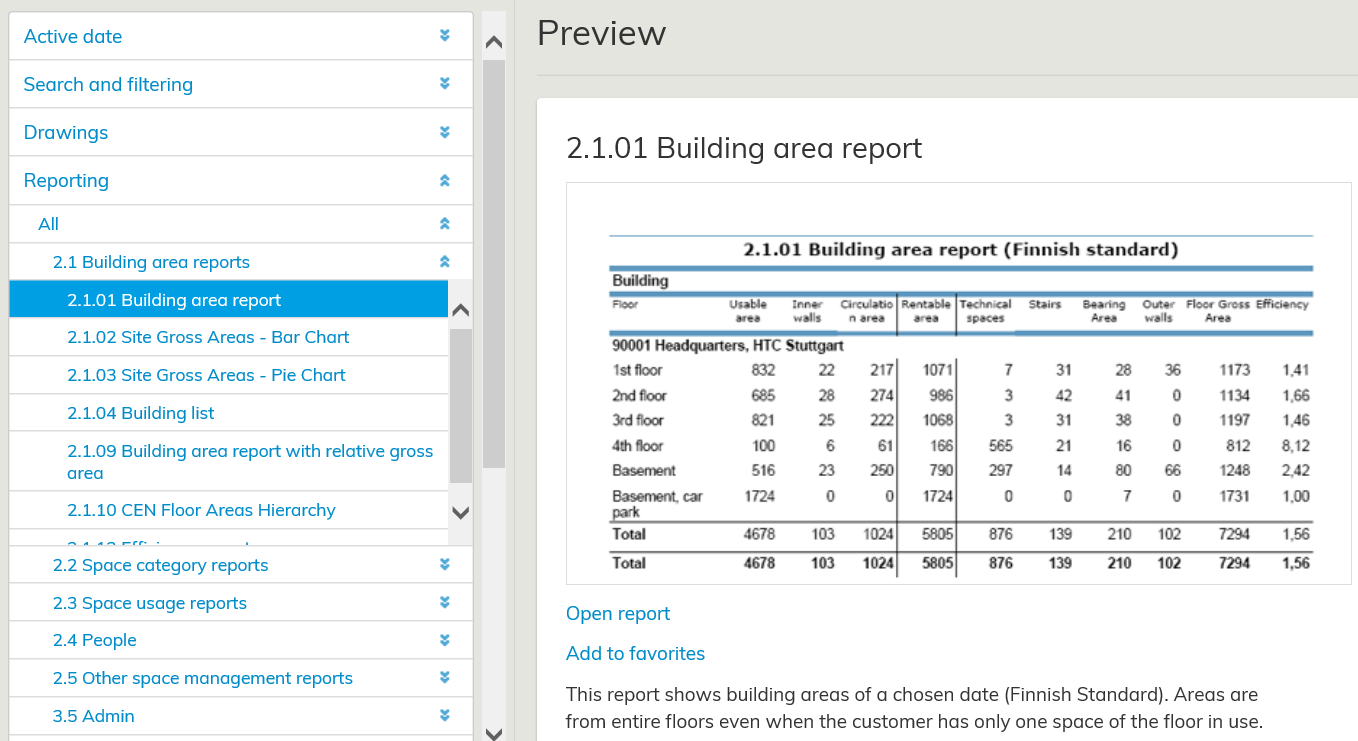
After you have selected the report that you need, a preview window is opened. There, you can get a more detailed view of the report. Start creating a report by selecting Open report. A window, where you can change features, such as the report format, is opened.
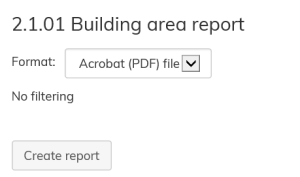
The default report format is always PDF. If necessary, you can also the report in Excel.
Many reports have also some other selectable parameters, i.e. the organization level in which you will view the report.
After you have selected the parameters, select Create report
Raportti luodaan valitsemalla raporttityyppi ja sen alle avautuvasta listasta luotava raportti.
...
Kaikissa raporteissa on oletusasetuksena, että ne luodaan PDF-tiedostona. Tarvittaessa voit myös avata raportin Excel-tiedostona. Useissa raporteissa on myös muita valittavia parametreja kuten esimerkiksi millä organisaatiotasolla raportin tietojen tarkastelu tapahtuu.
Parametrien antamisen jälkeen valitse Luo raportti.