Lease management parties means the tenant and the lessor.
In the inrent side, the tenant is our own organization, and the lessor is a party, who has rented our organization’s facilities to us.
In the outrent side, our own organization is the lessor, while the customer is the tenant.
Information on matters relating to renting by the lessor (either inrent or outrent) is maintained in the lessor information.
The data might include information on whether the renting of technical spaces is allowed for this lessor, for example.
The tenant information, on the other hand, consists of details on payment, such as the tenant’s invoicing information.
Information on outrent and inrent parties functions in a similar way in Optimaze. For information on inrent parties, you need to select

If this selection is not made, you will create an outrent party by accident.
Removing tenant or lessor information
You can remove only those lease management parties from the agreement party register, for whom no agreements, offers or other documents are created.
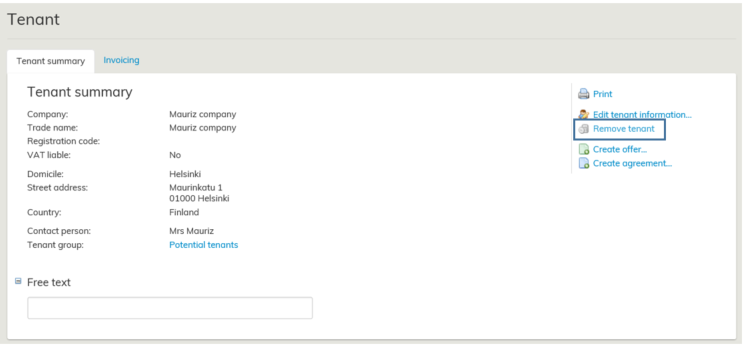
If it is possible to remove a tenant or a lessor, the option Remove tenant will appear on the right in the tenant and lessor summary page.
When you select this function, you will be asked if you are sure you want to remove the customer.
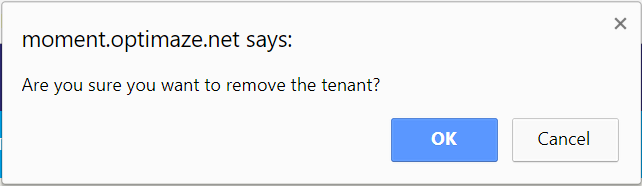
Answer OK, if you really want to remove a party
Vuokrauksenhallinnan osapuolilla tarkoitetaan vuokralaista ja vuokranantajaa.
Sisäänvuokrapuolella oma organisaatio on vuokralaisena ja vuokranantajana on taho, jolta olemme vuokranneet organisaatiomme tilat käyttöömme.
Ulosvuokrapuolella oma organisaatio on vuokranantajana ja asiakas on vuokralaisena.
Vuokranantajan tiedoissa ylläpidetään vuokranantajan vuokraamiseen liittyviä asioita riippumatta sekä ulos- vai sisäänvuokrauksen näkökulmasta, esim. sallitaanko kyseisen vuokranantajan vuokrata myös teknisiä tiloja. Vuokralaisen tiedoissa taas ylläpidetään maksamiseen liittyviä, esim. vuokralaisen laskutustiedot.
Ulos- ja sisäänvuokrauksen osapuolitiedot toimivat Optimazessa samoin. Sisäänvuokrauksen osapuolitiedoissa on kuitenkin muistettava aina valita

Jos tämän valinnan unohtaa tehdä, tulee luotua ulosvuokrauksen osapuoli.
Vuokralaisen tai vuokranantajan tietojen poistaminen
Osapuolirekisteristä voidaan poistaa ainoastaan sellaisia vuokrauksenhallinnan osapuolia, joille ei ole luotu sopimuksia, tarjouksia tai muita asiakirjoja.

Poistettavissa olevan Vuokralaisen ja vuokranantajan koontilomakkeen oikeaan reunaan tulee valinta Poista vuokralainen .
Kun valitset tämän komennon, ohjelma kysyy vielä, että haluatko varmasti poistaa asiakkaan.
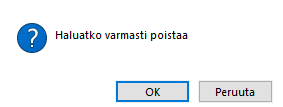
Vastaa tähän OK, mikäli tarkoituksesi on todella poistaa osapuoli.