Under the Drawings header, you can find the tree structure of the drawings, where the floor plans of the buildings are listed according to the real estate hierarchy.
The property and building register, the real estate hierarchy of Object management, as well as the rental area hierarchy of the Lease management have the same order.
If you select All from the tree structure, the highest level of the real estate hierarchy will open up.
By clicking + icon, you can access the lower levels of the real estate hierarchy
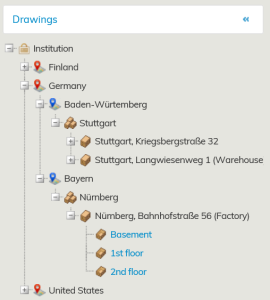
When you are on the building, the icon is 
By clicking this icon, the floors of the building will be displayed. If you click the floor written in blue, you can open the floor plan of the selected floor.
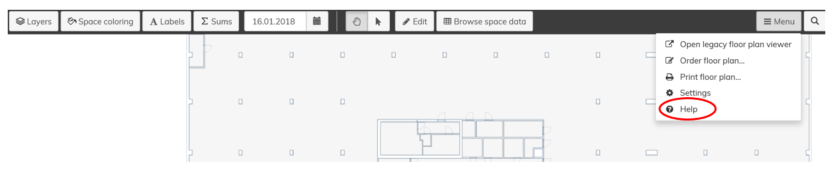
Under the Menu displayed in the upper right corner of the floor plan view, you can find Help with detailed description of the floor plan functions
Piirustukset otsikon alta löydät ns. piirustuspuun, jossa rakennusten pohjakuvat ovat kohdehierarkian mukaisessa järjestyksessä.
Kiinteistö- ja rakennusrekisteri, Objektien hallinnan kohdehierarkia sekä vuokrauksenhallinnan vuokra-aluehierarkia noudattavat samaa järjestystä.
Piirustuspuusta valitsemalla Kaikki avautuu kohdehierarkian ylin taso.
Klikkaamalla +-merkkiä pääset yhä alemmalle tasolle kohdehierarkiassa.
Kun olet rakennuksen kohdalla merkkinä on .
Tätä merkkiä painamalla avautuvat rakennuksen kerrokset ja sinisellä tekstillä olevaa kerrosta klikkaamalla avautuu kyseisen kerroksen pohjakuva.
Pohjakuvanäkymän oikeassa yläkulmassa näkyvän valikon alta löydät Ohjeen, jossa kerrotaan seikkaperäisesti pohjakuvan toiminnoista.