Indices management allows you to create and modify customer-specific indices and to view and take into use centrally managed indices.
You can access indices management at Management / Lease management administration / Indices.
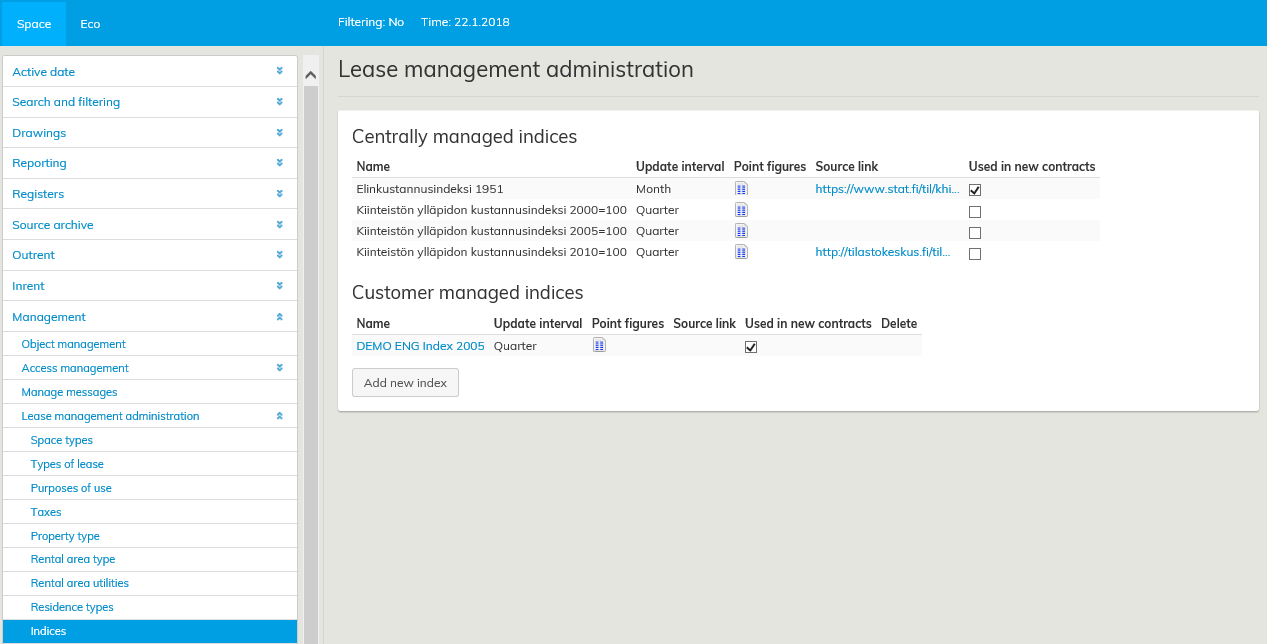
The indices management main view lists basic information on all centrally managed and customer-managed indices: index name, update interval, a link to the index value list and a source link providing further information on the index.
You can choose to use a particular index by ticking the Used in new contracts check box. When index adjusted rent adjustment is selected for a new lease agreement, you may choose from the centrally managed and customer-specific indices that have been selected in indices management.
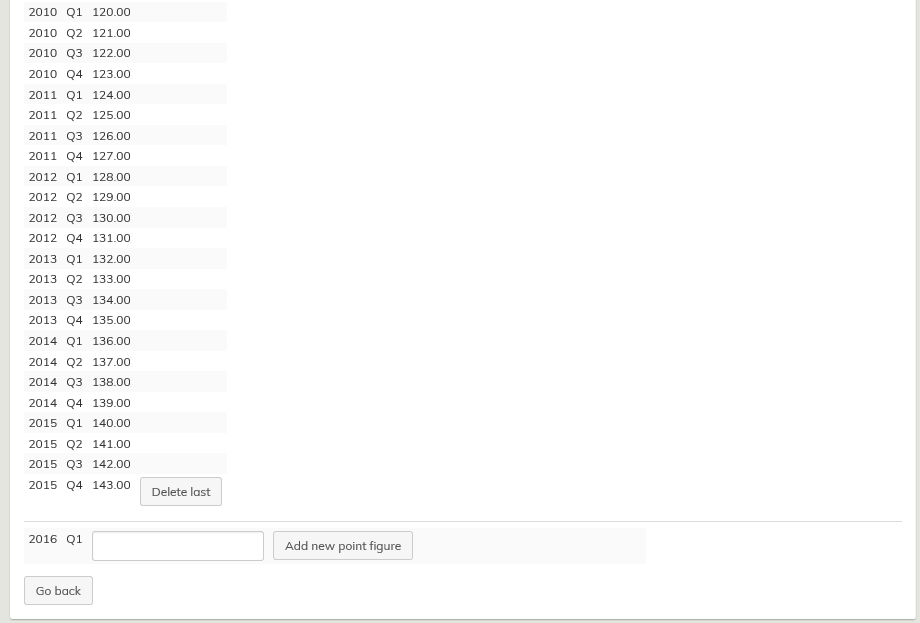
Index values may be viewed, and the customer-managed indices can also be added. The last index may be removed by clicking on the icon under Point figures. Index values are entered for each month or each quarter and shown at the accuracy specified for the index.
A customer-managed index may be deleted by clicking on the wastebasket icon, if it is not in use in any agreement. A new customer-managed index may be created with the Add new index button.
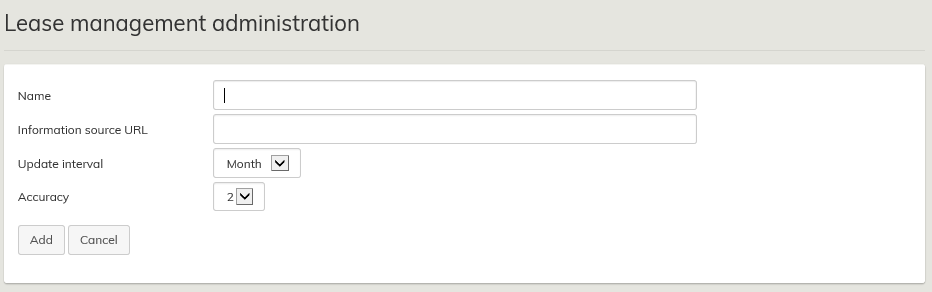
The new index is given a name, a source link (optional), update interval (one month or one quarter), and the accuracy of the index point figure in decimals (0–5). The update interval is set when the index is created; all other information may be modified later by clicking on the index name in the indices management main view.
