
Add participants
You can add coworkers, customers, suppliers, and contact persons as participants.
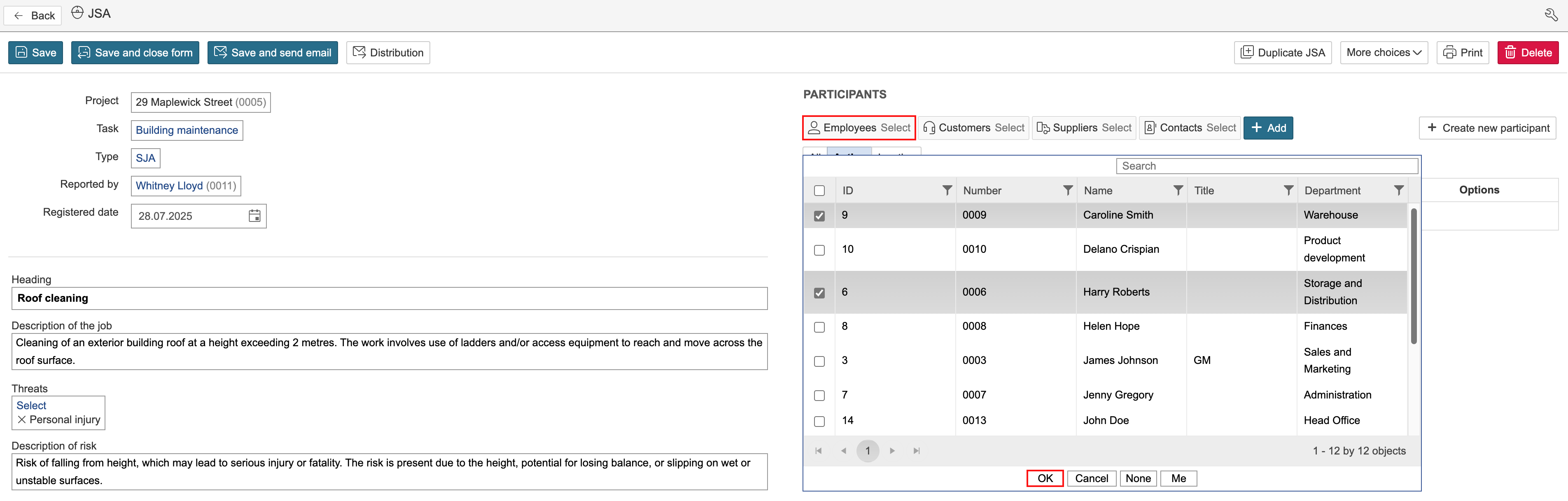
1. To add a participant, click ‘Select’ for the relevant module, tick the box next to the participants you want to add and click OK.
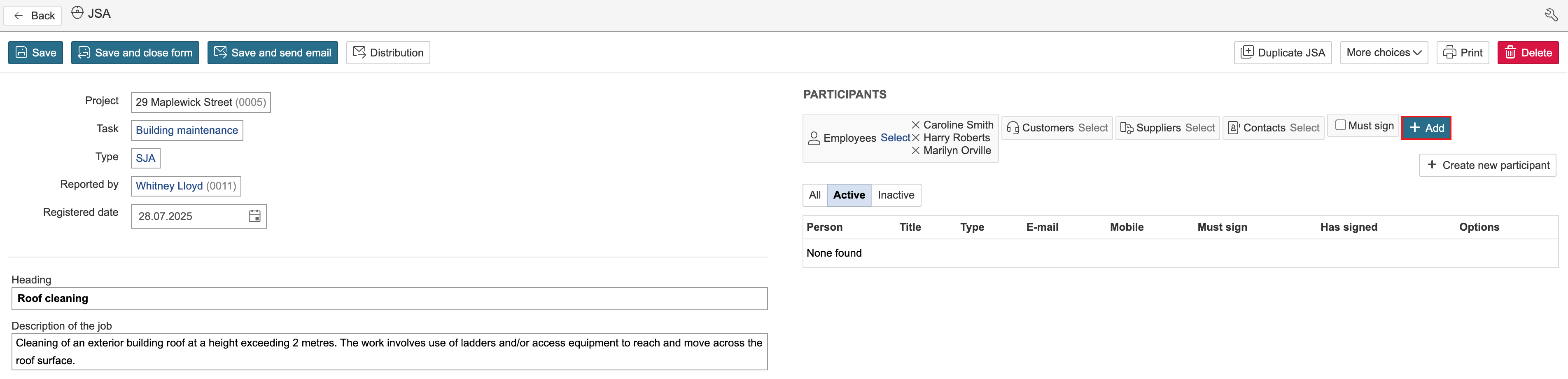
2. Click Add.
Signing request
To create
To require signatures from all participants being added, select 'Must sign'. If not all participants are required to sign, you can adjust the signing requirement for each participant after they have been added.

Note: Customers, suppliers, and contact persons cannot log in and digitally sign using their own accounts. However, they can provide a touchscreen signature within the app when assisted by a logged-in user.