The problem
- How to correct a receipt through Timma Pay without making a refund to the consumer
Refunds made through Timma Pay are always automatically returned to the consumer’s bank account. Sometimes the customer needs to correct the receipt without making a refund. If so, ask the customer to follow the steps below.
Solutions applied to
Where do you have to make changes:
- Customer needs to do it in their Timma Pro. Disabling the integration is a device-specific setting.
Step by step solution
Step 1: Go to Timma Pro:
More-Tab > Timma Pay > Settings
Step 2: Press ‘Temporarily disable the payment terminals’ > Save
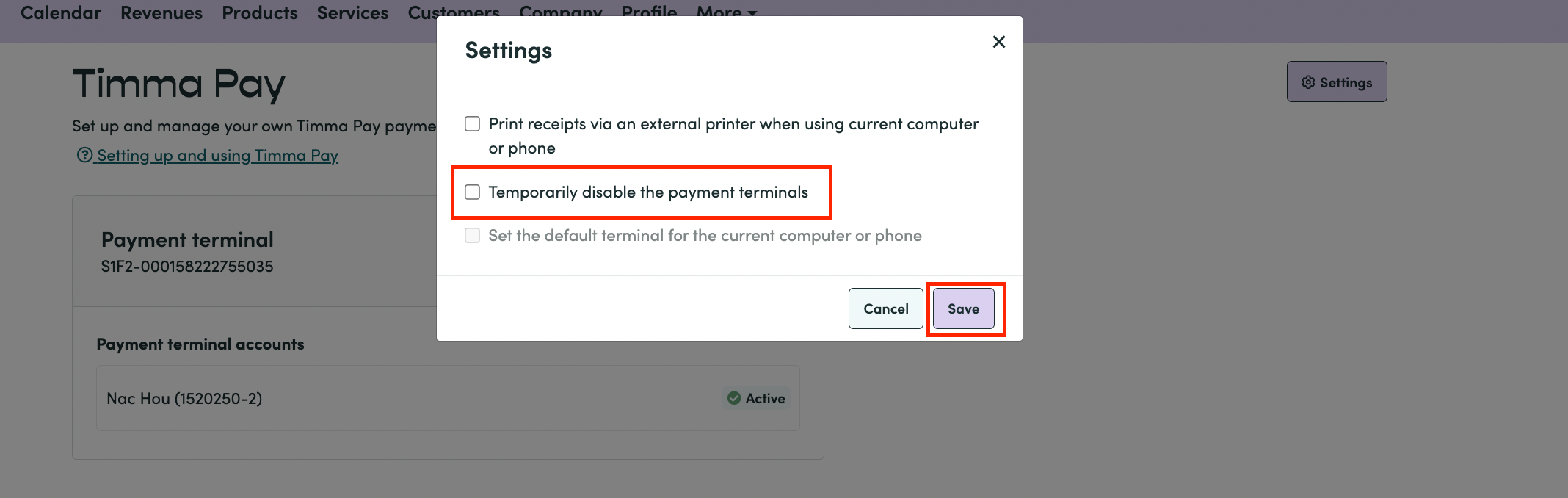
Step 3: Find the receipt you want to fix:
- Refund payment
- New payment (fix the necessary information)
- Confirm payment
The system will warn that the payment terminal is not currently integrated (with different text but in the same way as in the picture below)
>Press ‘Okay’
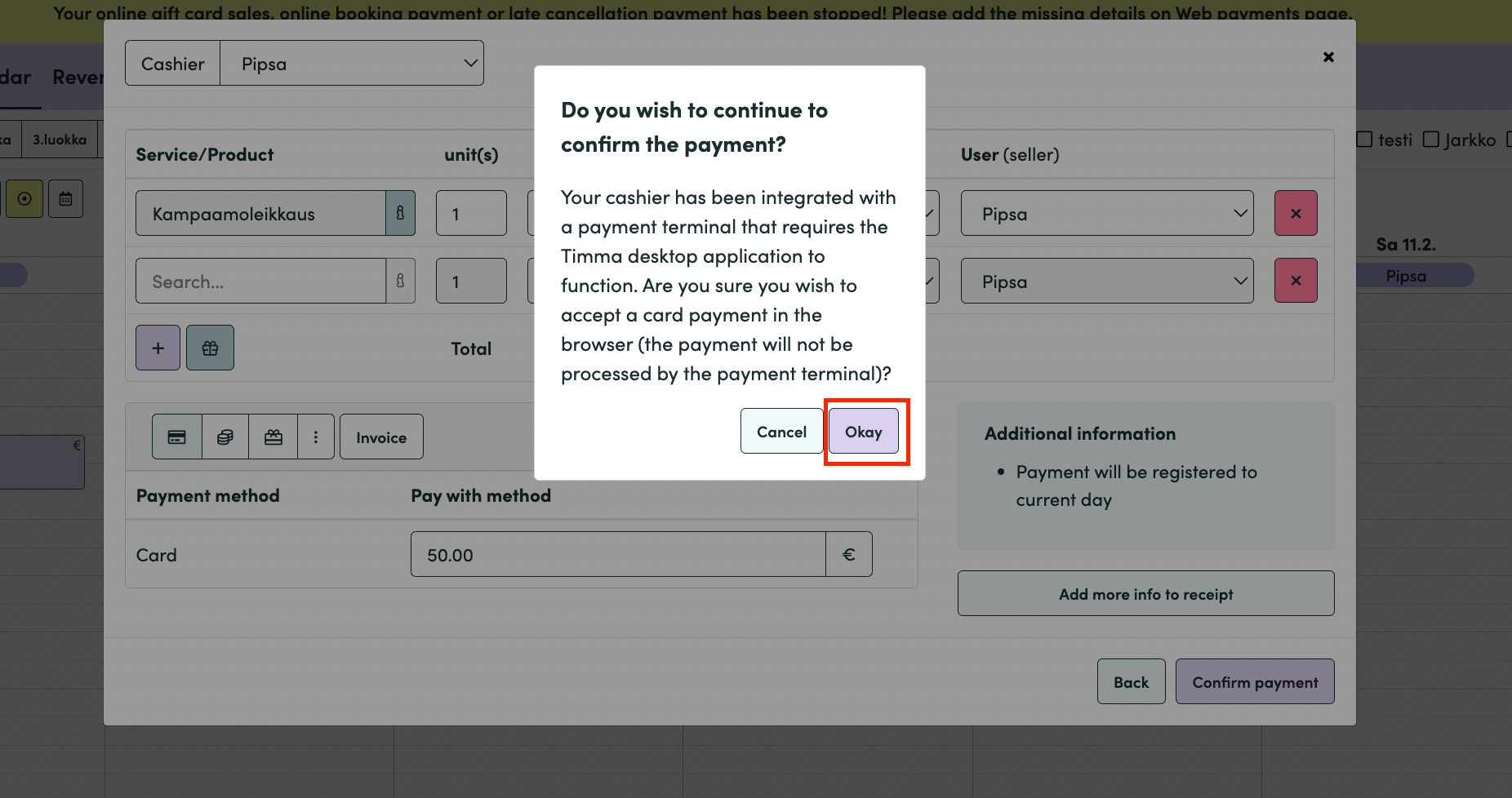
Now the receipt is fixed without making a refund to the consumer through Timma Pay. 💸
Step 4: Go back to the More-tab
Timma Pay > Settings > Reset the integration > SAVE!