Bestämmelserna för beräkning av momsplikt fastställs per hyresområde.
För hyresområdet anges om det kan hyras eller inte. Om det inte kan hyras inkluderas det inte i beräkningen av momsplikt.
Momsplikten för ett hyresområde fastställs på följande sätt. Om lokalen:
- inte tidigare har kopplats till ett hyresområde (icke-definierad lokal), är den skattefri
- är kopplad till ett gällande avtal, fastställs skatteplikten enligt avtalets momsbestämmelse är kopplad till ett avslutat avtal (=ledig lokal), fastställs skatteplikten enligt hyresavtalets momsbestämmelse
- är kopplad till ett hyresområde i eget bruk, fastställs skatteplikten enligt hyresområdets momsbestämmelse
- är kopplad till ett hyresområde som inte hyrs ut, beaktas ingen skatteprocent i beräkningen. Hyresområden som inte är kopplade till någon lokal inkluderas inte i momsberäkningen.
- Även om man i vyn Skapa hyresområde kan definiera en yta för hyresområdet, saknar området lokal, så det inkluderas inte i beräkningen.
Ursprunglig skattepliktsuppgift för momsberäkning
Du kan manuellt ange ursprunglig skattepliktsuppgift för hyresområdet. Denna funktion behövs i situationer, där fastigheten har överförts till hyresvärden genom överlåtelse och hyresvärden därför inte har något tidigare avtal som avgör hyresområdets skattepliktsuppgift.
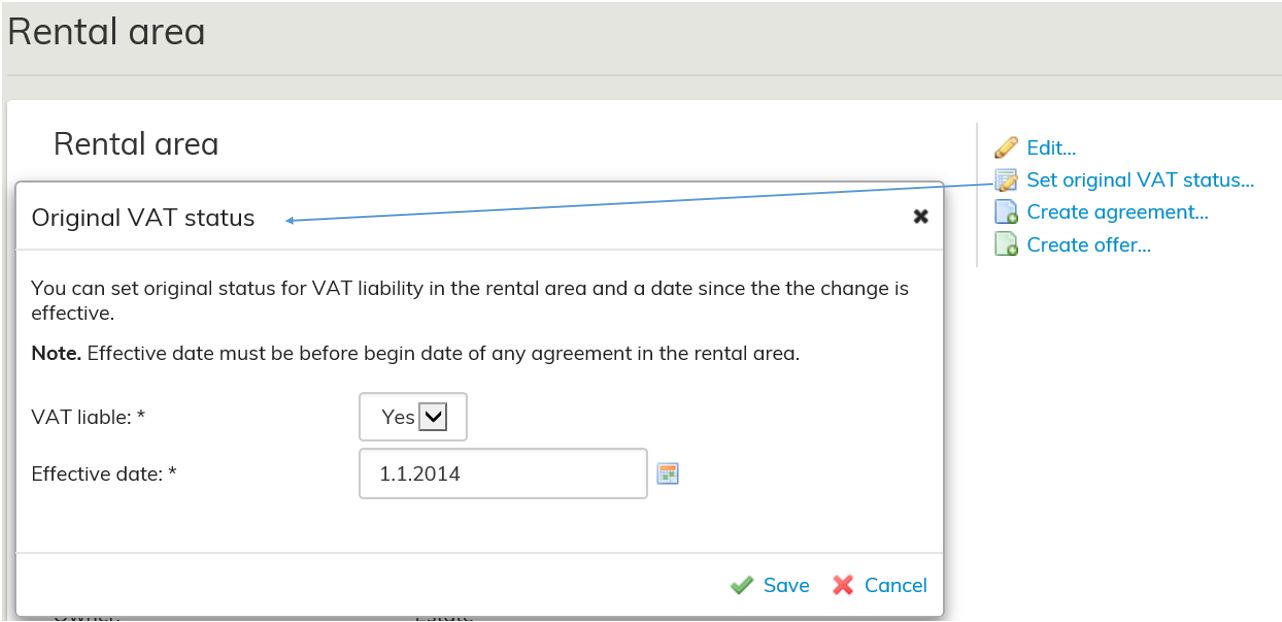
Du kan ange skattepliktsuppgift för hyresområdet genom att välja Ange ursprunglig skattepliktsuppgift. Det angivna datumet bör infalla före startdatumet för de avtal som är kopplade till hyresområdet.
Granskning av momsuppgifter
Optimaze får momsuppgifter för lokalerna månadsvis. Systemet beräknar momsuppgifterna dagligen enligt uthyrningsstatus för vald beräkningsdag, på rapporterna visas situationen för den sista dagen i granskningsmånaden. Beräkningsmodellen gör det möjligt att rapportera innevarande månads momsuppgifter redan före den egentliga beräkningsdagen.
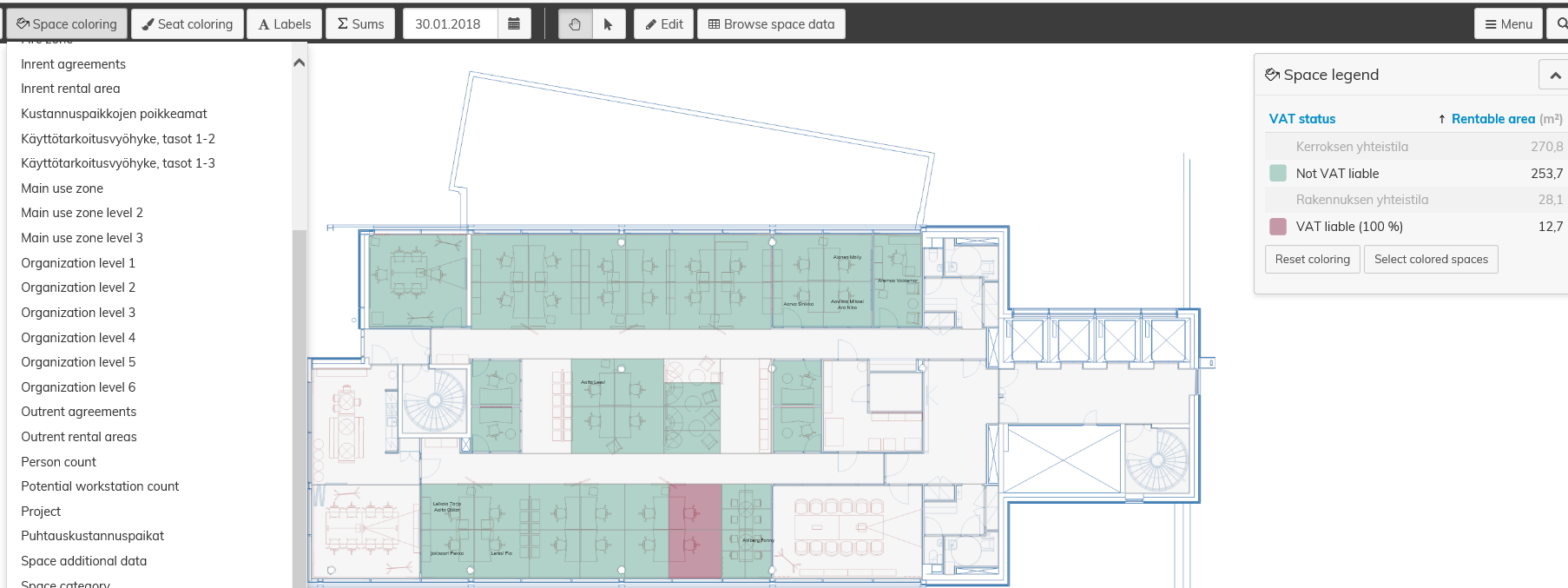
För att man ska kunna granska lokalernas momsuppgifter visas Momsplikten med färgsättning i planritningen. Färgsättningen visar lokalernas
momsuppgift för det valda datumets månad.
Rapportering av skatteprocent
Rapporten “6.1.5 Skatteprocent” visar byggnadernas och fastigheternas uthyrningsbara och skattepliktiga ytor samt
momsprocenten.
I rapporten ser du situationen för den valda eller föregående månad. Dessutom visar rapporten ändringar jämfört med föregående månad.
Filtrering fungerar på denna rapport
Specifications relating to the calculation of VAT liability are determined separately for each rental area.
You need to choose for each rental area, whether it is rentable or not. If the area is not rentable, it will not be included in the VAT calculation.
The VAT liability of a rental area is determined as follows: If the space:
- has not previously included a rental area (undefined space), it is non-taxable
- has an operational agreement, the taxation is determined according to the VAT specification on the agreement
- has an terminated agreement (= free space), the taxation is determined according to the VAT specification on the lease agreement
- has a rental area that is in own use, the taxation is determined according to the VAT specification of the rental area
- has a rental area that is not rentable, the space will not be considered in the tax rate calculation.
Those rental areas that are not attached to any space will not be included in the VAT calculation.
Even though it is possible to determine an area for the rental area when creating it, it does not have a space and will not be included in the calculation.
Original VAT liability information
You can manually set original VAT liability information for the rental area. The feature is intended for cases where the real estate has been transferred to the lessor with a transfer, and the lessor therefore has no previous agreement based on which the VAT liability of the rental area could be deduced.
You can determine VAT liability information in the rental area by clicking Set original VAT liability information. The date set must be earlier than the entry into force date of the agreements linked to the rental area.
Reviewing VAT information
Optimaze shows the VAT information of spaces on a monthly basis. The system calculates the VAT information daily based on the rental status on the calculation date. The reports show the status on the last day of the reference month.
This calculation method enables the reporting of VAT information for the current month already prior to the actual calculation date.
For reviewing the VAT information of spaces, the VAT liability is marked in colors in the floor plan. The coloring shows
the VAT information for the spaces on the month within which the selected date falls.
Tax rate reporting
The report “6.1.5 VAT portion” shows the rentable and taxable areas, as well as the VAT rate, of buildings and properties.
You can review the situation in the month selected for the report or in the previous month. In addition, the report shows changes compared to the previous month.
You can also use filters for this report.
For more detailed instructions on using the reports, see the section Reporting.