In sections and Search and filtering you can find more information on searching and viewing an agreement.
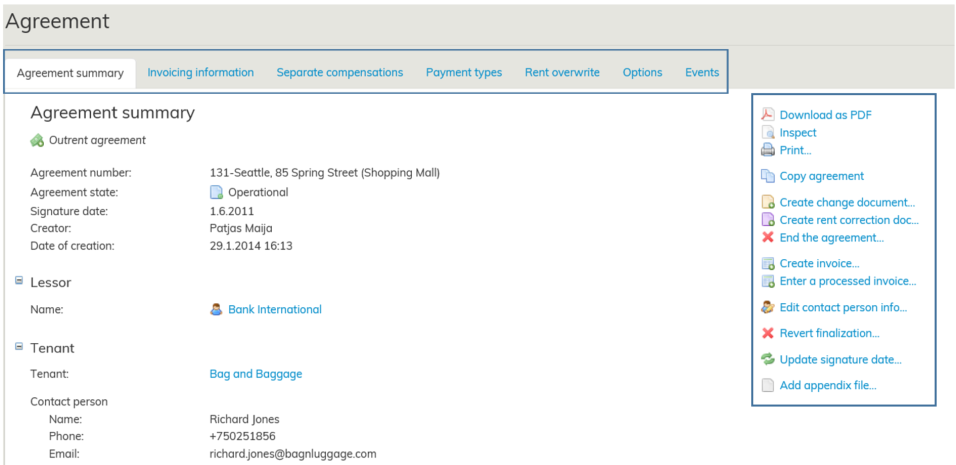
Once you have found the agreement you wish to view and you open it, an agreement summary page will open up.
In the agreement summary page, the information has been divided onto different tabs.
You can open the tabs simply by clicking the tab name with your mouse. You can view the agreement information under each tab.
On the right-hand side of the basic information page, you can find various function buttons
ikkunaan sopimuksen koontilomake.
Sopimuksen koontilomakkeella on tiedot jaettu useammalle välilehdelle.
Välilehden saat näkyviin painamalla hiirellä välilehden nimeä. Voit tarkastella eri välilehdellä olevia sopimustietoja.
...
.
Sopimuksen välilehdistä ja sopimuslomakkeen toimintopainikkeista on erilliset ohjeensa:
...