Specifications relating to the calculation of VAT liability are determined separately for each rental area.
You need to choose for each rental area, whether it is rentable or not. If the area is not rentable, it will not be included in the VAT calculation.
The VAT liability of a rental area is determined as follows: If the space:
- has not previously included a rental area (undefined space), it is non-taxable
- has an operational agreement, the taxation is determined according to the VAT specification on the agreement
- has an terminated agreement (= free space), the taxation is determined according to the VAT specification on the lease agreement
- has a rental area that is in own use, the taxation is determined according to the VAT specification of the rental area
- has a rental area that is not rentable, the space will not be considered in the tax rate calculation.
Those rental areas that are not attached to any space will not be included in the VAT calculation.
Even though it is possible to determine an area for the rental area when creating it, it does not have a space and will not be included in the calculation.
Original VAT liability information
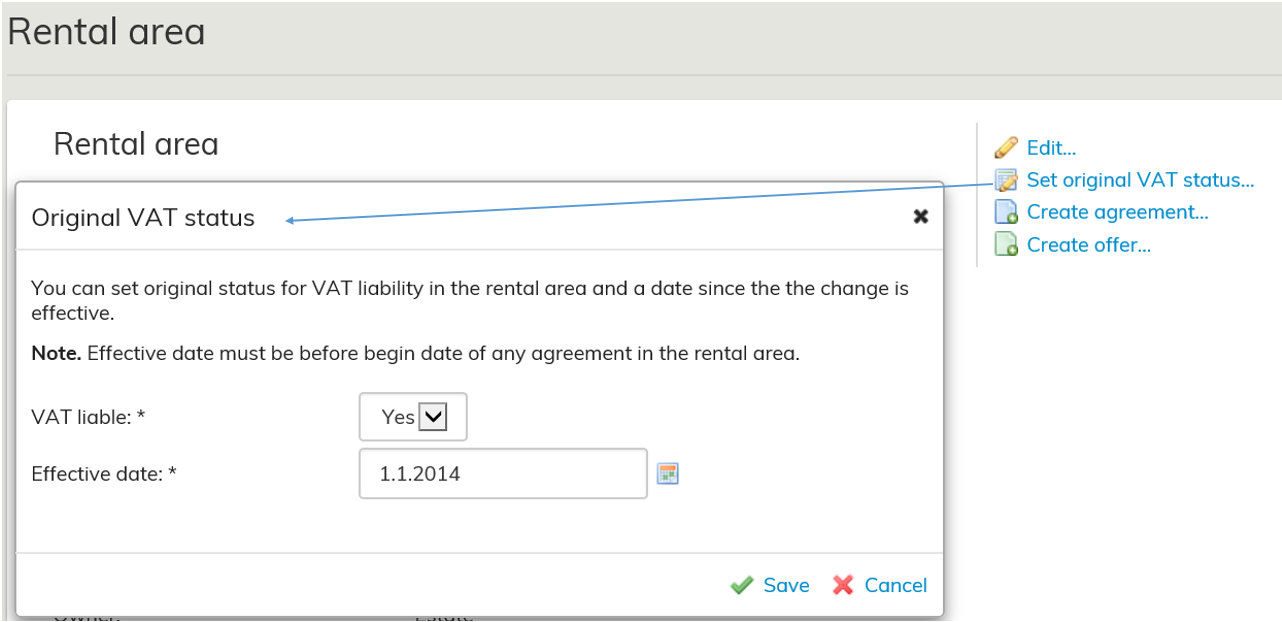
You can manually set original VAT liability information for the rental area. The feature is intended for cases where the real estate has been transferred to the lessor with a transfer, and the lessor therefore has no previous agreement based on which the VAT liability of the rental area could be deduced.
You can determine VAT liability information in the rental area by clicking Set original VAT liability information. The date set must be earlier than the entry into force date of the agreements linked to the rental area.
Reviewing VAT information
Optimaze shows the VAT information of spaces on a monthly basis. The system calculates the VAT information daily based on the rental status on the calculation date. The reports show the status on the last day of the reference month.
This calculation method enables the reporting of VAT information for the current month already prior to the actual calculation date.
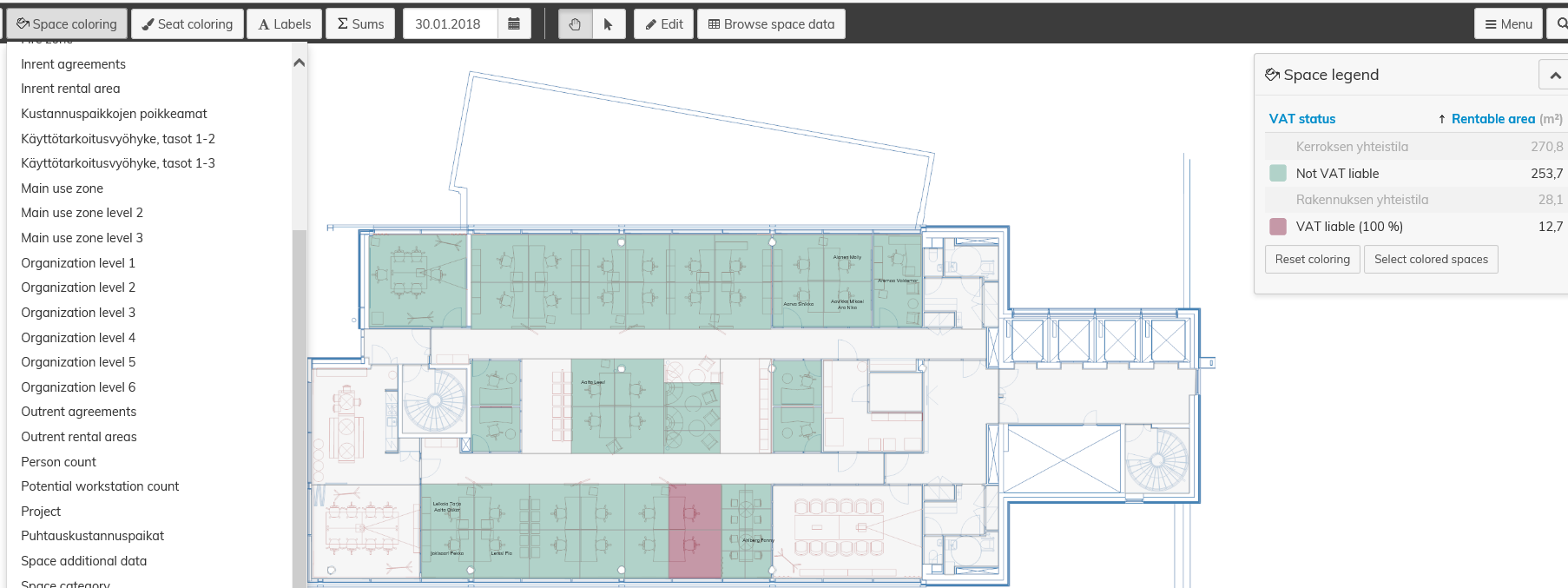
For reviewing the VAT information of spaces, the VAT liability is marked in colors in the floor plan. The coloring shows
the VAT information for the spaces on the month within which the selected date falls.
Tax rate reporting
The report “6.1.5 VAT portion” shows the rentable and taxable areas, as well as the VAT rate, of buildings and properties.
You can review the situation in the month selected for the report or in the previous month. In addition, the report shows changes compared to the previous month.
You can also use filters for this report.
For more detailed instructions on using the reports, see the section Reporting
Arvonlisäverollisuuslaskentaan liittyvät määritykset määritellään vuokra-aluekohtaisesti.
Vuokra-alueelle syötetään tieto onko vuokrattavissa vai ei. Jos ei ole vuokrattavissa ei tule mukaan arvonlisäverolaskentaan.
Vuokra-alueen arvonlisäverollisuus määräytyy seuraavasti. Jos tilaan:
ei ole aikaisemmin liittynyt vuokra-aluetta (määrittelemätön tila), se on veroton
liittyy voimassa oleva sopimus, verollisuus määräytyy sopimuksen ALV-määrityksen mukaisesti
liittyy päättynyt sopimus (=vapaa tila), verollisuus määräytyy vuokrasopimuksen ALV-määrityksen mukaisesti
liittyy omassa käytössä oleva vuokra-alue, verollisuus määräytyy vuokra-alueen ALV-määrityksen mukaisesti
liittyy ei-vuokrattavissa oleva vuokra-alue, ei oteta huomioon verollisuusastetta laskettaessa.
Sellaiset vuokra-alueet joita ei ole kiinnitetty mihinkään tilaan, eivät tule mukaan alv-laskentaan.
Vaikka vuokra-alueen luonti -näkymässä voidaan määritellä vuokra-alueelle pinta-ala, ei sillä kuitenkaan ole olemassa tilaa, joten se ei tule mukaan laskentaan.
ALV-laskennan alkuperäinen verollisuustieto
Voit asettaa vuokra-alueelle manuaalisesti alkuperäisen verollisuustiedon. Ominaisuus palvelee tilanteita, joissa kiinteistö on siirtynyt luovutuksella vuokranantajalle, eikä vuokranantajalla siten ole aikaisempaa sopimusta, jonka perusteella vuokra-alueen verollisuustieto on pääteltävissä.
Verollisuustiedon voit asettaa vuokra-alueella valitsemalla Aseta alkuperäinen verollisuustieto. Asetetun päivämäärän tulee olla aikaisempi kuin vuokra-alueeseen kiinnitettyjen sopimusten alkamispäivämäärä.
ALV-tietojen tarkastelu
Optimazesta saa tilojen ALV-tiedot kuukausitasolla. Järjestelmä laskee ALV-tiedot päivittäin valitun laskentapäivän vuokraustilanteen mukaan, raporteilla näkyy tarkastelukuukauden viimeisen päivän tilanne. Laskentamalli mahdollistaa ALV-tietojen raportoinnin kuluvan kuukauden osalta jo ennen varsinaista laskentapäivää.
Tilojen ALV-tietojen tarkastelemiseksi pohjakuvassa on Arvonlisäverollisuus -väritys. Väritys näyttää tilojen ALV-tiedon valitun päivämäärän mukaiselle kuukaudelle. EI DEMO ENGISSA

Verollisuusasteraportointi EI DEMO ENGISSA
Raportti “6.1.5 Verollisuusaste” näyttää rakennusten ja kiinteistöjen vuokrattavat ja verolliset pinta-alat sekä ALV-asteen.
Voit tarkastella raportilla valitun tai edellisen kuukauden tilannetta. Lisäksi raportilla näytetään muutokset edelliseen kuukauteen verrattuna.
Suodatus toimii tällä raportilla.
Tietotaulukossa Vuokra-alueiden alv päivämäärien tarkistustaulukko, voit tarkastella verollisuusastetietoja.
Tarkempi ohjeistus raporttien käyttöön löytyy Raportointi -kohdasta.