The tenant can be either a company/community or a person. Select the tenant type from the pull-down menu.
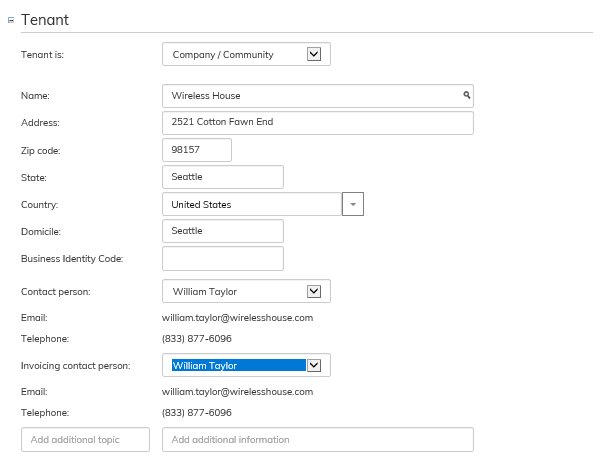
The software searches for the tenant’s information, once you have typed in most of the tenant’s name.
You might also notice while filling out the lease agreement form that the tenant has not yet been created in the system.
You can create the tenant also in the saving phase.
You can select the tenant’s contact person and invoicing contact person from the pull-down menus.

When you are writing a tenant’s name but the software does not find the name from the register, the option Create new tenant appears on the right side of the Name field.
Here, you can create a new tenant according to the instructions given in section Managing tenant information
Vuokralainen voi olla joko Yritys/Yhteisö tai Henkilö. Valitse asiakastyyppi alasvetovalikosta.
UUSi KUVA
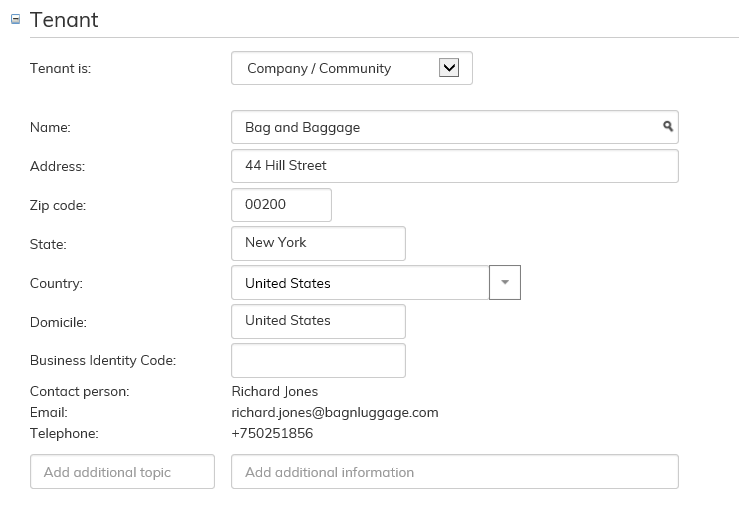
Ohjelma hakee vuokralaisen tiedot, kun kirjoitat osan vuokralaisen nimestä.
Jos huomaat sopimuslomaketta täyttäessäsi, että olet luomassa sopimusta vuokralaiselle, jota ei ole vielä luotu järjestelmään.
Voit luoda sen myös tallentamisvaiheessa.
Voit valita vuokralaiselle yhteyshenkilön ja laskutusyhteyshenkilön alasvetovalikoista.
Kun alat kirjoittamaan vuokralaisen nimeä ja ohjelma ei löydä sitä rekisteristä, tulee Nimi kentän oikealle puolelle painike Luo uusi vuokralainen.
Tästä pääset luomaan uuden vuokralaisen tiedot kuten ohjeen kohdassa Vuokralaisen tietojen hallinta kerrotaan.