Building summary page
Each building in the building register has a separate building summary page for lease management in Optimaze.
You can access the summary page by opening Inrent and then Rental area management from the main menu.
From the hierarchy, select the building whose summary page you want to see.
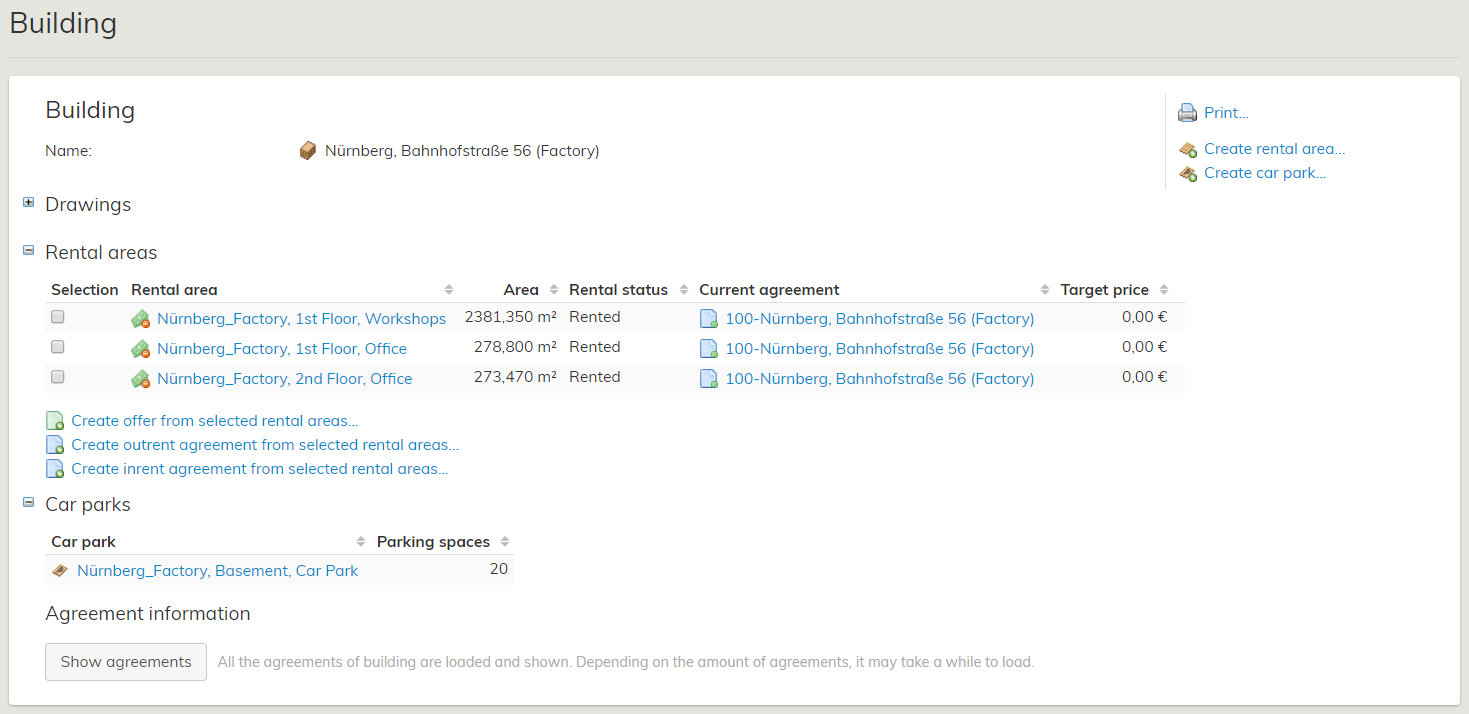
In the building summary page, you can see all of the rental areas attached to the building.
From the building summary page, you can create rental areas, car parks, select existing rental areas and create agreements related to them.
| NOTE! |
|---|
The building summary page mentioned here is not the information card of the building for managing building-specific data in Property and building register. |
Rental area summary page
You can use the rental area summary page to view information related to the rental area.
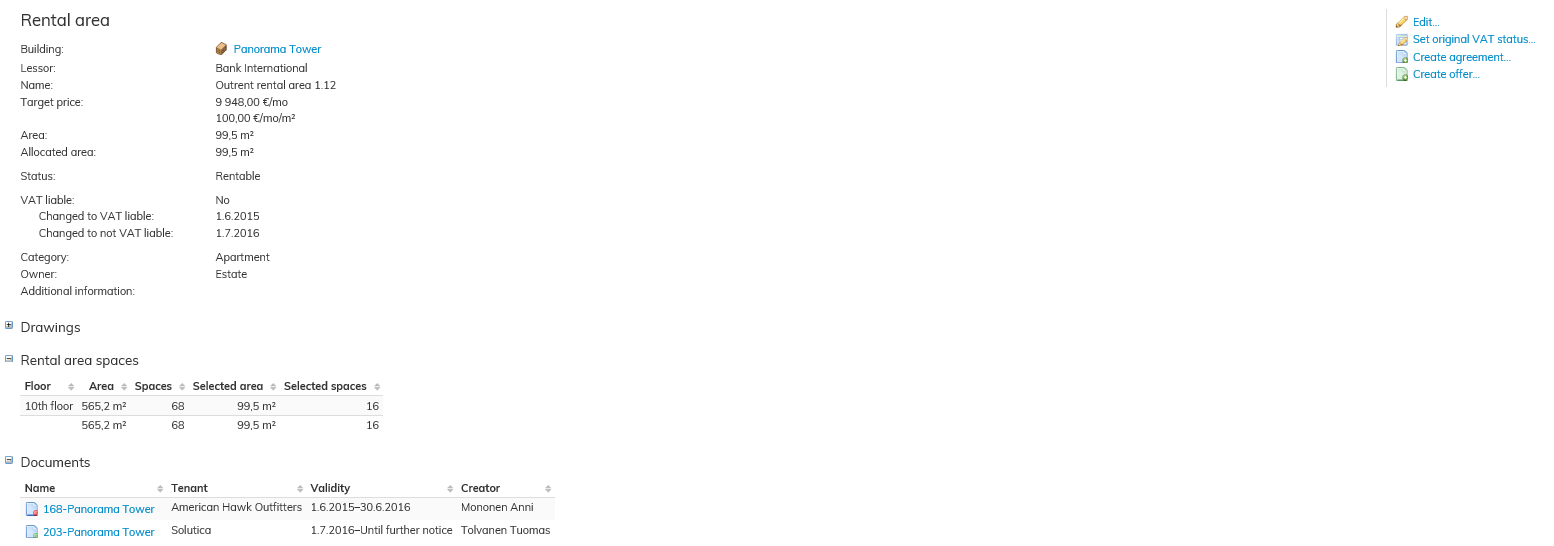
From the rental area summary page, you can create lease agreements and offers.
You can also edit the information on the rental area. You can also view drawings and documents attached to the rental area by using the rental area summary page.
You may also delete the rental area, if it has not been attached to an operational agreement
Rakennuksen koontilomake
Jokaisella rakennusrekisterissä olevalla rakennuksella on Optimazen vuokrauksenhallintaa varten Rakennuksen koontilomake. Päästäksesi koontilomakkeelle valitse päävalikosta Sisäänvuokraus ja Vuokra-alueiden hallinta. Valitse puusta rakennus, jonka koontilomakkeen haluat nähdä.
...
Tässä mainittu rakennuksen koontilomake ei ole Kiinteistö- ja rakennusrekisterin rakennuskortti, jolla ylläpidetään rakennukseen liittyviä tietoja.
Vuokra-alueen koontilomake
...
Vuokra-alueen koontilomakkeelta voit luoda vuokraussopimuksia tai tarjouksia.
Voit myös muokata vuokra-alueen tietoja. Vuokra-alueen koontilomakkeen kautta voit tarkastella myös siihen liitettyjä piirustuksia sekä dokumentteja.
Voit myös poistaa vuokra-alueen, jos sitä ei ole liitetty voimassaolevaan sopimukseen.